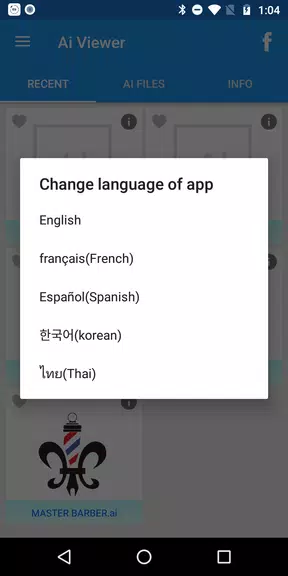
Unlock the full potential of Adobe Illustrator on your Android device with the Ai viewer app. This powerful tool allows you to seamlessly view, save, and organize your .ai files on the go. With the ability to preview all pages of your .ai files in multiple languages, you can ensure that your designs are always accessible. The app also provides Adobe Illustrator shortcuts for both Windows and Mac platforms, enhancing your efficiency and workflow. You can easily convert your .ai files to .pdf or .png formats, making sharing and distribution a breeze. The app conveniently lists all your Adobe Illustrator files, allowing for quick access and management. Plus, with pinch-to-zoom functionality, you can get up close and personal with your designs for a detailed view.
Enhance your experience further with deep-link support, enabling you to open .ai files directly from email attachments, Google Drive, or your device's storage. And for a more seamless experience, consider making in-app purchases to remove full-page advertisements permanently.
Features of Ai viewer:
> Preview all pages of .ai files: Dive into every page of your Adobe Illustrator files with ease, allowing you to review your entire project right from your Android device.
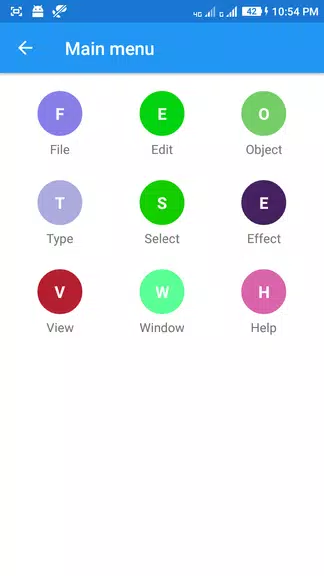
> Adobe Illustrator shortcuts: Boost your productivity with a comprehensive list of shortcuts tailored for both Windows and Mac users, helping you streamline your work in Adobe Illustrator.
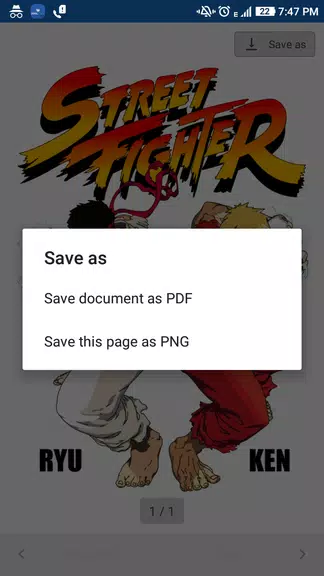
> Save files as .pdf or .png: Convert your .ai files into widely compatible .pdf or .png formats directly on your mobile device, making it simple to share your work with others.
> List all .ai files on mobile device: Quickly locate and access all your Adobe Illustrator files stored on your device, ensuring you never lose track of your important work.
Tips for Users:
> Pinch to zoom for large preview: Get a closer look at your designs by using the pinch-to-zoom feature, which allows for a detailed inspection of your work.
> Use deep-link support: Open .ai files effortlessly from various sources like email attachments or Google Drive, thanks to the app's deep-link support feature.
> Utilize in-app purchases: Enhance your app experience by opting for in-app purchases to eliminate full-page ads, ensuring a distraction-free environment as you work.
Conclusion:
Ai viewer stands out as a versatile and user-friendly app, perfect for designers, illustrators, and graphic artists who need to manage Adobe Illustrator files on their Android devices. With its robust features like multi-page previews, platform-specific shortcuts, and versatile file conversion options, this app significantly boosts your workflow and productivity. By leveraging the app's tips and features, you can transform your mobile device into a powerful tool for handling .ai files, ensuring your creative projects are always within reach.