Elevate your time management and productivity with Business Calendar 2 Pro, the premier app designed for professionals who need a powerful and versatile calendar solution. With its comprehensive features and intuitive design, Business Calendar 2 Pro helps you organize your appointments, tasks, and deadlines efficiently, ensuring you stay on top of your busy schedule.
Features of Business Calendar 2 Pro:
Speed Up Event Creation: Business Calendar 2 Pro allows you to use templates for new events and tasks, making it quick and easy to add appointments to your schedule. It also provides location auto-completion using suggestions from TomTom.
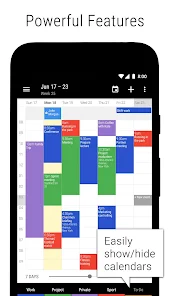
Edit Your Schedule in No Time: With the drag and drop feature in the weekly planner, you can easily move and copy events. You can also delete, move, or copy multiple events at once using multi-selection. Additionally, you can copy the same event to multiple days at once, which is perfect for scheduling work shifts.
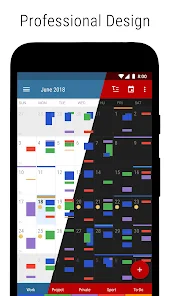
Choose Your Design: Business Calendar 2 Pro offers 22 beautiful themes for the app, including a dark theme. It also provides 14 unique widget themes for each widget, allowing you to customize the look and feel of your calendar. You can even configure font sizes individually.
Don't Miss Anything: The app includes repeating alarms and allows you to set individual ringtones for different calendars, ensuring you never miss an important event.
How is the Weather? Business Calendar 2 Pro offers an integrated weather report in the month, day, and agenda views, so you can stay updated on the weather conditions while managing your schedule.
Enjoy Premium Tools: This premium version allows you to attach files and photos to your events and tasks. You can privately link contacts, create repeated tasks, subtasks, and priorities for tasks. It also lets you print your schedule to PDF and import and export calendar data.
Tips for Users:
Take advantage of event and task templates: With the template feature, you can quickly create new events and tasks by selecting from pre-defined templates. This saves time and ensures consistency in event creation.
Utilize the drag and drop feature: Move and copy events easily in the weekly planner by simply dragging and dropping them. This is especially useful for rescheduling or duplicating recurring events.
Customize your calendar's appearance: Choose from the 22 beautiful themes and 14 widget themes to personalize the look of your calendar. Adjust the font sizes according to your preferences for better readability.
Mod Info:
• Paid/Patched
⭐ Advanced Calendar View Options
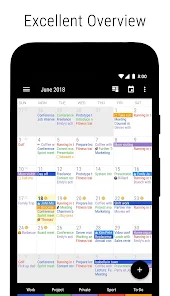
Business Calendar 2 Pro offers multiple calendar view options to help you visualize your schedule in the way that best suits your needs. Choose from daily, weekly, monthly, or agenda views to get a clear picture of your upcoming events and tasks. The flexibility of view options allows you to customize how you interact with your calendar and manage your time effectively.
⭐ Seamless Integration With Other Apps
Integrate Business Calendar 2 Pro with other productivity apps and services to streamline your workflow. Sync with your email, task management tools, and cloud storage services to ensure that all your important information is accessible in one place. The seamless integration enhances your productivity by reducing the need to switch between multiple apps.
⭐ Customizable Reminders And Notifications
Stay on top of your commitments with Business Calendar 2 Pro’s customizable reminders and notifications. Set alerts for upcoming events, deadlines, and tasks to ensure you never miss an important date. The app allows you to tailor reminders based on your preferences, so you receive timely notifications that suit your schedule.
⭐ Smart Task Management
Efficiently manage your tasks with Business Calendar 2 Pro’s smart task management features. Create and organize tasks, set deadlines, and track your progress with ease. The app’s task management tools help you prioritize your to-do list and ensure that you stay focused on your most important objectives.
⭐ Intuitive Event Creation And Editing
Create and edit events effortlessly with Business Calendar 2 Pro’s intuitive event creation tools. Add details such as location, description, and attendees, and customize recurring events to fit your needs. The user-friendly interface ensures that managing your schedule is a quick and straightforward process.
▶ What's New in the Latest Version:
Last updated on Sep 12, 2024
Minor bug fixes and improvements. Install or update to the newest version to check it out!