DWG FastView: A Comprehensive CAD Solution for Modern Design Workflows
DWG FastView is a versatile cross-platform CAD software designed to meet the diverse needs of designers, architects, and engineers. It offers a comprehensive suite of features, enabling users to effortlessly create, view, edit, and share CAD drawings across various devices and platforms.
Seamlessly switch between 2D and 3D
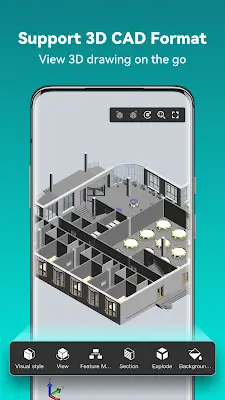
One of the most captivating features of DWG FastView is its ability to seamlessly switch between 2D and 3D visual modes. This feature allows users to explore their designs comprehensively, offering a dynamic and immersive experience. With ten different perspectives for viewing, including wireframe, realistic, and hidden modes, users can visualize their creations from various angles with ease. Additionally, the powerful tools for layer management and layout customization further enhance the 3D experience, providing users with the flexibility to tailor their viewing preferences according to their specific needs. Overall, the seamless transition between 2D and 3D modes sets DWG FastView apart, offering users a truly captivating and versatile CAD experience.
Unparalleled accessibility
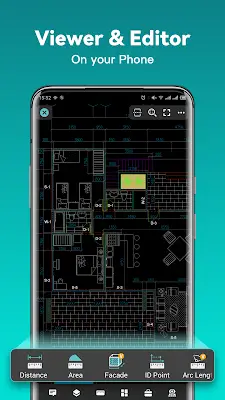
DWG FastView offers unparalleled accessibility, allowing users to create, view, and edit CAD drawings with ease, right from the palm of their hand. Whether you're on a bustling construction site, attending a client meeting, or simply lounging at home, DWG FastView ensures that your design tools are always within reach.
Seamless compatibility
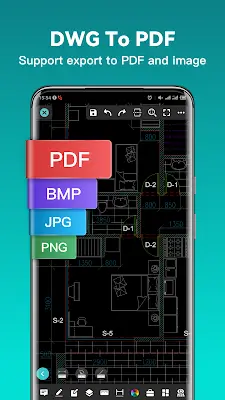
DWG FastView boasts full compatibility with DWG and DXF files, ensuring a smooth transition for users familiar with AutoCAD. Whether you're working with legacy files or the latest CAD standards, DWG FastView has you covered. Say goodbye to compatibility issues and file-size limitations – DWG FastView supports all versions of AutoCAD with lightning-fast access to your drawings.
Multiple devices synchronization
DWG FastView facilitates seamless collaboration by allowing users to synchronize their drawings across multiple devices with a single click. Whether you're working solo or as part of a team, DWG FastView ensures that everyone stays on the same page, regardless of their location or device.
Comprehensive CAD capabilities
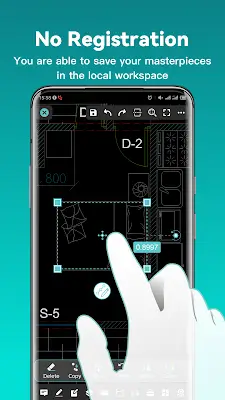
DWG FastView transcends mere viewing, offering a comprehensive CAD solution tailored to modern design workflows. Boasting a spectrum of tools from fundamental functions like move, copy, and rotate, to sophisticated features such as precise dimensioning, text identification, and layer management, users are empowered to conduct intricate CAD tasks seamlessly, anytime, and anywhere.
Precision drawing
Precision is paramount in the world of CAD design, and DWG FastView delivers with its precise drawing capabilities. Whether you're working in 2D or 3D, DWG FastView supports absolute, relative, polar, spherical, and cylindrical coordinates, ensuring that every point is placed with accuracy and efficiency.
Conclusion
DWG FastView stands as a testament to the power of innovation in CAD software. With its seamless cross-platform compatibility, intuitive interface, and feature-rich functionality, DWG FastView empowers designers to unleash their creativity anytime, anywhere. Whether you're a seasoned professional or an aspiring enthusiast, DWG FastView is your ultimate CAD companion, revolutionizing the way we design and engineer our world. Join the millions of users worldwide who have embraced DWG FastView and experience the future of CAD design today.