GTO Sensei: Mastering Texas Hold'em with Game Theory Optimal Strategies
GTO Sensei is a sophisticated tool for Texas Hold'em players dedicated to leveraging Game Theory Optimal (GTO) strategies for improved gameplay. This platform provides comprehensive hand analysis and strategic guidance, empowering players to make more informed decisions in complex poker scenarios. Its robust data processing and intuitive design cater to players of all skill levels, from novice to expert. Enhance your poker game and increase your win rate with GTO Sensei.
GTO Sensei Training: A Video Overview
Key Features of GTO Sensei
1. Free Introductory Training:
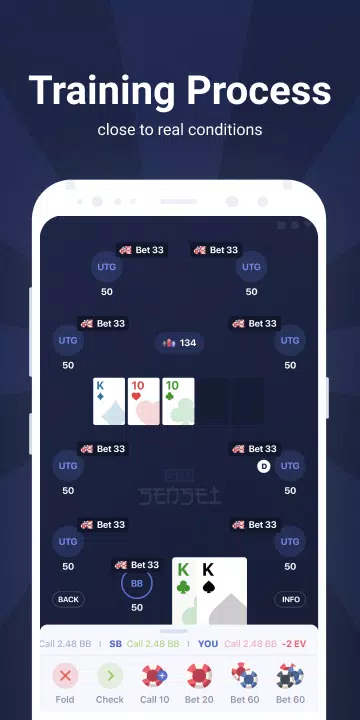
Begin your GTO journey with a free training pack encompassing drills for various game formats, including MTTs, cash games, and Spin&Gos. Experience the app's capabilities firsthand before committing to a subscription. More extensive training packs for specific game types are available through affordable monthly subscriptions, each including a 3-day trial.
2. Cross-Platform Compatibility:
Enjoy seamless access to GTO Sensei on your iPhone, iPad, and Android devices. The app is optimized for each platform, ensuring consistent performance across different devices.
3. Intuitive User Interface:
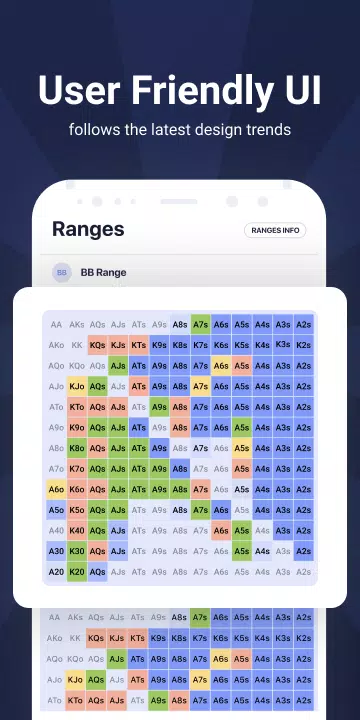
Developed with modern mobile app design principles in mind, GTO Sensei boasts an intuitive interface designed for ease of use. Navigate the app effortlessly and begin enhancing your poker skills within minutes.
4. Expert-Developed Training Packs:
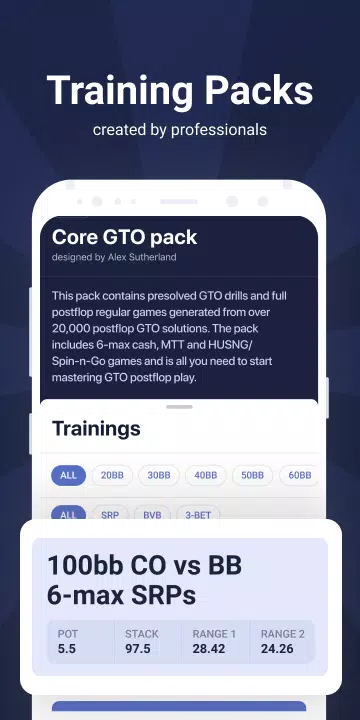
All training packs are meticulously crafted by seasoned poker players and respected coaches. The comprehensive packs cover numerous post-flop scenarios, enabling you to practice a wide array of game situations.
5. Cutting-Edge Technology:
GTO Sensei utilizes a vast database of pre-calculated GTO strategies. Training incorporates complex game trees solved with high precision using state-of-the-art GTO algorithms from the SimplePostflop solver. Preflop ranges for most packs are calculated using Simple Preflop Holdem.
Downloading and Using GTO Sensei: A Step-by-Step Guide
1. Access the Official Website: Locate the official GTO Sensei website through a search engine (e.g., search "GTO Sensei official website").
2. Account Creation: Register an account by providing your email address, username, and password. Complete the verification process to activate your account.
3. Subscription Selection: Choose a subscription plan (monthly, quarterly, or annual) that aligns with your needs. Many plans include a free trial.
4. Software Download: Log in to your account and navigate to the download page. Select the appropriate download link for your operating system.
5. Software Installation: Run the installer and follow the on-screen instructions. You may need to grant permissions or specify an installation location.
6. Application Launch: Launch GTO Sensei from your desktop shortcut or start menu. Log in using your account credentials.
7. Hand History Import: Import your hand histories (e.g., HH format) from your poker client using the "Import Hand History" function.
8. Commencing Analysis: Analyze your hands and decisions using GTO Sensei's features. The software generates detailed reports highlighting strategic weaknesses and suggesting improvements.
9. Regular Updates: Regularly check for updates to ensure you have the latest features and performance enhancements.
Tips for Maximizing GTO Sensei's Potential
1. Grasp GTO Fundamentals: Familiarize yourself with core GTO principles, including balanced strategies, range balancing, and exploitative play.
2. Analyze Hand Histories: Regularly import and analyze your hand histories to identify and correct strategic flaws.
3. Utilize Simulation Features: Employ the simulation feature to test various strategies and optimize your decision-making.
4. Focus on Range Building: Master the art of building balanced ranges to prevent opponents from easily predicting your actions.
5. Interpret Reports Effectively: Carefully review and understand the software's reports to refine your strategy accordingly.
6. Consistent Practice: Regular practice is crucial for mastering GTO concepts. Use GTO Sensei to simulate real-game scenarios.
7. Patience and Continuous Learning: Becoming proficient in GTO takes time and dedication. Remain patient, persistent, and committed to continuous learning.
Conclusion
GTO Sensei is a powerful poker tool for Texas Hold'em players seeking to enhance their game using GTO strategies. Its comprehensive hand analysis, strategic advice, and simulation capabilities empower players to build balanced ranges and make superior decisions. With its user-friendly interface and detailed reporting, GTO Sensei is an invaluable resource for players of all skill levels aiming to elevate their poker game.