LINE: Your All-in-One Communication Hub
LINE revolutionizes communication, connecting family, friends, and loved ones globally—free of charge. Experience rich communication with voice and video calls, instant messaging, and a vast library of expressive stickers. Accessible on mobile, desktop, and Wear OS, LINE's ever-expanding platform enhances convenience and fun.
Key LINE Features:
-
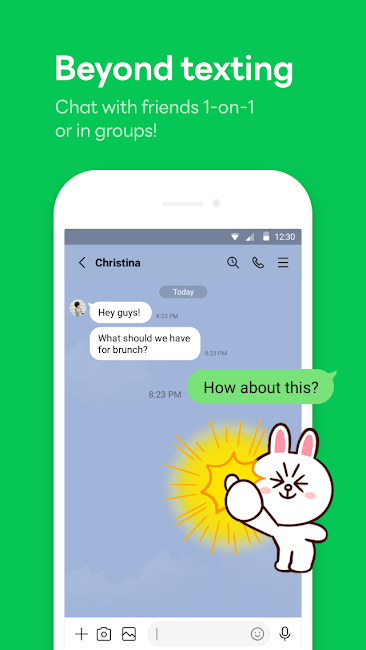
Versatile Communication: Enjoy seamless messaging, quick voice calls, and face-to-face video calls, perfect for casual chats or professional meetings across platforms.
-
Expressive Communication: Personalize your chats with a massive selection of stickers, emojis, and customizable themes to match your mood and style.
-
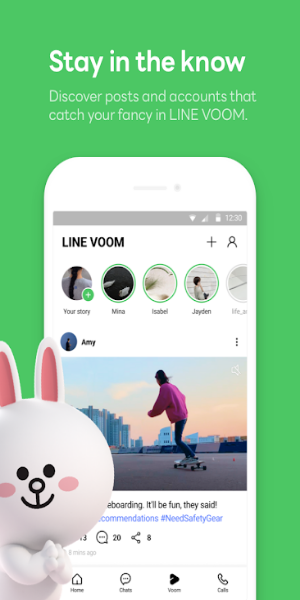
Centralized Home Screen: The Home section provides a streamlined interface for managing friends, tracking birthdays, accessing the sticker shop, and exploring LINE's diverse services.
-
Cross-Platform Connectivity: Stay connected seamlessly across smartphones, Wear OS smartwatches, and PCs for uninterrupted communication, anytime, anywhere.
-
Secure Information Storage (Keep Memo): Temporarily store important messages, photos, and videos in your own private Keep Memo chatroom for easy access and organization.
-
Enhanced Privacy (Letter Sealing): Protect your privacy with end-to-end encryption for messages, call history, and location data, ensuring secure conversations.
-
Smartwatch Integration: Conveniently check messages and respond directly from your Wear OS smartwatch, adding the LINE app complication to your watch face for quick access.
Quick Start Guide:
-
Installation: Download LINE from your device's app store (Google Play or Apple App Store). Create an account using your phone number or email.
-
Adding Friends: Find friends via their LINE ID, QR code, or by syncing your contacts.
-
Messaging: Open a friend's chat, type your message, and send! Use emojis, stickers, and GIFs to add personality.
-
Calls: Initiate voice or video calls using the phone or camera icons in the chat window.
-
Exploring Features: Explore the Home section, customize your theme, and discover additional LINE services.
-
Privacy: Utilize Letter Sealing for encrypted communication and adjust notification and privacy settings as needed.
-
Multi-Device Access: Enjoy consistent access to LINE across your smartphone, smartwatch, and computer.
Conclusion:
LINE offers a comprehensive and user-friendly communication platform. Its blend of messaging, calling features, and expressive tools ensures a dynamic and personalized communication experience. With strong privacy features and cross-platform accessibility, LINE keeps you connected effortlessly across all your devices.