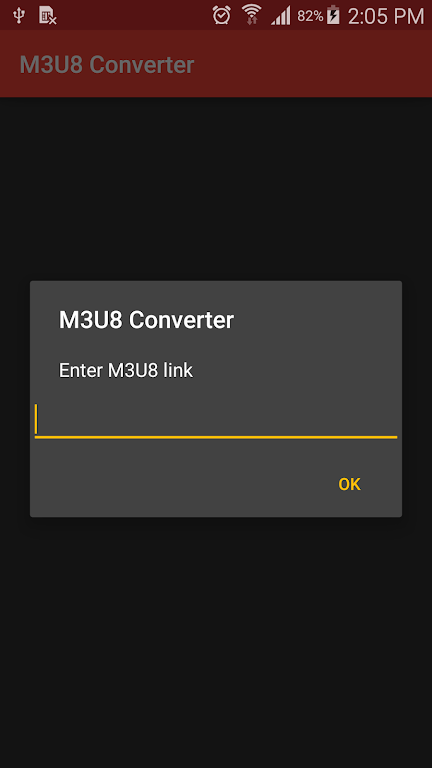
Are you tired of not being able to download your favorite videos because they are in m3u8 format? Well, fret no more! Introducing the M3U8 Converter app, your ultimate solution to converting m3u8 files to mp4 effortlessly. With just a few simple steps, you can finally enjoy your desired videos without any hassle. Just copy and paste the link into the app, and voila! The M3U8 Converter will work its magic, providing you with a high-quality mp4 file that you can enjoy anytime, anywhere. Don't let file formats limit your entertainment options - download M3U8 Converter now and unleash unlimited possibilities!
Features of M3U8 Converter:
Effortless and Quick Conversion: The app offers a seamless and straightforward process to convert M3U8 files to MP4. With just a few clicks, users can effortlessly transform their playlists into a more accessible multimedia format.
Wide Range of Compatibility: This app supports various media players, making it compatible with different devices and operating systems. Whether you're using a Windows PC, Mac, or mobile device, you can rely on the app to handle your playlist conversion needs.
High-Quality Output: The app ensures that the converted MP4 files retain the same audio and video quality as the original M3U8 playlist. Users can enjoy their media content without any compromise on visual or auditory experience.
User-Friendly Interface: Designed with simplicity in mind, the app offers an intuitive and user-friendly interface. Even novice users can navigate the app effortlessly and convert their playlists with ease. No technical expertise or complicated settings required.
FAQs:
Is it necessary to have an internet connection to use the app?
Yes, an internet connection is required to download and convert the M3U8 files using the app. However, once the conversion is completed, the converted MP4 files can be accessed offline.
Can I convert multiple M3U8 files at once?
Yes, the app supports batch conversion, allowing users to convert multiple files simultaneously. This feature saves time and effort, especially for those dealing with a large number of playlists.
Can I customize the output settings for the converted MP4 files?
Unfortunately, the app does not provide extensive customization options for the output settings. The conversion process aims to maintain the original quality, ensuring a consistent playback experience.
Conclusion:
The M3U8 Converter app offers an effortless and efficient solution for converting M3U8 files to MP4. With its user-friendly interface and high-quality output, users can easily transform their playlists while preserving the audio and video integrity. The app's wide compatibility ensures that it can be used on various devices and operating systems, providing convenience to a wide range of users. Whether you're a tech-savvy individual or a beginner, the app simplifies the playlist conversion process, making it accessible to anyone. Start enjoying your favorite multimedia content in a more accessible format with the app.