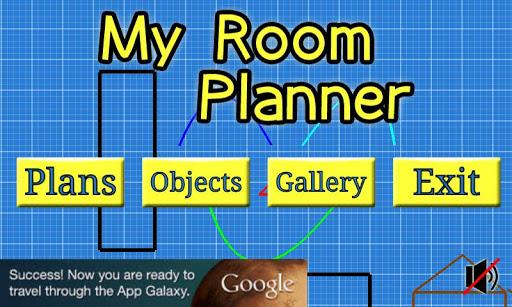
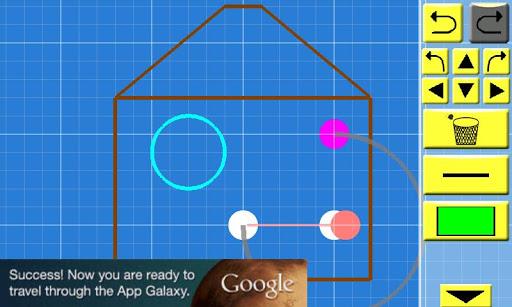
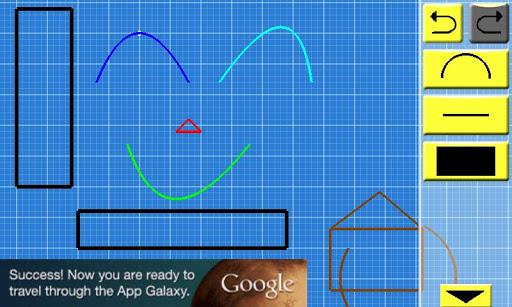
My Room Planner is a user-friendly app that lets you effortlessly create simple layouts or drawings in just minutes. Whether you need to plan the furniture arrangement in your new home or simply want to unleash your creativity, this app has got you covered. With its intuitive interface, you can easily draw lines, circles, squares, and even add text labels to bring your vision to life. The app also offers a convenient separation of plans and objects, making the design process even smoother. Once you're finished, share your creations with friends and family through social networks or email. Don't worry if you're new to the app, there's a tutorial mode available to teach you all the tricks and features. Get started on your next design project with My Room Planner!
Features of My Room Planner:
- Simple and user-friendly interface: The app offers a clear UI and easy-to-understand controls, making it effortless to create any layout or drawing using lines, circles, curves, squares, and labels.
- Separation of plans and objects: Users can create objects separately in the Object Design view and later insert them into their plans in the Plan View, simplifying the design process.
- Share your creations easily: With just a few taps, users can take screenshots of their creations and share them effortlessly through social networking platforms or email.
- Tutorial mode: The app provides an easy-to-follow tutorial that guides users on how to make the most of My Room Planner. Accessible from the layout screens, it ensures users can quickly master all the features and functions.
- Convenient reference for moving or buying furniture: Originally designed for people moving to a new place or purchasing new furniture, the app allows users to draw room layouts and visualize how everything will fit.
- Versatility in design: With the ability to create almost anything easily, My Room Planner enables users to bring their ideas to life and effectively plan their room designs.
Conclusion:
My Room Planner is the perfect tool for anyone seeking a simple and efficient way to draw room layouts and designs. The app's easy-to-use interface, separation of plans and objects, and convenient sharing options make it an ideal choice for those moving or buying furniture. Whether you're a DIY enthusiast or need to plan your space effectively, My Room Planner empowers you to unleash your creativity and bring your ideas to life. Download now and start designing!