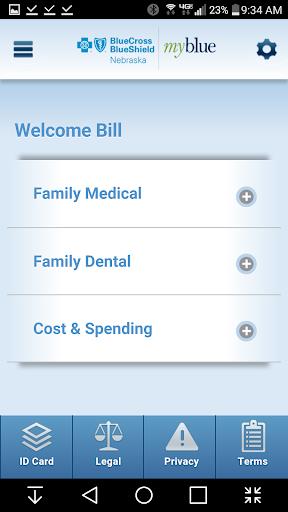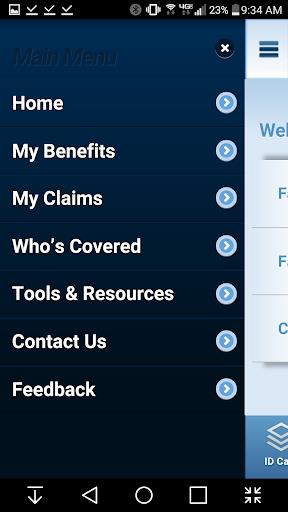
With the MyBlue Nebraska app, you can take control of your health insurance coverage and make informed decisions about your healthcare expenses. This app provides BCBSNE members registered in myblue with a suite of tools designed to help you manage your health with ease. From finding in-network healthcare providers to comparing costs for procedures, checking on claims, viewing your benefits, accessing your member ID card, and utilizing resources to stay healthy, the app ensures you maximize your BCBSNE insurance benefits. By using the MyBlue Nebraska app, you'll have peace of mind knowing that you're making the most of your coverage and effectively managing your healthcare expenses. Download the app today and take the first step towards a more informed and controlled healthcare experience.
Features of MyBlue Nebraska:
Find in-network providers easily: The app allows you to quickly search for in-network doctors, hospitals, and urgent care centers near you. This feature ensures that you receive the maximum benefits from your BCBSNE insurance coverage, making it easier to find the right care.
Compare procedure costs: With the app, you can compare costs for upcoming procedures to make informed decisions about your healthcare expenses. This transparency helps you stretch your healthcare dollars further, ensuring you get the best value.
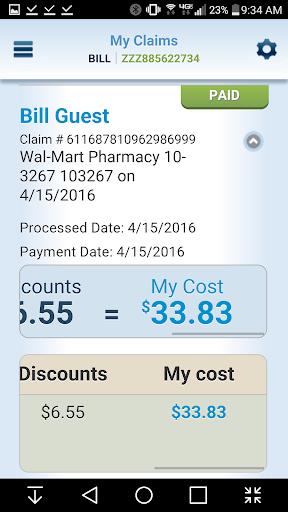
Check claims and payments: Keep track of your claims to see if they have been paid and how much you owe to doctors and facilities. This feature provides peace of mind and helps you stay on top of your medical expenses, ensuring no surprises.
Access benefits and ID card: Verify your benefits and coverage before scheduling appointments with healthcare providers. Additionally, access your member ID card through the app for easy check-in at appointments, saving you time and hassle.
Tips for Users:
Regularly check your claims: Stay updated on the status of your claims by periodically checking the app. This ensures that you are aware of any outstanding payments and can address any issues promptly, keeping your financials in check.
Utilize cost comparison tools: Before undergoing any medical procedure, use the cost comparison feature of the app to ensure you are getting the best value for your money. This will help you make informed decisions about your healthcare expenses, maximizing your benefits.
Set reminders for benefits check: Set reminders on the app to regularly review your benefits and coverage. This proactive approach will ensure that you are aware of any changes in your insurance policy and can plan your healthcare accordingly, staying one step ahead.
Conclusion:
The MyBlue Nebraska app is a comprehensive tool that empowers BCBSNE members to take control of their health insurance coverage and expenses. With features such as finding in-network providers, comparing procedure costs, checking claims, and accessing benefits and ID cards, the app offers unparalleled convenience and peace of mind. By following the tips provided, users can make the most of this app and ensure they are maximizing their BCBSNE insurance benefits. Download the MyBlue Nebraska app today and simplify your healthcare management, making informed decisions with confidence.