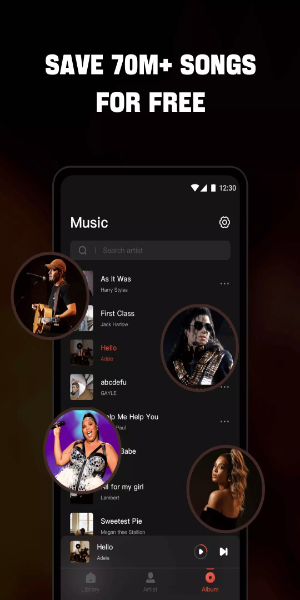
Offline Music Player: Free MP3 Player, FM Radio, and Music Downloader. Experience premium offline music with this versatile app. Listen to your favorite songs anywhere, anytime—no Wi-Fi required. Easily import all your music and audio files, then play them in any format. Our built-in high-fidelity equalizer enhances your audio, delivering superior sound quality.

Why Choose Mixtube Music?
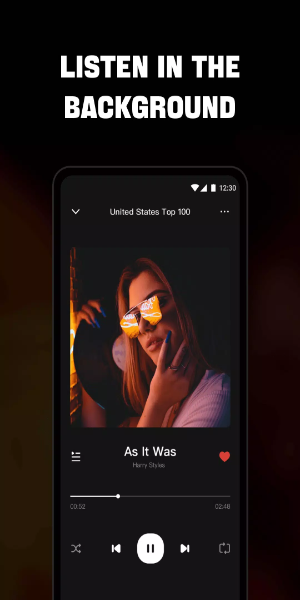
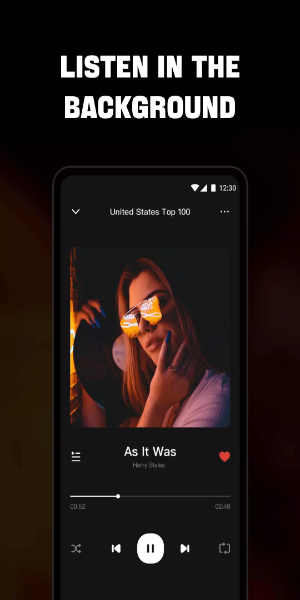
- Background Play: Listen to music and audio continuously while using other apps or during daily routines like chores, work, or study.
- Broad Format Support: This music player supports all audio formats—MP3, MIDI, WAV, FLAC, AAC, APE—guaranteeing high-quality playback for every track.
Endless Free Music:
- Dive into an extensive library featuring the latest songs available on Music.
- Use a floating video player that can be placed anywhere on the screen, enabling music enjoyment while multitasking.
- Works seamlessly with headphones and speakers for an immersive audio experience.
- Monitor and control music playback directly from your screen.
- Customize playback with modes like single loop, shuffle, or repeat all to match your listening style.
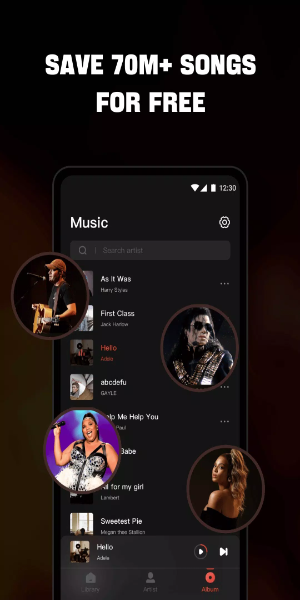
High-Quality Music Player: Experience
- Sing along easily with real-time lyrics for your top tracks!
- Fine-tune your sound with a powerful equalizer.
- Explore a wide variety of music in multiple formats from your device, SD card, or YouTube.
- Discover music across genres, from Billboard Hot 100 and iTunes Top 100 to K-pop, Latin, Indian, J-pop, and global hits.
- Multitask smoothly with a floating music player.
- Play single songs or full playlists with this free music player.
- Quickly find and manage all audio files in your phone storage and SD card.
- Auto-pause when headphones are unplugged.
- Set a sleep timer to stop playback automatically.
High-Definition Video Player: Enjoy
- Browse and play all local video files—status videos, trailers, movies—in any format stored on your device.
- Background play lets videos continue when switching apps or with the screen off.
- Floating play mode allows adjustable windows for using other apps while watching.
- Access built-in controls for playback, volume, brightness, speed, and presets.
- Load local subtitle files effortlessly to watch videos with captions.
- Also functions as a free YouTube music video player.
How to Install:
Download the APK: Get the APK file from a trusted source like 40407.com.
Enable Unknown Sources: In your device settings, go to Security and allow app installations from unknown sources.
Install the APK: Find the downloaded APK file and follow the setup instructions.
Launch the App: Open the app and start enjoying.