
Introducing the Parental Control CALMEAN KIDS, a revolutionary app designed to give parents complete control over their children's phones. With just a few simple steps, you can ensure your child's safety and manage their mobile device like never before.
First, download the Calmean Control Center onto your own phone. This powerful app will serve as your control hub, allowing you to monitor and customize your child's phone usage. But don't worry if you don't have it yet, you can easily find it on the Google Play Store.
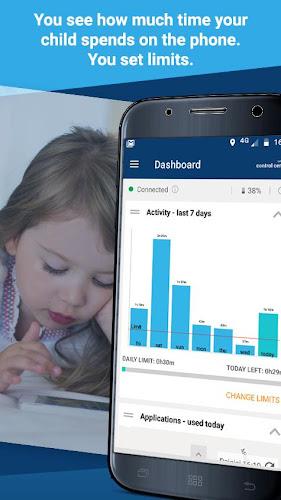
Next, install the Parental Control app on your child's phone. This will give you the ability to not only track their exact location with pinpoint accuracy but also manage their app usage. You'll have the power to set limits on how long they can use certain apps, protect them from inappropriate content, and even block the download of harmful apps.
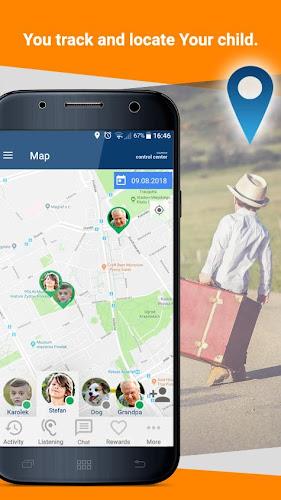
But that's not all. With the Calmean Control Center, you'll also receive notifications if your child deviates from their usual routine. By setting specific zones, such as their school or extracurricular activities, you'll be alerted if they leave these areas or fail to appear on time. This feature will provide you with peace of mind, knowing that you can always keep an eye on their whereabouts.
And to ensure your child's phone is always charged and ready to use, you'll receive a low battery alert. No more worrying about their phone dying during an important call or emergency.
Features of Parental Control CALMEAN KIDS:
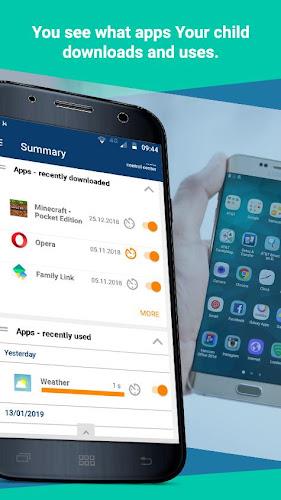
- App Management: The Parental Control app allows parents to have full control over the apps installed on their child's phone. Parents can block or approve app downloads and ensure that their child is only accessing age-appropriate apps.
- Location Tracking: With the app's accurate location feature, parents can know their child's exact current location and get access to their movement history. This helps parents ensure their child's safety and know where they have been.
- Geo-fencing: Parents can set up specific zones where their child should be at a given time, such as their school or home. If the child leaves the designated zone or fails to appear in it on time, parents will receive an alert, allowing them to take immediate action.
- Low Battery Notifications: Parents will receive notifications when the battery level on their child's phone is low. This ensures that parents can stay in touch with their child even when their phone is running out of power.
- Tablet Compatibility: The Parental Control app is also available for tablets, giving parents control over their child's usage and safety on these devices as well.
- Enhanced Security: Parental Control CALMEAN KIDS requires access to the child's phone administration rights to prevent the child from uninstalling the app. It also utilizes VPN services to protect the child from dangerous content on websites.
In conclusion, the Parental Control CALMEAN KIDS app provides a comprehensive set of features designed specifically for concerned parents. It allows them to manage their child's phone usage, track their location, set boundaries, receive important notifications, and ensure their child's online safety. With its compatibility for both phones and tablets, parents can have peace of mind knowing they have full control over their child's digital activities. Download the app now to keep your child safe and secure.