The TP-Link Omada app simplifies Omada EAP management from your smartphone or tablet. This all-in-one solution lets you adjust settings, monitor network health, and control client access with ease. The app offers two convenient modes:
-
Standalone Mode: Ideal for smaller networks with a few EAPs and basic needs. Each EAP is managed individually.
-
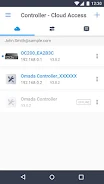
Controller Mode: Perfect for centralized management of multiple EAPs, offering synchronized wireless settings across your entire network. Access your network locally or remotely via the cloud.
Key App Features:
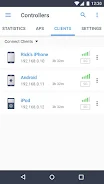
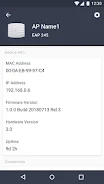
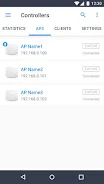
- Configuration & Management: Easily configure and manage your Omada EAPs, monitor network status, and manage connected clients.
- Standalone & Controller Modes: Choose the mode that best fits your network size and complexity.
- Local & Cloud Access (Controller Mode): Manage your EAPs from anywhere with cloud access, or locally on the same network.
- Broad Compatibility: Supports Omada Controller software v--2 and the OC200 V1 hardware Cloud Controller. Standalone mode works with various EAP models (EAP- , EAP- , EAP- , EAP- , EAP225-Outdoor, EAP110-Outdoor, EAP115-Wall, and EAP225-Wall) running the latest firmware (available on the TP-Link website). More devices are planned for future support.
In short: The TP-Link Omada app provides a user-friendly interface for managing your Omada EAPs, regardless of network size or location. Download it today and experience seamless network control.