Zipato APP: Your All-in-One Solution for Creating and Managing Smart Home Systems
The Zipato APP is designed to empower both professional and DIY users to build and manage smart home systems effortlessly, offering an intuitive and user-friendly interface.
Key Features of Zipato APP:
Device Manager
- System Creation and Management: Create and manage multiple smart home systems with ease.
- Server Management: Configure and manage servers, including multi-server systems.
- Subsystem Integration: Seamlessly integrate systems into other systems as subsystems.
- Device Management: Pair, configure, and monitor devices across various standards, including Z-Wave, KNX, ModBus, EnOcean, ULE, Zigbee, Philips Hue, and Sonos.
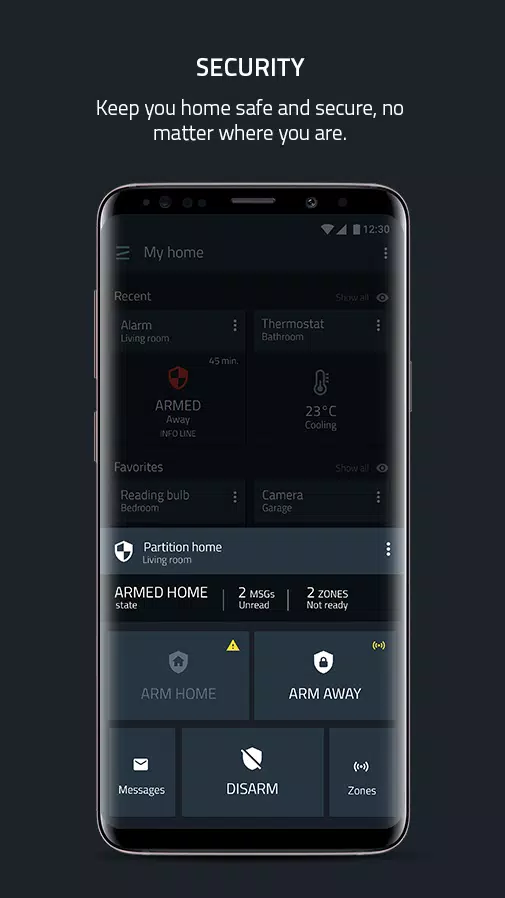
Professional Security Alarm
- Advanced Security Features: Support for multi-partitions, cross zoning, and user roles.
- Detection and Alerts: Provides intruder, smoke, water leak, and CO detection with immediate alerts.
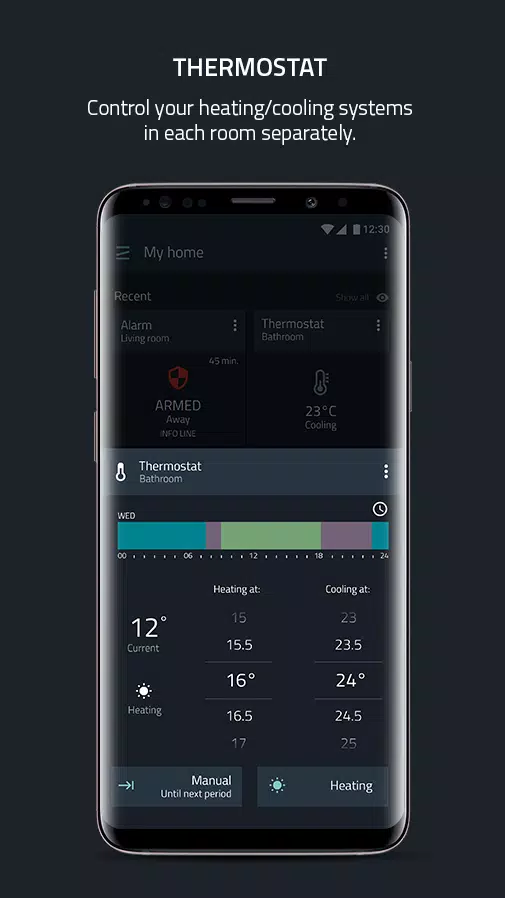
Smart Thermostat
- Custom Thermostats: Create your own thermostat using system devices.
- Zone and Scheduler Management: Manage multiple zones and schedulers.
- Integration: Compatible with other popular thermostats based on supported standards.
Video Intercom
- Entrance Control: Features a DoorPhone for secure entrance control.
- Video and Voice: Enables video and voice communication.
- SIP Server Integration: Integrates with Zipato SIP server and other popular SIP servers.
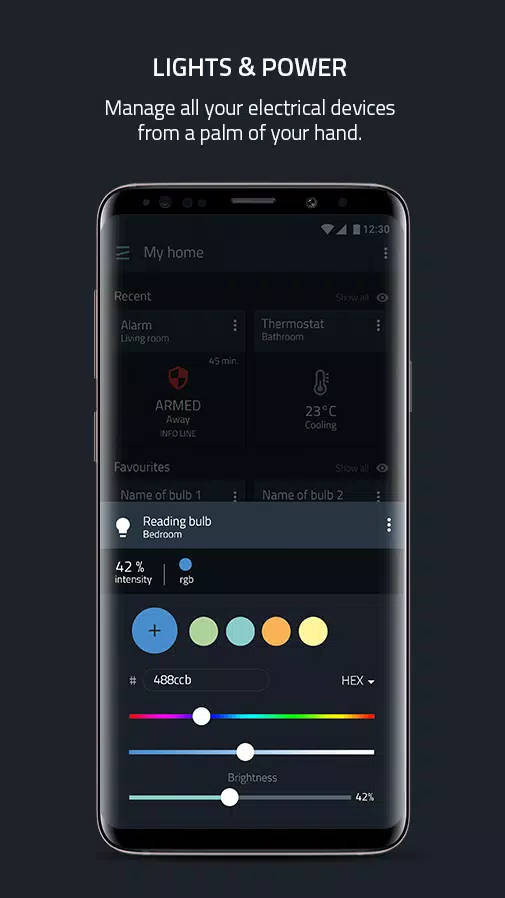
Lights and Power Management
- Lighting Control: Offers dimming, switching, RGBW, and consumption monitoring.
- Motor Control: Manage curtains, roller shutters, and valves.
- IR Control: Control A/C and AV devices with infrared signals.
- Door Locks: Manage door locks and access codes.
Video Monitoring
- Live View: Access live views from IP cameras.
- Event-Based Recording: Record and receive messages based on events.
- Multi-Camera Views: Monitor multiple cameras simultaneously.
- Timeline and Gallery: Browse recorded videos and snapshots through timelines and galleries.
Automation
- Rule Creation: Use the mobile rule creator for simple rule setup.
- Geofencing: Create location-based rules using mobile user’s location.
- Scheduler: Customize with advanced configuration options.
- Scenarios and Grouping: Group devices and create scenarios.
- Rule Integration: Integrates with rules created by the online Rule Creator.
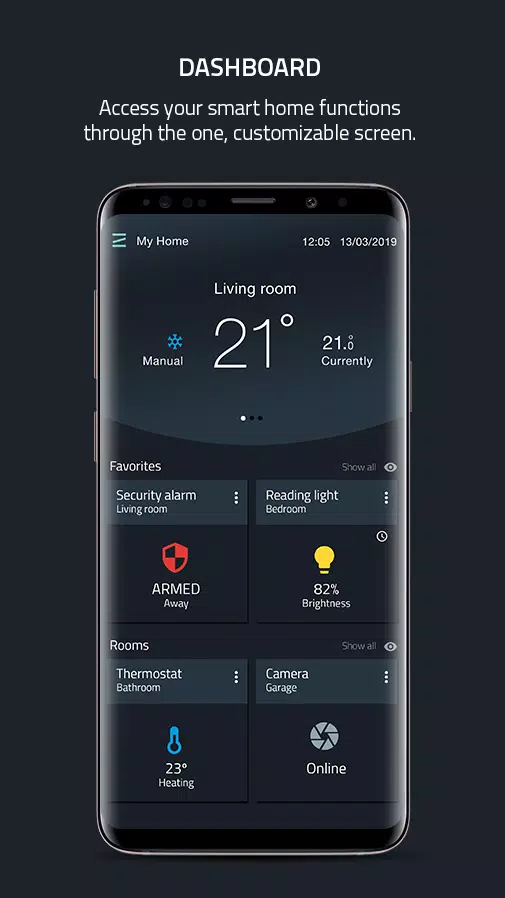
Dashboard
- Customization: Fully customizable dashboard.
- Container Views: Create containers with device widgets by type, room, scene, or custom.
- View Options: Offers scrollable or listed container views.
- Info Widgets: Special home page widgets for easier monitoring.
- Device Control: Powerful, intuitive widgets with multiple control options for all system devices.
- Orientation Support: Supports vertical and landscape modes on tablets.
Knowledge Base
- Updates: Access news and announcements for the latest platform information.
- Learning Resources: Articles and demo videos on specific functions.
Important Notes:
- Controller Requirement: To use the Zipato APP, you need at least one Zipato controller, such as Zipabox2 or Zipatile2.
- Existing Users: This APP uses the Zipato v3 backend, requiring systems to be rebuilt from scratch. Unregister your existing controller from the Zipato v2 environment and register it within a system in the Zipato v3 environment through this APP.
What's New in Version 3.5.0
Last updated on Oct 25, 2024
Fixes:
- Improved handling of failed messages during Z-Wave hard resets.
- Enhanced energy-saving cool setpoint functionality.
- Various other bug fixes.
Improvements:
- Added banners for controllers in maintenance mode.
- Enhanced performance of camera thumbnails.
- Improved camera gallery and clips views.
- Overall stability and performance enhancements.
New Features:
- Added Zigbee hard reset functionality.
- Introduced camera snapshots view for enhanced monitoring capabilities.