Gmail is the official app for the Google email client, allowing you to manage your email account (and any other account you may have) with a clean and user-friendly interface.
One of the first things users will notice is that, in addition to your regular email account, you can also associate other accounts with the app. This feature allows you to access all your emails in one place, eliminating the need for other email managers.
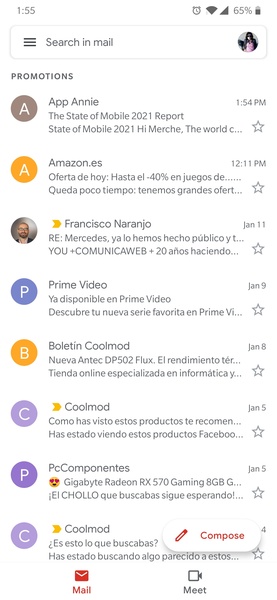
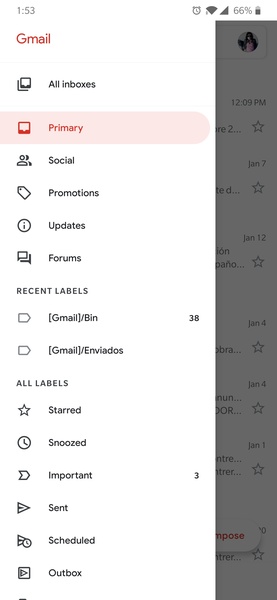
Gmail's interface closely resembles the desktop browser client, which most users are familiar with. The left column displays different tags and categories, while the center of the screen shows your emails. Gmail's intelligent management system also separates promotions, social emails, and important emails.
With the widgets installed in the Gmail app, you can monitor email tags on your device's main screen or simply view your latest incoming emails (and reply if you wish). Gmail's official app, like its desktop version, is a must-have service for any regular Android user. While there may be better ways to manage your email from a mobile device, finding them won't be easy.
Requirements (Latest version)
- Android 6.0 or higher required
Frequently Asked Questions
How do I add a Gmail account?
To add a Gmail account to the Gmail app, open the app. The app will guide you through the process of adding an account. If you're already logged in on your device, you don't need to log in again. Otherwise, you'll need to enter your email address and password.
Can I add other email accounts to Gmail?
Yes, Gmail allows you to add other email accounts to the app. You can add multiple Gmail accounts or even accounts from other email services, such as Hotmail or Yahoo Mail, as well as your work email.
How do I add an email account in Gmail?
To add an email account in Gmail, click on your image in the top right corner. All the accounts you've added in Gmail will appear, along with the option to "Add another account."
What is my Gmail password?
The password for your Gmail account is the same as the password for your Google account. If you've forgotten it, you'll need to enter your email address and click on "Recover password." Google will then provide you with several options to recover it, such as receiving an SMS to your phone number associated with the account.