Compatible with FreeStyle Libre and FreeStyle Libre 2 sensors.
The FreeStyle LibreLink app is cleared for use with both FreeStyle Libre and FreeStyle Libre 2 sensors. Now you can check your glucose levels by simply scanning the sensor with your smartphone. If you're a FreeStyle Libre 2 user, the app automatically updates your glucose reading every minute and can alert you if your levels go too low or too high. [1][2]
With the FreeStyle LibreLink app, you can:
• View your current glucose reading, trend arrow, and glucose history
• Get low and high glucose alerts with FreeStyle Libre 2 sensors [2]
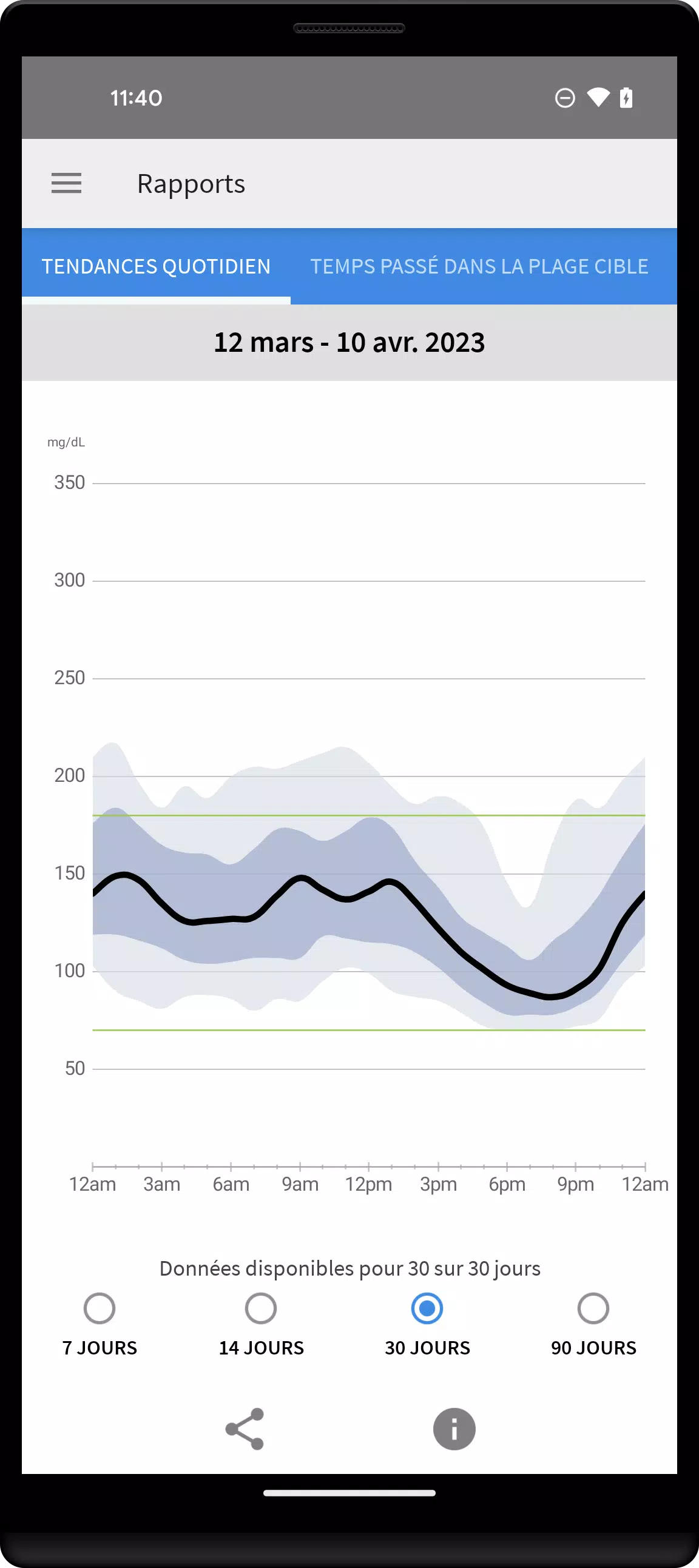
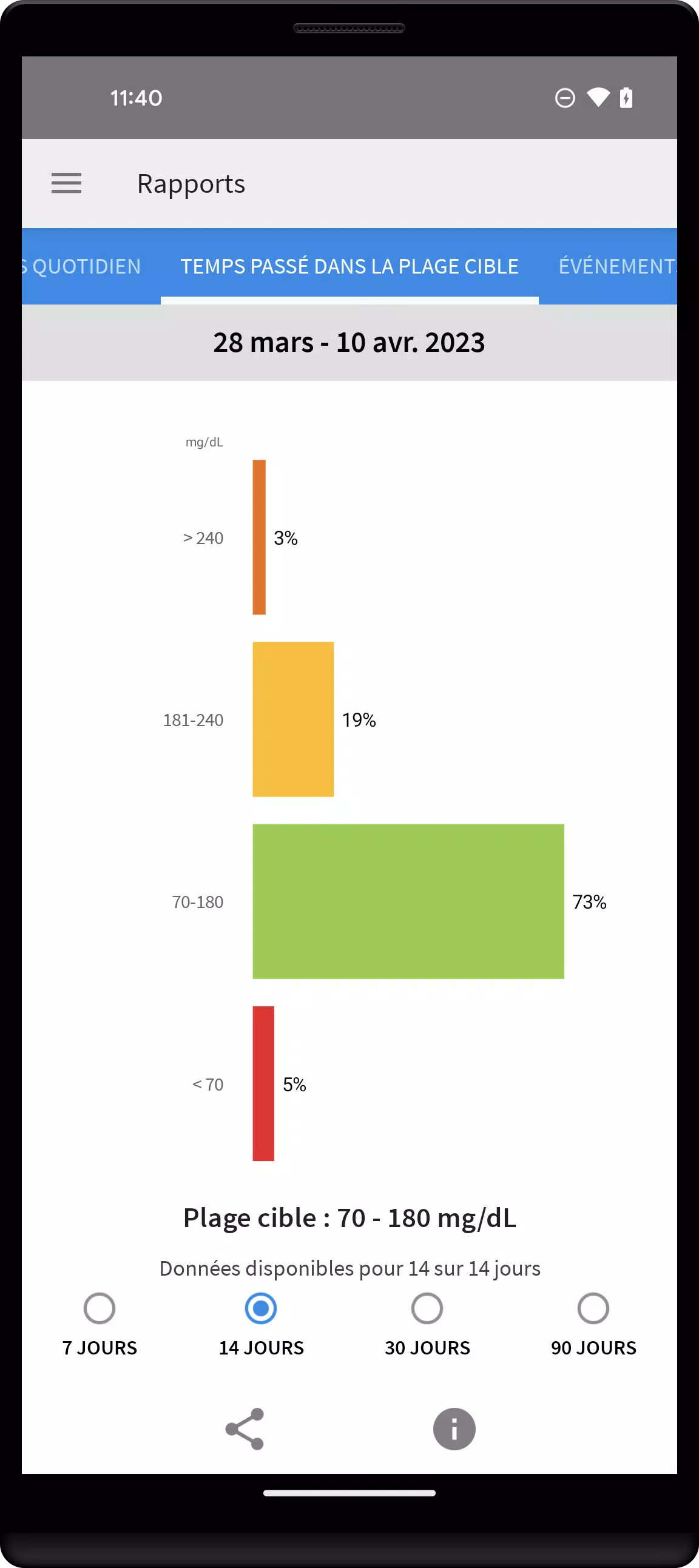
• Review reports, including time in range and daily glucose patterns
• Share your data, with your consent, with your doctor and family members [3]
SMARTPHONE COMPATIBILITY
Compatibility depends on your phone model and operating system. Check http://FreeStyleLibre.com to see which phones are supported.
USING THE APP AND READER WITH THE SAME SENSOR
Alarms can only be active on either your FreeStyle Libre 2 reader or your phone—not both. To get alarms on your phone, you must start the sensor with the app. To get alarms on your reader, start the sensor with the reader. Once started with the reader, you can still scan the same sensor with your phone.
Remember: the app and reader do not share data. For complete reports, scan your sensor at least every 8 hours with the same device. Otherwise, your reports may not include all data. You can upload and view data from all devices at LibreView.com.
APP INFORMATION
The FreeStyle LibreLink app, when paired with a sensor, is designed to measure glucose levels in people with diabetes. For full instructions, refer to the User Manual available in the app. To request a printed copy, contact Abbott Diabetes Care Customer Service.
Talk to your healthcare provider to confirm if this system is right for you, or if you have questions about using it for treatment decisions.
Visit http://FreeStyleLibre.com for more details.
[1] If using the FreeStyle LibreLink app, keep a separate blood glucose monitoring system on hand, as the app does not measure blood glucose directly.
[2] Alarms do not display your glucose value. Scan your sensor to see your current level.
[3] Using FreeStyle LibreLink and LibreLinkUp requires LibreView registration.
FreeStyle, Libre, and related brands are trademarks of Abbott. Other trademarks belong to their respective owners.
For legal information and terms of use, go to http://FreeStyleLibre.com.
========
For customer service or technical support with FreeStyle Libre products, please contact FreeStyle Libre customer service directly.