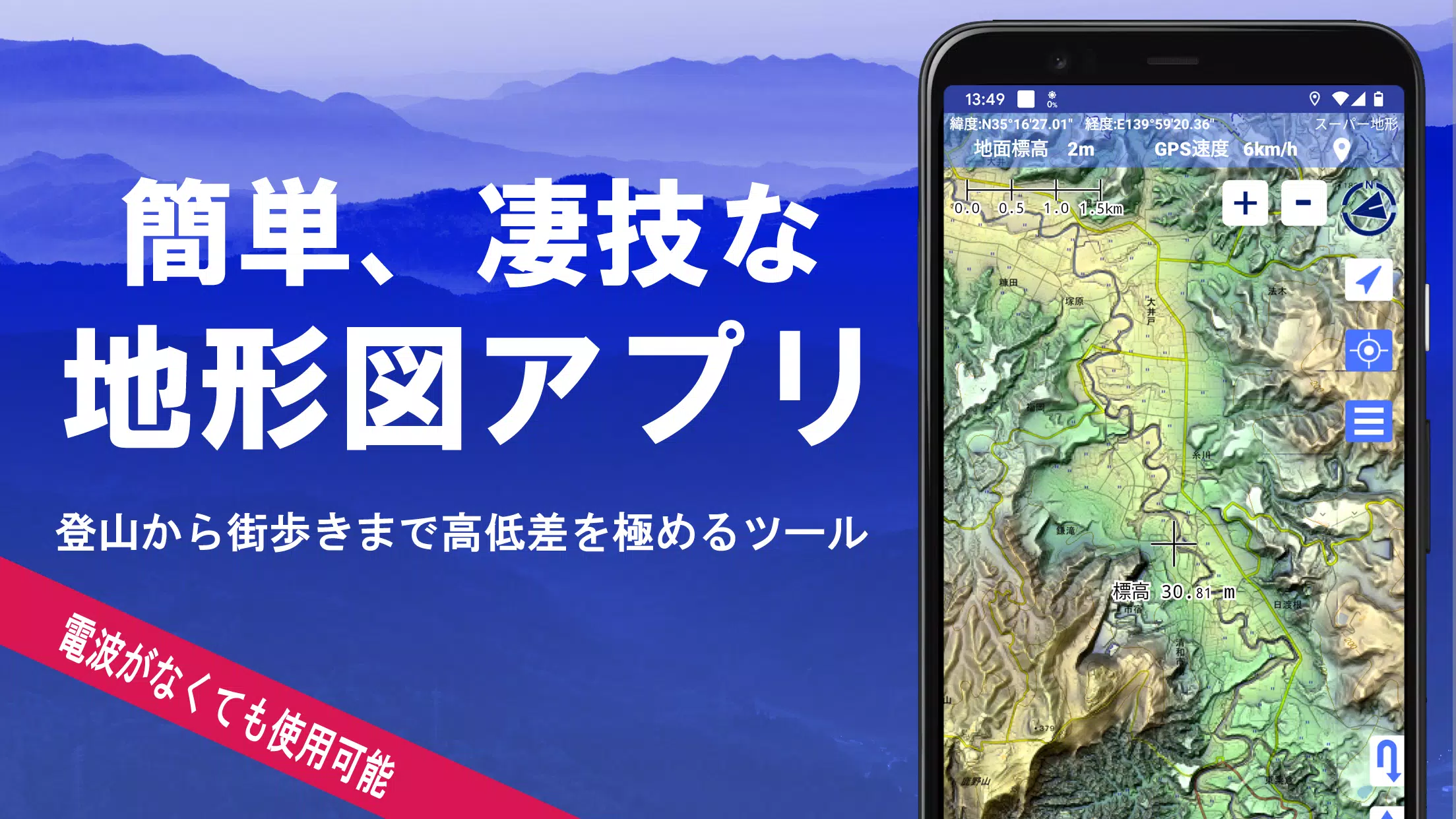
Explore over 100 types of maps, including the renowned Geographical Survey Institute map, to enhance your outdoor experiences from mountain climbing to leisurely town walks. With these detailed maps, you can leverage height differences to enrich your adventures.
Our application was honored with the 2018 Japan Cartographic Society Award for Best Work, underscoring its quality and utility in mapping technology.
- Experience our unique "super terrain data," which accentuates the terrain for a more immersive map experience.
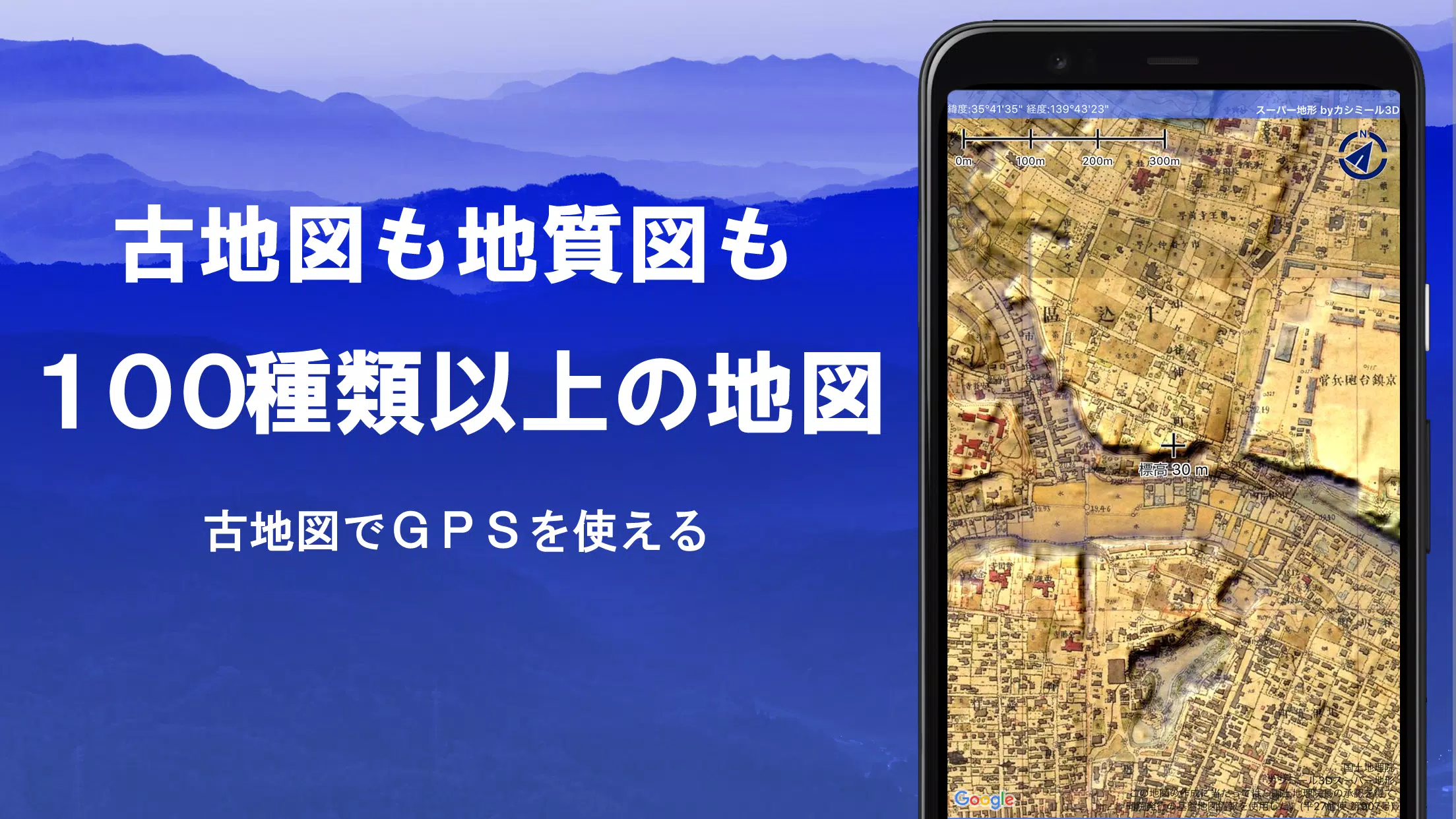
- Utilize a variety of maps from the Geospatial Information Authority of Japan, including topographic, geological, historical, and prewar Ordnance Survey Department maps.
- Record your tracks and trajectories with the GPS function, complete with GPX log input/output and editing capabilities.
- Enhance your outdoor activities with features like GPS navigation with audio cues, data recording, and editing tools.
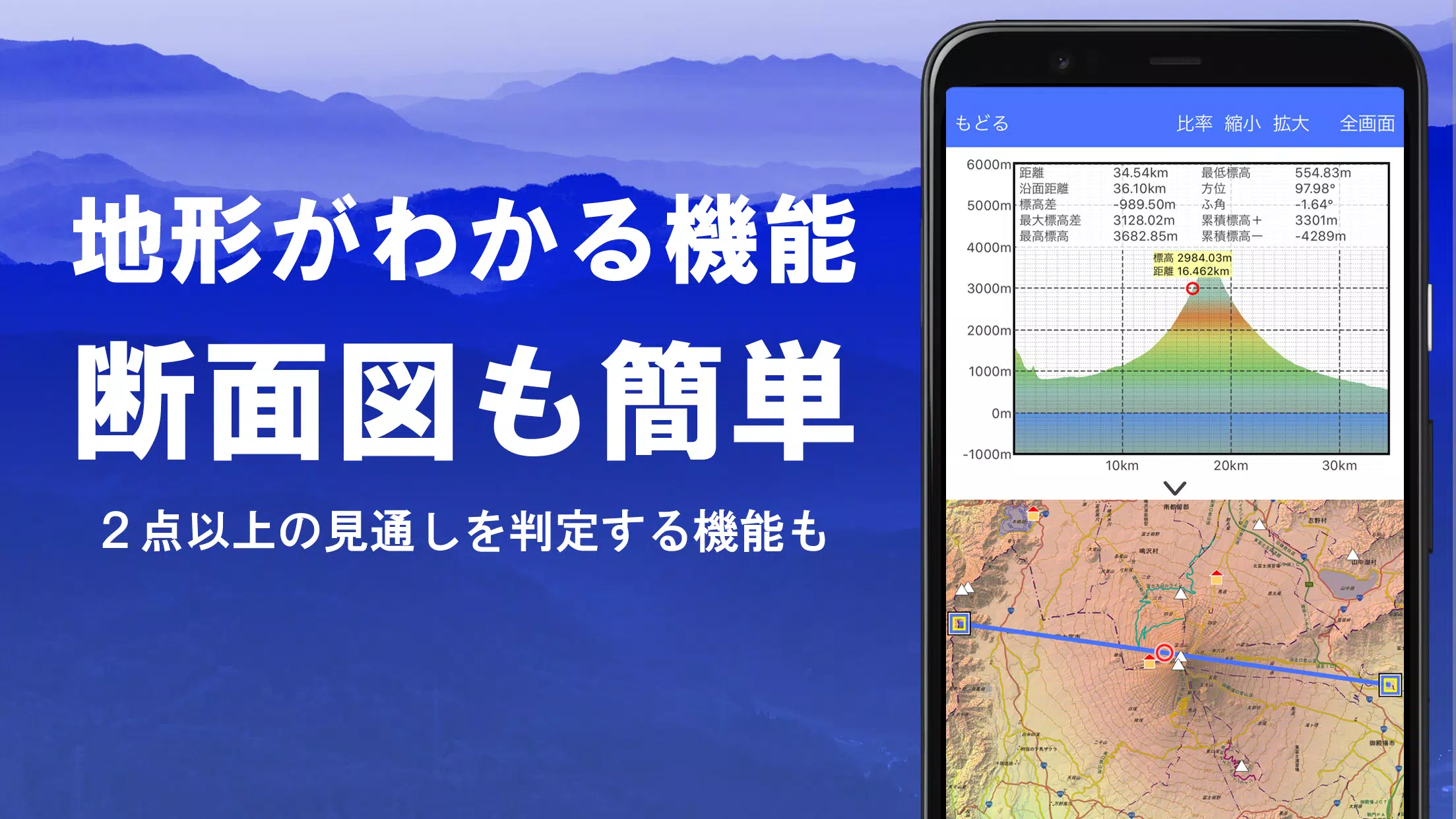
- Use the visibility determination function for creating cross-sectional diagrams, aiding in observation, radio operations, and even displaying buildings.
- Enjoy a 360° panoramic view function to identify mountains by name, and view celestial bodies like the sun and moon, along with GPS points.
- Benefit from offline capabilities with GPS functions, bulk map downloads, and a map cache for seamless use during mountain climbing or other outdoor activities without a radio signal.
- Associate photos with specific points on your journey.
- Visualize contour lines generated from elevation data for better terrain understanding.
- Display MGRS grid (UTM grid) for precise location referencing.
- Read, display, and edit GIS data using GeoJSON files.
- Draw custom shapes to mark your maps.
- Use the app overseas for global adventures.
- Print maps or export them as PDFs for tangible records.
- Experience a user-friendly dark theme for better visibility in various lighting conditions.
A Wealth of Maps at Your Fingertips
Our app offers over 100 types of maps, including our own super topographic data and maps from the Geospatial Information Authority of Japan. Note that aerial photographs may have gaps in coverage depending on the age group, with the "Latest" and "around 1974" options having the broadest coverage. Maps using super terrain data are available for free for the first 5 days after installing the app.
Creating Cross-Sections and Outlooks
Effortlessly draw cross-sections through any point on the map. Our app includes the renowned visibility judgment function from Kashmir 3D, which accounts for Earth's curvature and atmospheric conditions. This is invaluable for route planning during mountain climbs, assessing wireless visibility, and understanding terrain features. Where PLATEAU building data is available, you can even create cross-sections that include buildings.
Elevation Palette Function
Customize your map's appearance with the elevation palette function, which allows you to change the background color in 1cm increments, creating a personalized gradient effect.
Panoramic View
View panoramic observation maps to identify mountains by name from any location on the map. Our 360° panorama links with your smartphone's compass, making mountain identification easy. Display the sun and moon, including moon phases, to explore phenomena like Diamond Fuji and Pearl Fuji. You can also view GPS points and create panoramic views of mountains abroad.
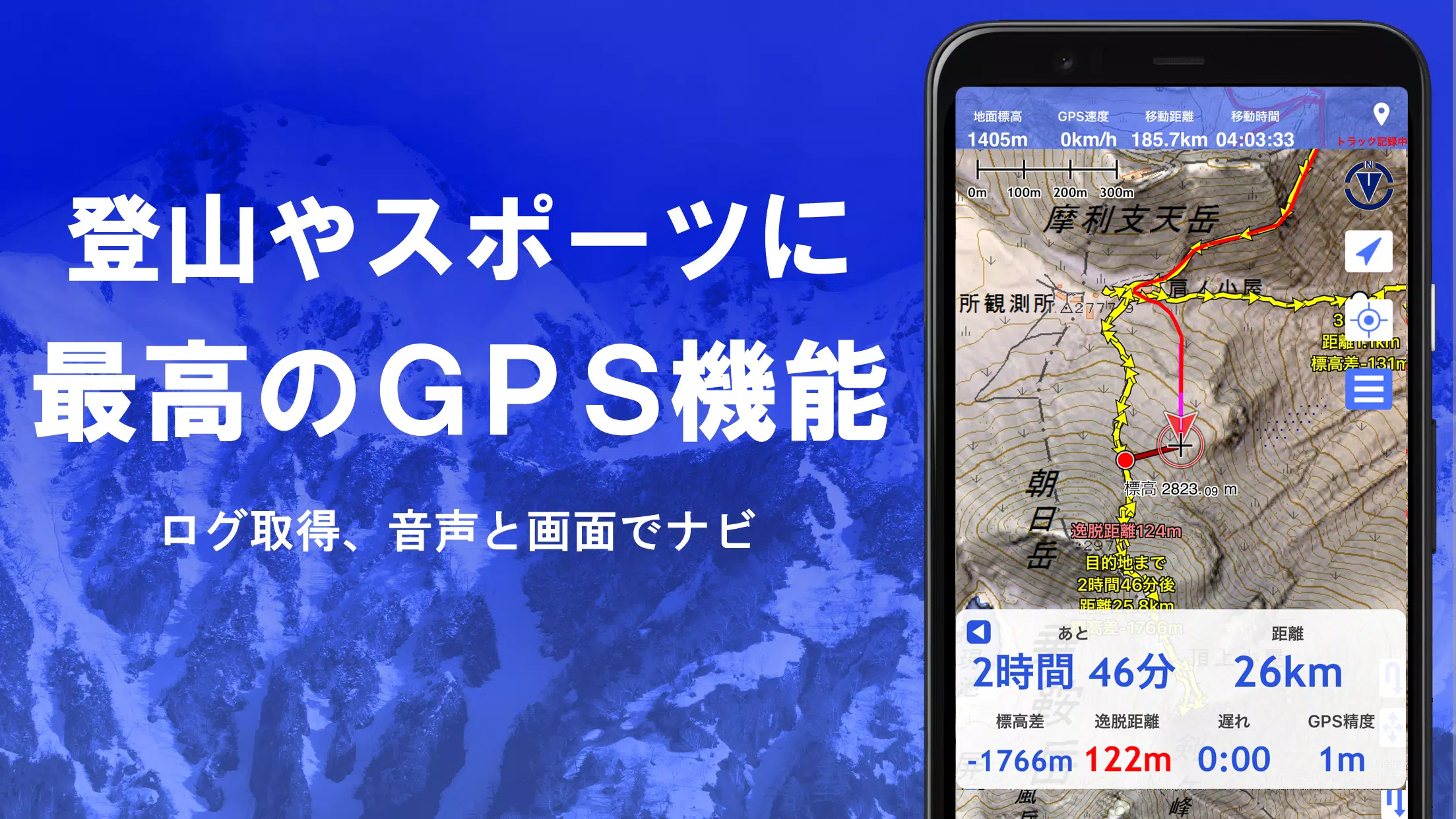
GPS Function
Leverage your smartphone's GPS to acquire location data and record tracks. Our high-precision GPS is designed for rigorous mountain climbing and outdoor use. Visualize recorded tracks with parameters such as elevation change, speed, time, and elapsed time. The point alarm function alerts you with voice and sound when you near a designated point. Display photos linked to specific locations and send map center positions to NaviCon.
GPS Track Summary Playback
Replay your entire track history with ease. The app automatically matches and displays photos taken during your journey based on their timestamps. Tap on the photo icon to view them at their exact location.
GPS Navigation Function
Navigate along preset tracks with the Track Navi feature, which uses your smartphone's GPS. If you stray from the path, you'll be alerted by voice or sound, ensuring you stay on course during climbs. Additionally, use route navigation for urban walks and point navigation to reach specific locations.
GPS Data Editing Function
Manage GPS-related points, routes, and tracks with ease. Organize data into folders displayed in a clear tree format. Create tracks directly on the map and import/export data in GPX format from mountain climbing sites.
Map Usage Outside the Service Area (Offline)
Continue using maps even in areas without a signal, such as during mountain climbs. The bulk download function allows you to download all scale maps for a specified area, ensuring you're never without a map. A cache function further enhances offline usability.
Map History Function
The app remembers your previous map views, allowing you to quickly return to locations you've explored before.
Custom Map Compatibility
Import and use custom maps created with Kashmir 3D's map cutter. Display your own maps and scanned images as usable maps. When using the map cutter, divide each image into approximately 256 x 256 pixels and send the resulting kmz file to Super Terrain via email or Cloud Drive.
GeoJSON Compatibility
Display and edit points, linestrings, and polygons from GeoJSON format files. Create new shapes to customize your maps further.
Print/PDF Output
Print any map area at a specified scale or export it as a PDF for physical or digital records.
Cooperation with Other Apps
Input and output GPS data in GPX, KML, and GDB formats, allowing for seamless data exchange with other apps, the Kashmir 3D software on your PC, and trajectory data from mountain climbing sites.
Backup Function
Back up all app data (excluding cached maps) and remove it from your smartphone. Restore data even if you delete the app or if your smartphone malfunctions. An automatic backup feature using Google Drive ensures your data is always up-to-date. For detailed instructions, please refer to the manual.
About Billing Function
Some features, such as maps using super terrain data, GPS track functions, and cross-sectional views, require in-app purchases. After payment, the number of search results for place name searches increases.
- Fees: Annual payment of 780 yen/year.
- Free Trial: Enjoy a 5-day free trial after first installing the app. After 5 days, some features and maps will be unavailable unless you purchase them. You will not be charged unless you initiate a purchase.
- Confirmation and Cancellation: Check or cancel automatic updates by opening Google Play, selecting "Regular Purchase" from the menu, and choosing "Super Terrain."
- Price Revision: Prices may change due to future feature enhancements. Early purchase is advantageous.
Terms of Use
The copyright holder and developer are not responsible for the outcomes of using this application. Upon first use of GPS, you'll be prompted to allow location services. Continuous GPS use can drain your battery, so if your device is used for emergency communication, carry a spare battery. For a detailed explanation of the navigation function, refer to the PDF at https://www.kashmir3d.com/online/superdemapp/superdem_navi.pdf. Note that some smartphones may interrupt or fail to record tracks due to power-saving features that close background apps. Turning off the screen while using Super Terrain may temporarily maintain recording, but this is not a permanent solution.