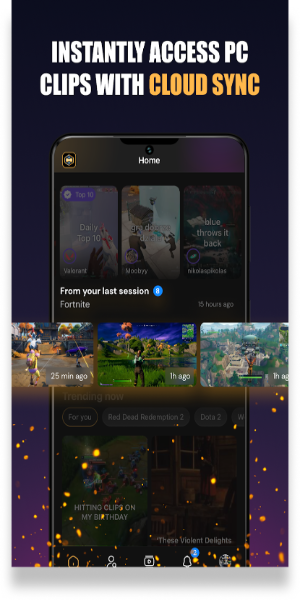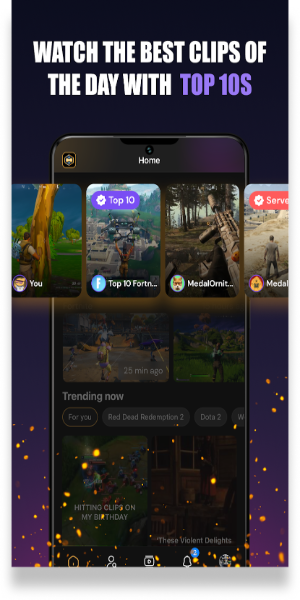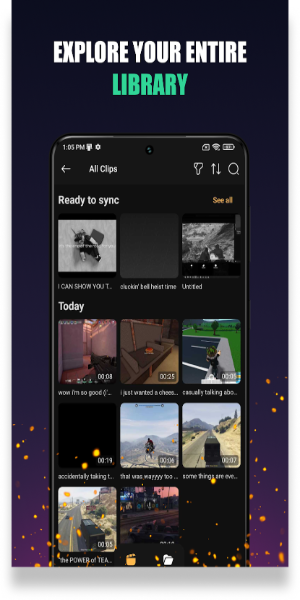
Medal.tv is a social media app for gamers where users can share and discover epic gaming clips. You can upload your gameplay, follow favorite games and creators, and interact with the community through likes and comments. Medal.tv also allows offline viewing and easy sharing to social media, making it a hub for all things gaming.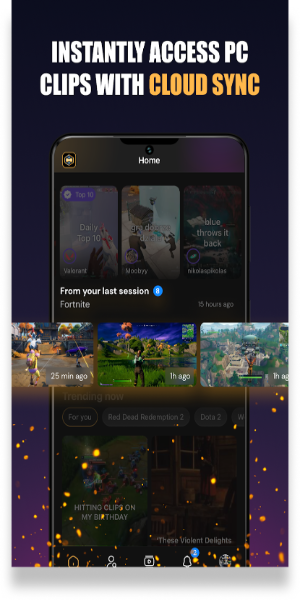
Discover and Share Epic Moments
Medal.tv is the ultimate social platform for gamers to showcase and experience incredible gaming moments. Dive into a treasure trove of thrilling game clips shared by other gamers or upload your own memorable scenes for the community to enjoy.
Follow Your Favorite Games
Create your profile and select from a diverse range of games, including Fortnite, PUBG, Rocket League, Roblox, Minecraft, GTA, Apex Legends, Overwatch, League of Legends, Dota 2, Call of Duty, Clash Royale, and more. Stay updated with the most breathtaking clips from the games you love.
Upload and Share Your Clips
With the PC version of Medal.tv, you can record, edit, and upload your gameplay clips. Share your gaming highlights with others, and subscribe to your favorite creators to follow their gaming journeys. Engage with the community by commenting on videos or downloading them for offline viewing.
Join the Gaming Community
Medal.tv makes it easy to connect with fellow gamers and witness the moments that are often missed elsewhere. Share and discover epic scenes, and become part of a vibrant community where gaming excitement never ends.
How to Use the App
Medal.tv is a dynamic social media platform crafted for gamers who want to showcase their best gaming moments and engage with a vibrant community. Here’s a step-by-step guide on how to make the most of Medal.tv:
-Create an Account: Start by downloading the Medal.tv app from your device's app store or by visiting the Medal.tv website. Register by creating an account with your email or through social media logins. Once registered, complete your profile by adding a profile picture and a bio.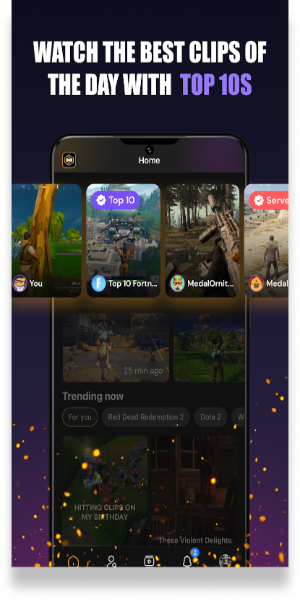
-Select Your Favorite Games: After setting up your profile, navigate to the game selection section. Medal.tv supports a vast array of popular games such as Fortnite, PUBG, Rocket League, Roblox, Minecraft, GTA, Apex Legends, Overwatch, League of Legends, Dota 2, Call of Duty, Clash Royale, and many more. By following your favorite games, Medal.tv will tailor your feed to display the most exciting clips related to those games.
-Upload and Share Your Clips: If you’re using a PC, you can record your gameplay using Medal.tv's built-in recording feature. Once recorded, use the editing tools available to trim, enhance, and finalize your clips. Upload your edited clips to Medal.tv and decide whether to make them public or share them privately with specific friends or groups.
-Browse and Interact: Explore a wide range of clips shared by other users. You can view, like, and comment on these clips to engage with the community. Medal.tv also allows you to download videos for offline viewing. Keep up with your favorite creators by following them, and receive notifications when they post new content.
Features
-Extensive Game Selection: Medal.tv supports an impressive variety of games, enabling users to follow any game and stay updated with the latest and most thrilling clips related to their interests. The platform continuously updates its database to include new and trending games.
-Community Engagement: Engage with the gaming community through likes, comments, and shares. Participate in discussions and provide feedback on clips to connect with other gamers who share your interests.
-Easy Sharing: Effortlessly share your favorite clips to your social media profiles, including Twitter, Facebook, and Instagram. Medal.tv provides seamless integration with popular social platforms, making it easy to showcase your gaming achievements and highlights.
-Offline Viewing: Medal.tv allows you to download videos, so you can watch your favorite clips even when you’re not connected to the internet. This feature is perfect for enjoying content on the go or in areas with limited connectivity.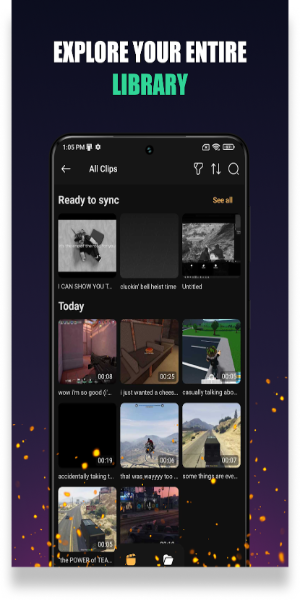
Unique Functions
*Clip Recording and Editing: The PC version of Medal.tv offers advanced tools for recording and editing your gameplay. Capture your most exciting moments in high definition, edit them to highlight key actions, and share them with the community. The editing suite includes features like trimming, adding effects, and combining clips.
*Game-Specific Highlights: Medal.tv's algorithm provides personalized recommendations based on the games you follow. This means you’ll always see the most relevant and epic moments from the games you love, keeping your feed fresh and exciting.
*Custom Notifications: Stay informed about new content from your favorite creators and games. Customize your notification preferences to receive updates about new uploads, comments on your clips, and interactions with your posts.
Share Your Enchating Videos Now
Medal.tv is more than just a platform for sharing and viewing gaming clips; it's a community-driven space where gamers can connect, share their experiences, and celebrate their passion for gaming. Join Medal.tv today to be part of this thriving community and experience gaming like never before.
How to Install
-Download the APK: Obtain the APK file from a trusted source, 40407.com.
-Enable Unknown Sources: Go to your device's settings, navigate to security, and enable the installation of apps from unknown sources.
-Install the APK: Locate the downloaded APK file and follow the installation prompts.
-Launch the Application: Open the app and use it. 。