Your Overwatch 2 in-game name—more formally known as your BattleTag—is your digital identity within the Blizzard ecosystem. It's a reflection of your gaming persona, and sometimes, a change is needed. Fortunately, updating your BattleTag is straightforward, though the method varies slightly depending on your platform and cross-play settings.
Table of Contents
- Can you change your name in Overwatch 2?
- How to Change Your Name in Overwatch 2
- Changing Your Nick on PC
- Changing Your Name on Xbox
- Changing Your Username on PlayStation
- Final Recommendations
Can you change your name in Overwatch 2?
Yes! Changing your in-game name is possible, and the process is relatively simple. This guide will walk you through the steps for PC, Xbox, and PlayStation.
How to Change Your Name in Overwatch 2
Your in-game name is tied to your Battle.net account. This means changing your BattleTag will update your name across all Blizzard games, including Overwatch 2.
Important Considerations:
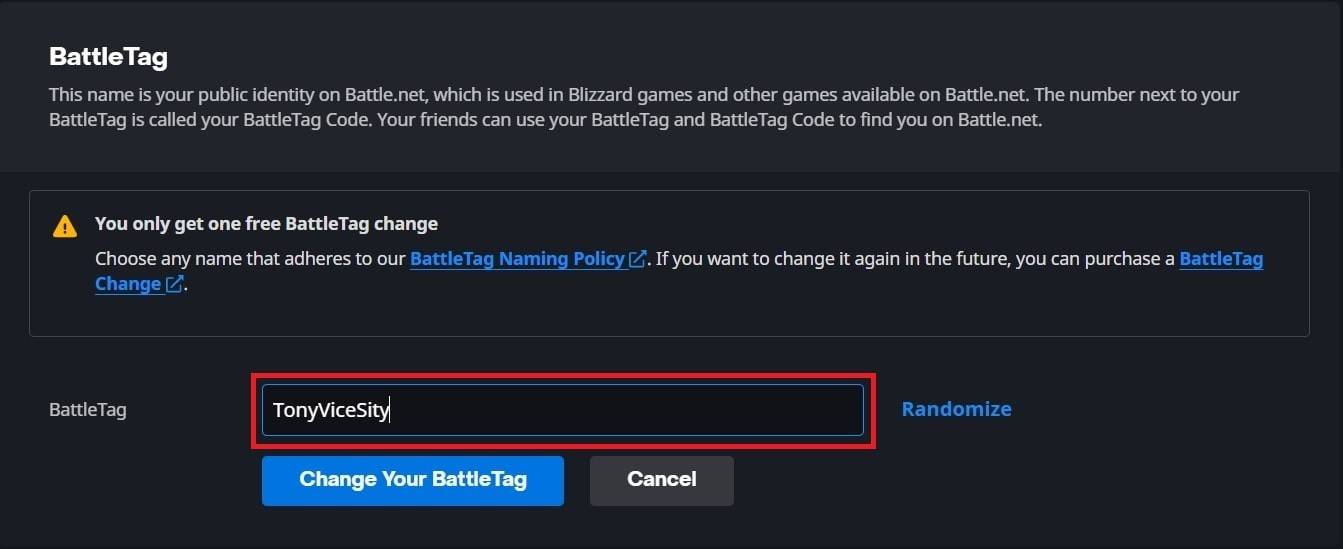
- You get one free BattleTag change. Subsequent changes incur a fee (approximately $10 USD; check your region's pricing in the Battle.net shop).
- If cross-platform play is enabled, use the PC method below. If disabled, you'll need to change your name through your console's settings.
Changing Your Nick on PC
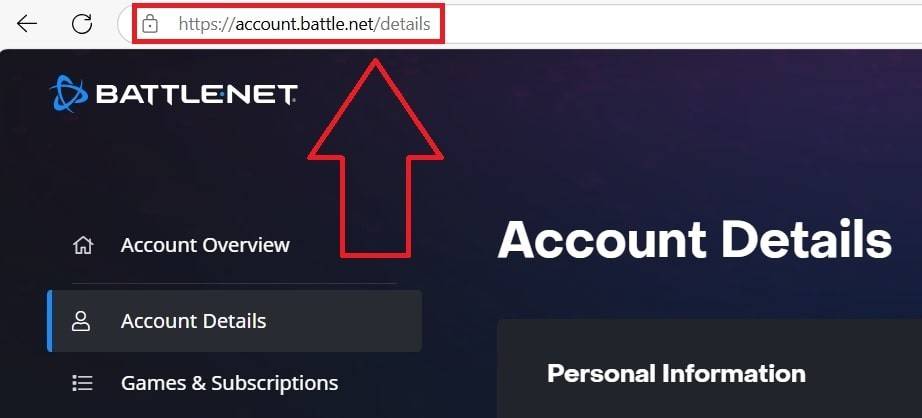
This method applies to PC players and console players with cross-platform play enabled:
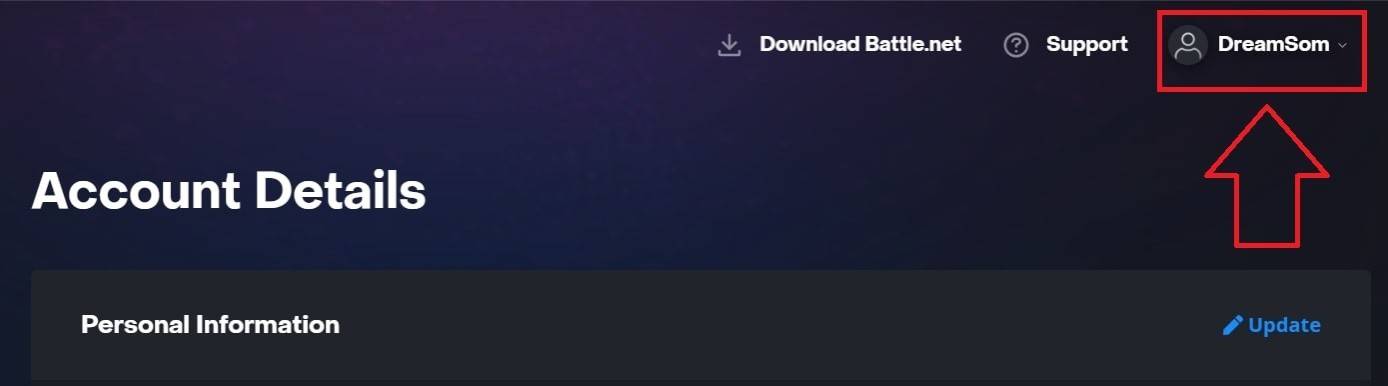
- Go to the official Battle.net website and log in.
- Click your current username in the top-right corner.
- Select "Account Settings."
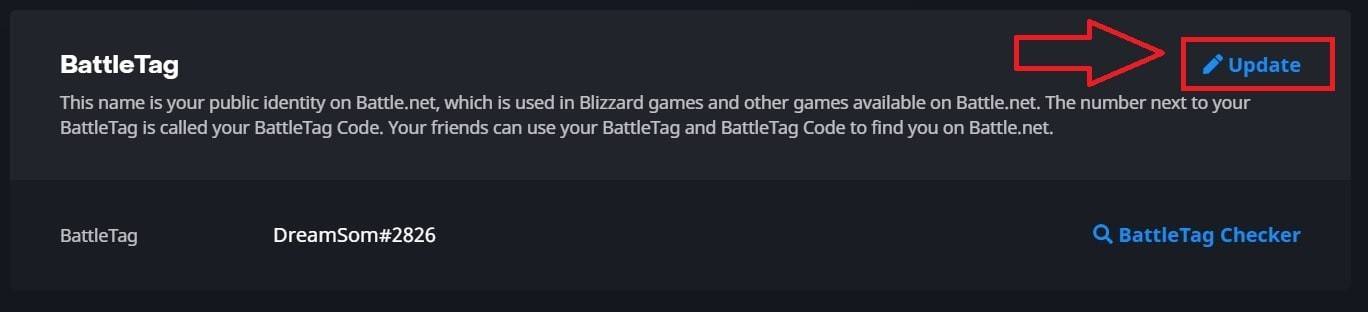
- Locate your BattleTag and click the blue "Update" pencil icon.
- Enter your new desired name (following BattleTag naming policies).
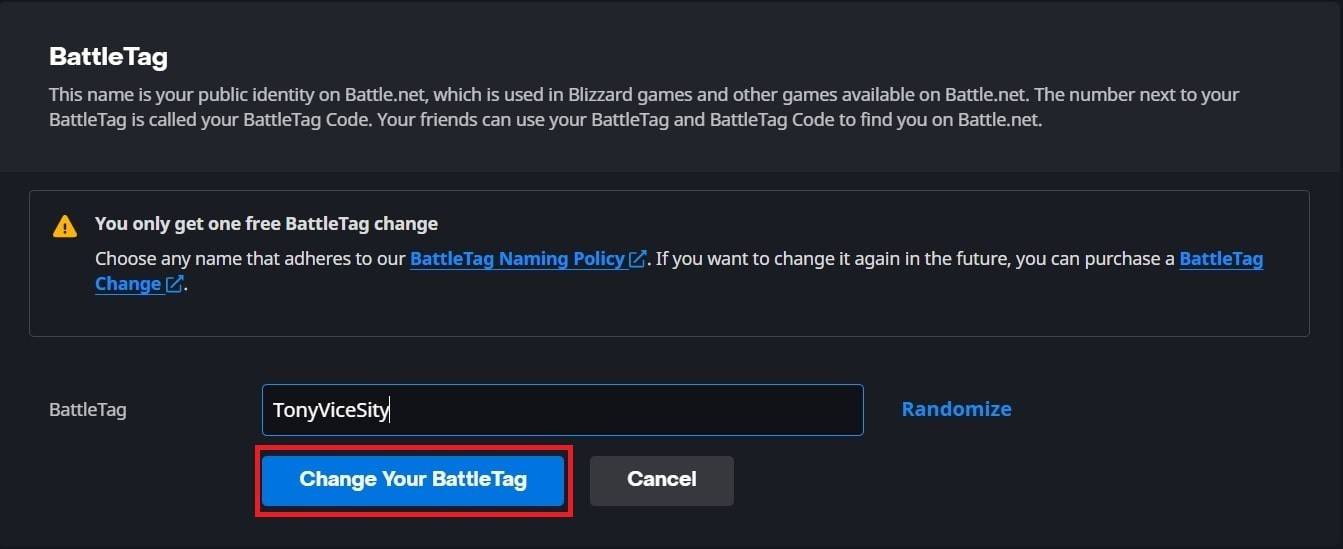
- Click "Change Your BattleTag."

Note: Updates may take up to 24 hours to fully propagate.
Changing Your Name on Xbox
(For Xbox players with cross-platform play disabled):
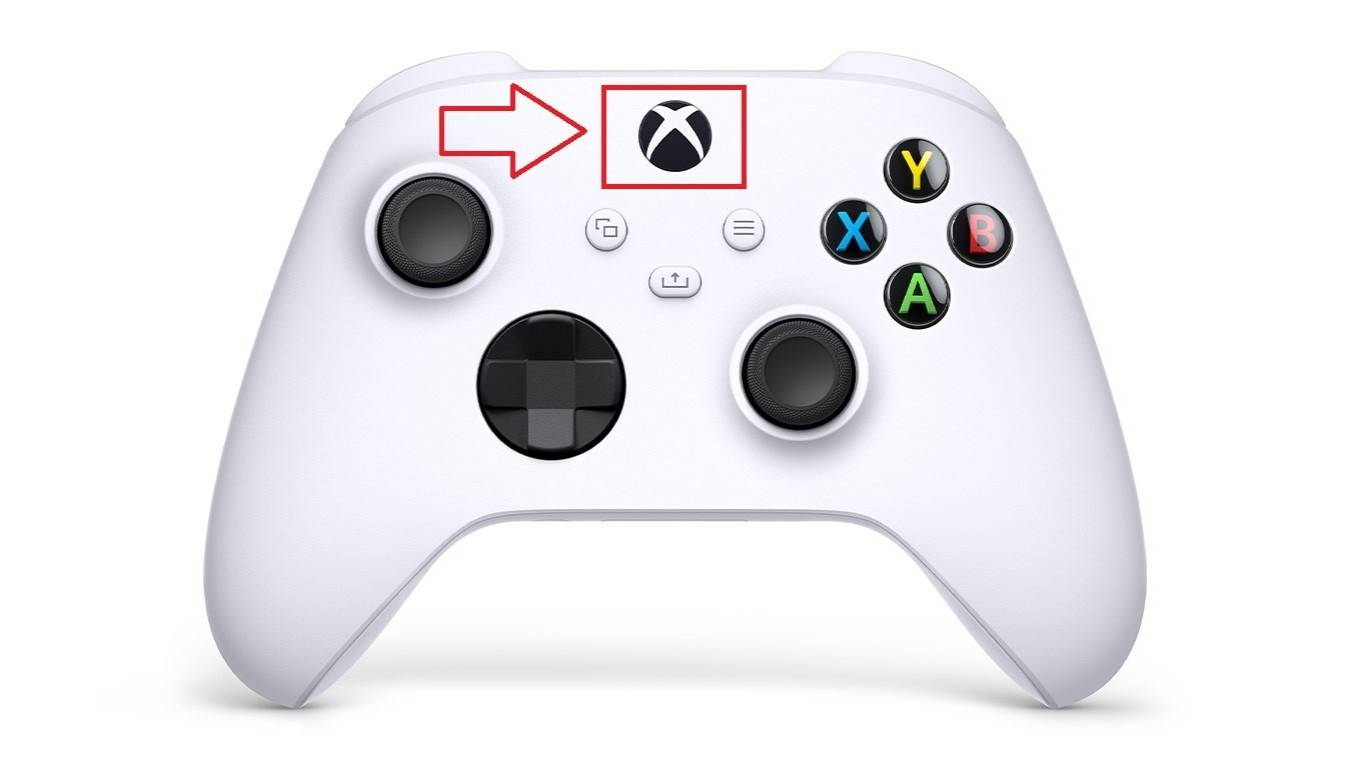
- Press the Xbox button to open the main menu.
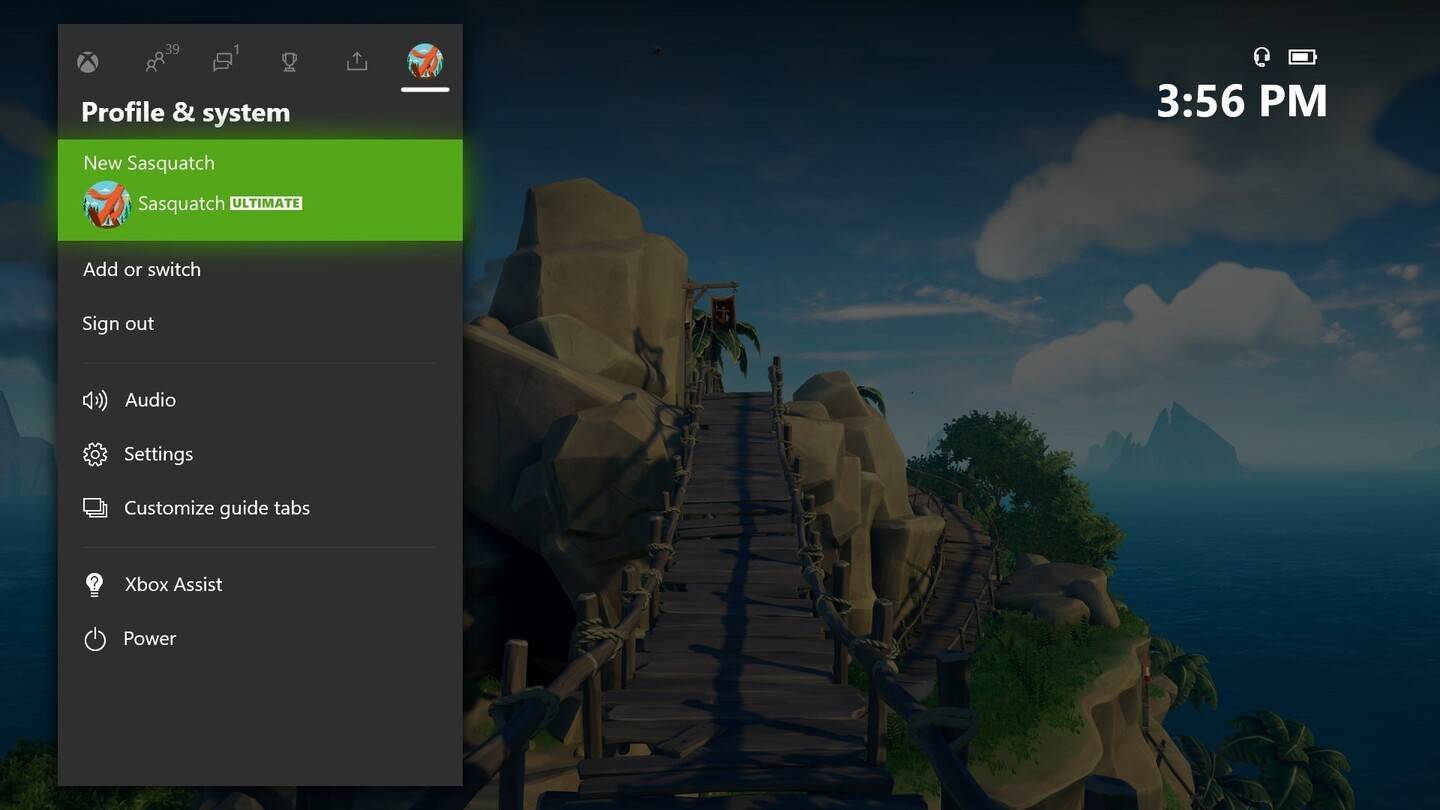
- Go to "Profile & System," then select your profile.
- Choose "My Profile," then "Customize Profile."
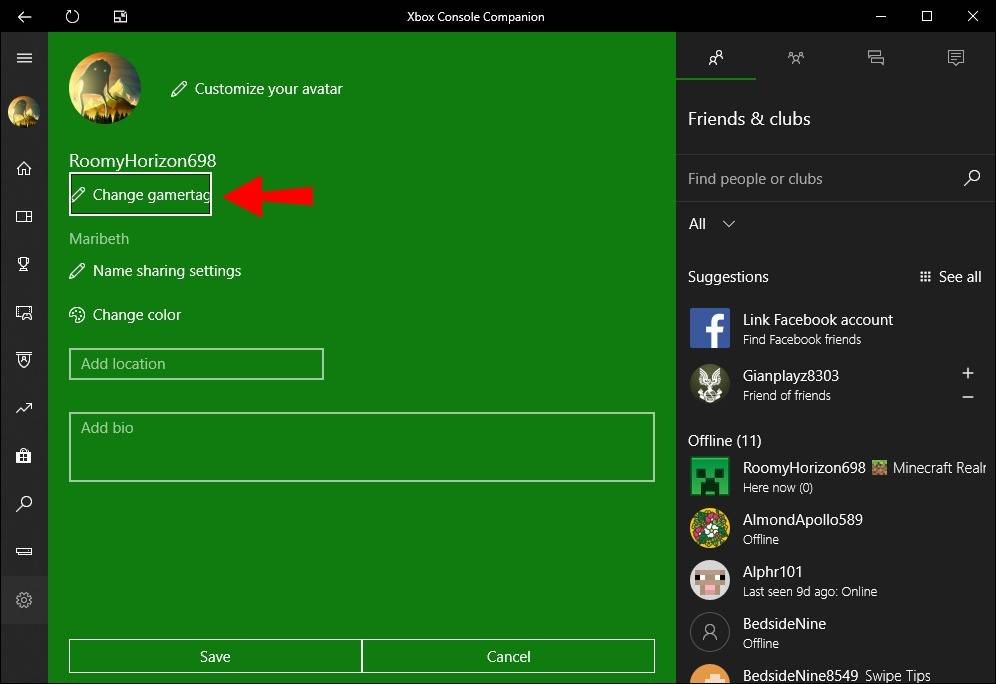
- Click your Gamertag and enter your new name.
- Follow on-screen instructions to confirm.
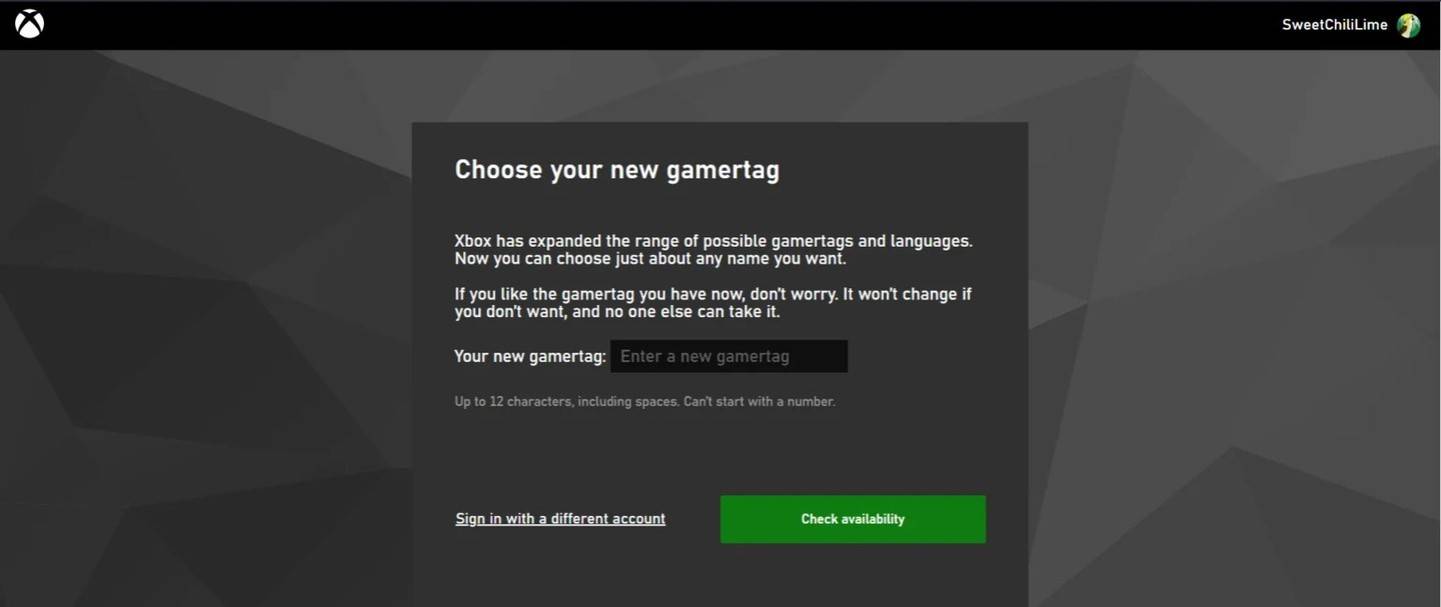
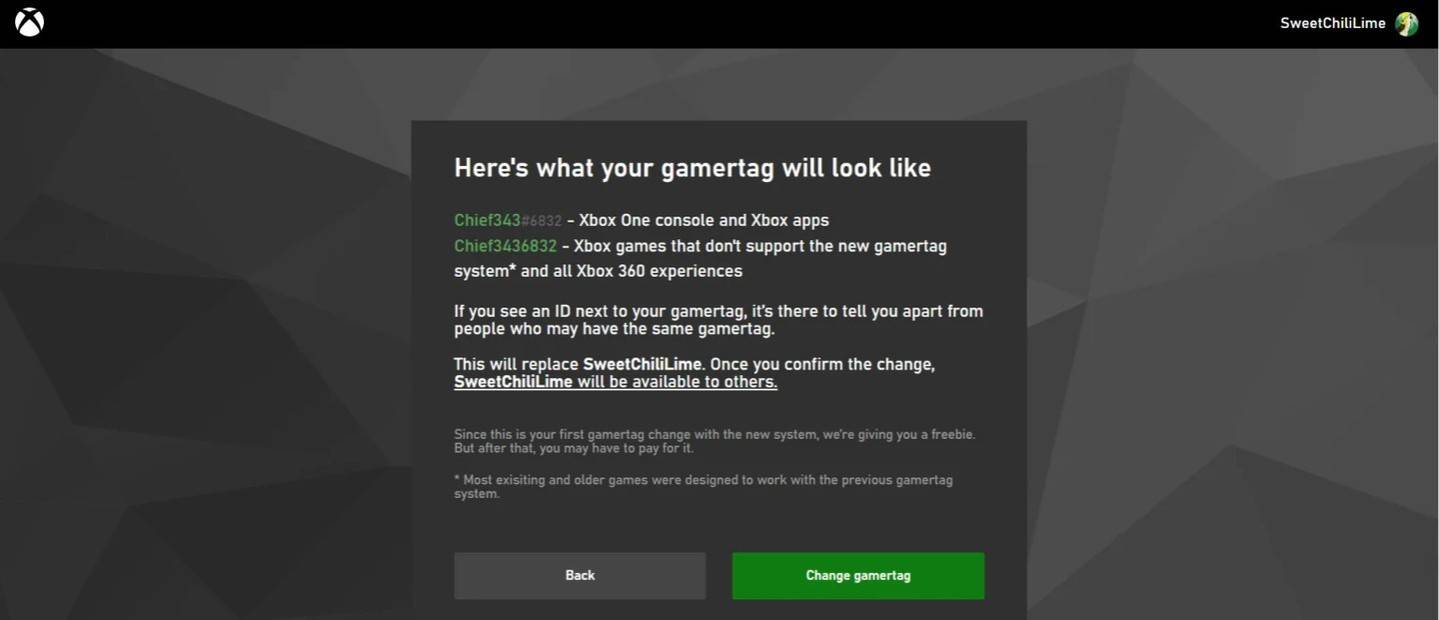
Note: With cross-play disabled, your new name is only visible to other Xbox players who also have cross-play disabled.
Changing Your Username on PlayStation
(For PlayStation players with cross-platform play disabled):
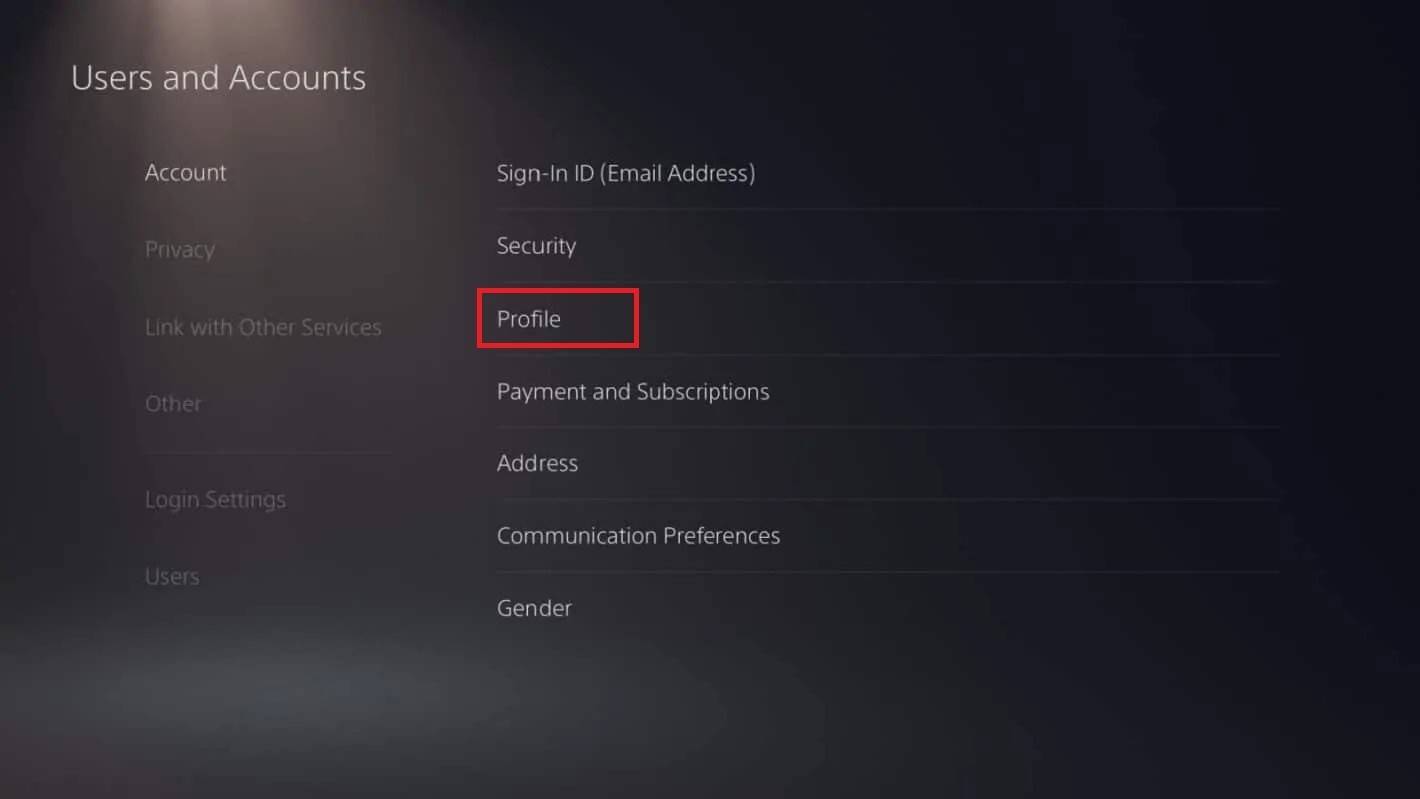
- Open console settings and go to "Settings."
- Select "Users and Accounts."
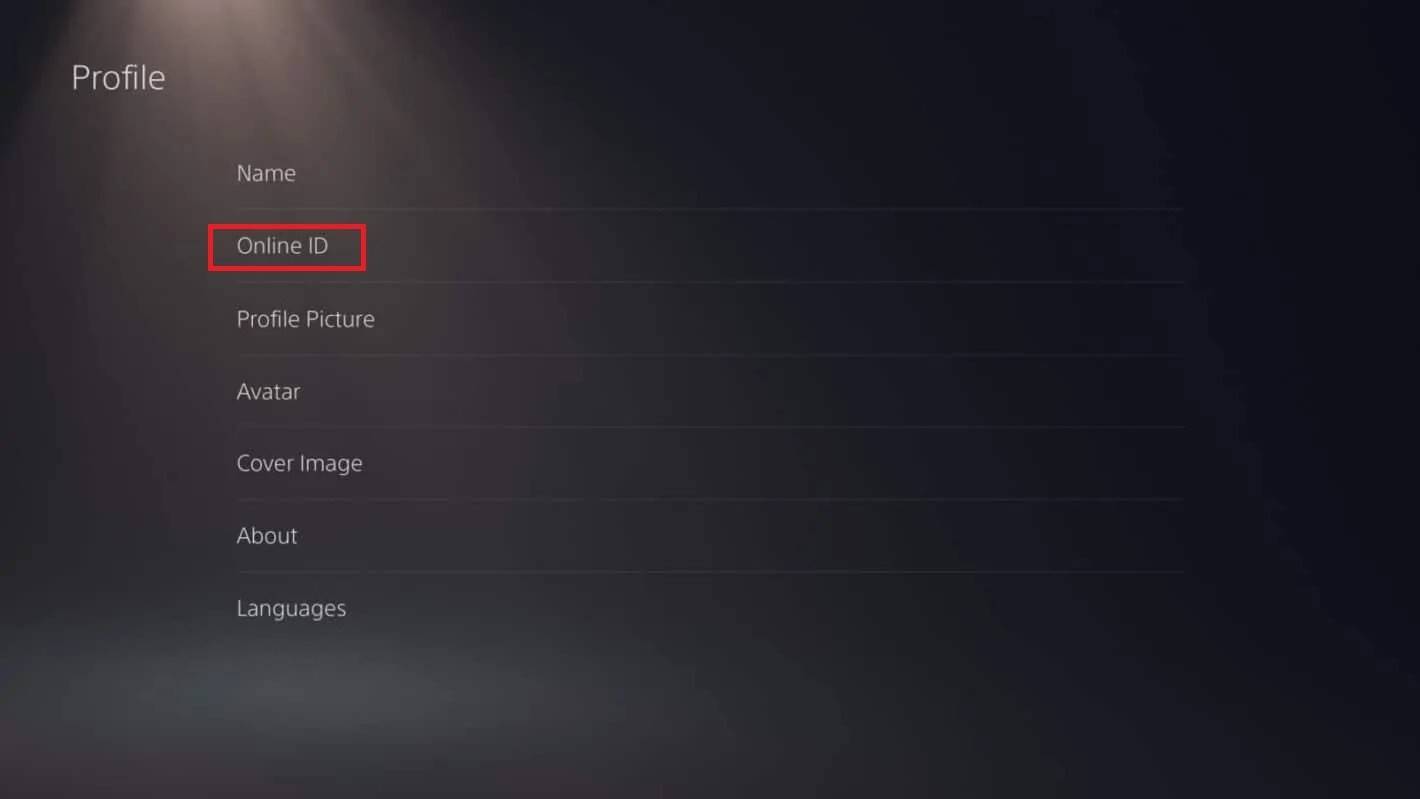
- Go to "Accounts," then "Profile."
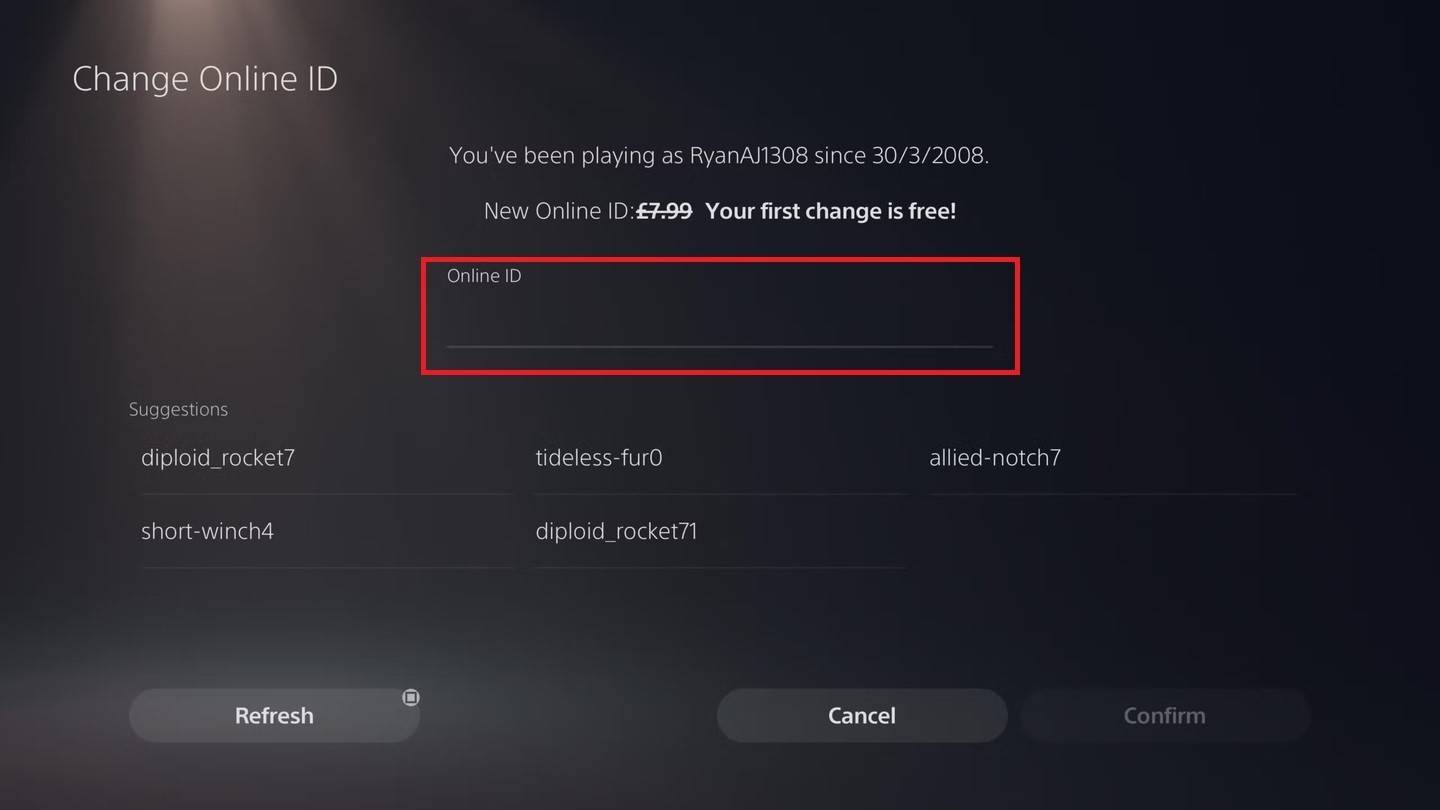
- Locate "Online ID" and click "Change Online ID."
- Enter your new name and confirm.
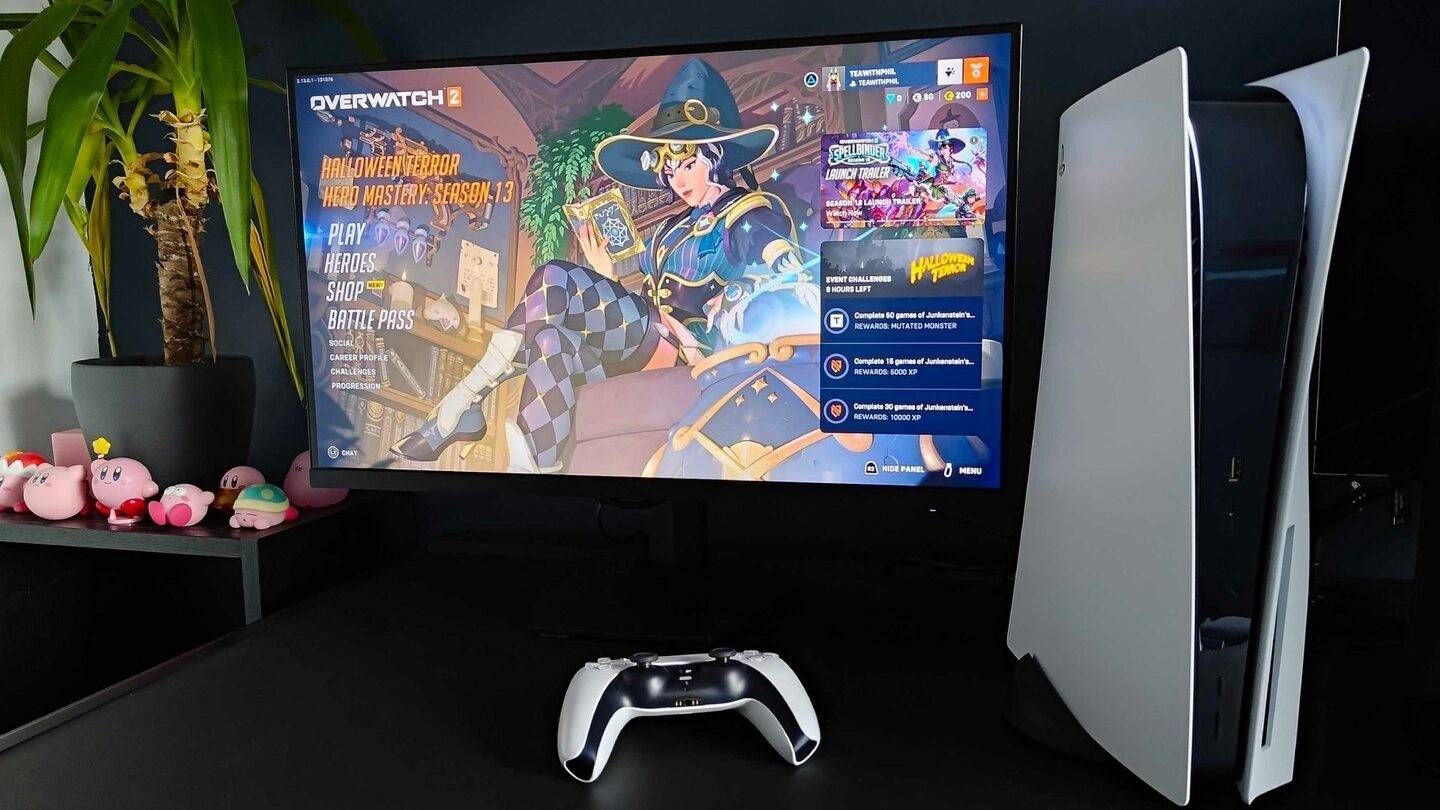
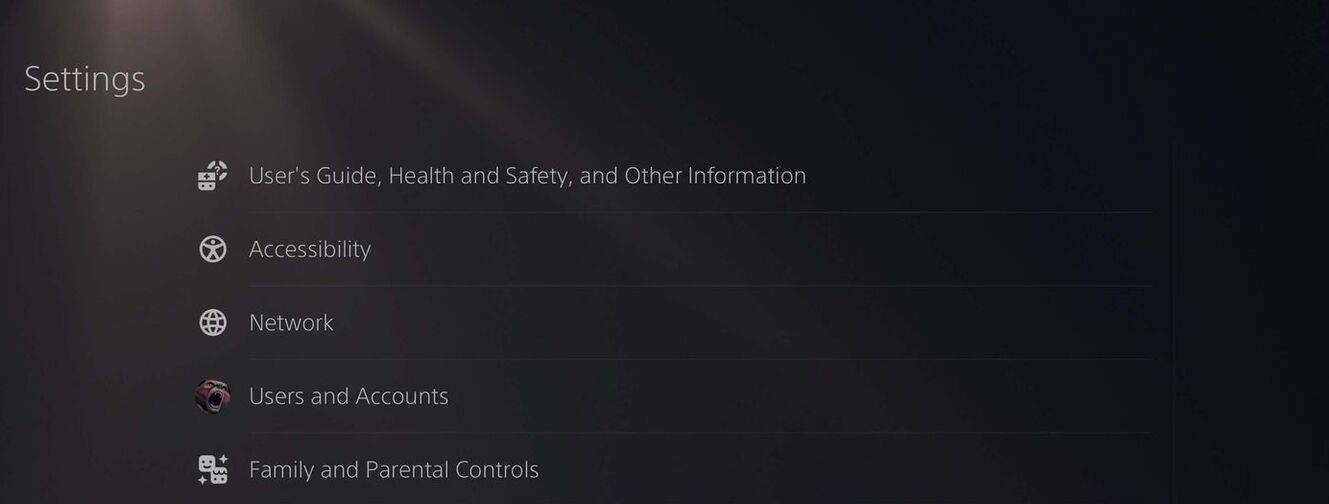

Note: With cross-play disabled, your new name is only visible to other PlayStation players who also have cross-play disabled.
Final Recommendations
Before changing your name, determine which method applies based on your platform and cross-play status. Remember that only one free BattleTag change is allowed. Any subsequent change requires payment. Ensure your Battle.net Wallet has sufficient funds if needed.