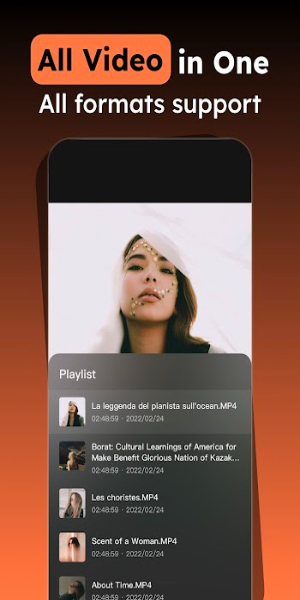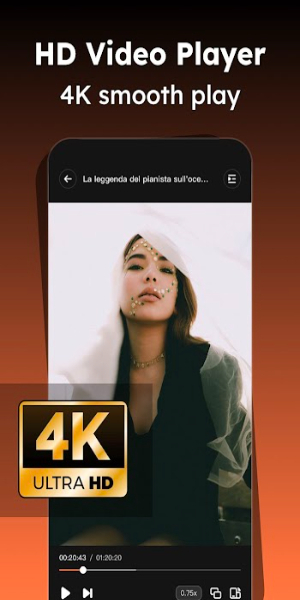
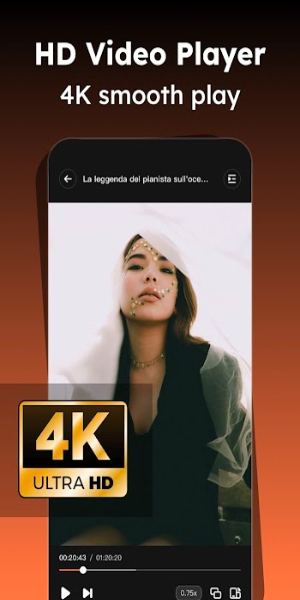
iPlayer is a versatile video player app that offers a seamless and enjoyable viewing experience. With support for high-definition 4K and UltraHD formats, users can enjoy crystal-clear playback of various video files. Its intuitive controls allow easy adjustments to playback speed, brightness, and volume, ensuring an exceptional viewing experience for all video formats.
Outline
iPlayer is a high-performance offline video player that stands out with its support for high-definition video formats, including 4K and UltraHD. This ensures that users can enjoy their favorite videos with exceptional clarity. iPlayer boasts extensive compatibility with a wide array of video formats such as MKV, MP4, WEBM, AVI, and many more, making it a versatile tool for managing and viewing video content. Its design focuses on simplicity and ease of use, featuring intuitive controls that allow users to navigate their video library and adjust playback settings effortlessly.
Usage Instructions
Installation: Begin by downloading and installing iPlayer from 40407.com. The installation process is straightforward and will guide you through setting up the app on your phone.
Adding Videos: Once installed, you can import video files into iPlayer. This can be done via iCloud Drive, local storage, or other file-sharing methods supported by the app. Simply navigate to the import section and select your desired video files.
Playback Controls: iPlayer provides a range of easy-to-use controls for managing video playback. Tap the screen to start or pause the video, and use swipe gestures to adjust playback speed, brightness, and volume. For example, swipe up or down on the screen to control brightness and volume.
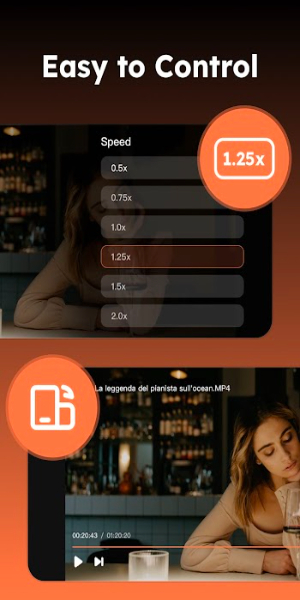
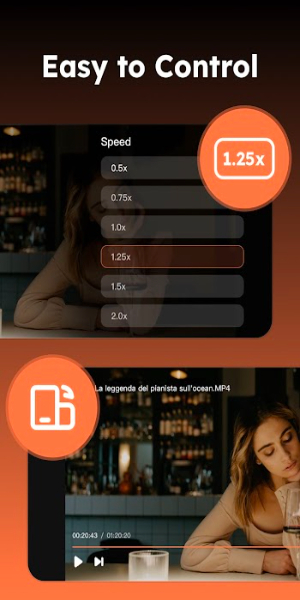
Playback Speed: Adjust the playback speed of your videos according to your preference. This feature is particularly useful for analyzing detailed content or speeding through less critical sections of a video.
Brightness & Volume Adjustment: Directly modify the brightness and volume of the video by using intuitive swipe gestures. This allows you to tailor the viewing experience to different lighting conditions and personal preferences.
Unique Features
Wide Format Compatibility:
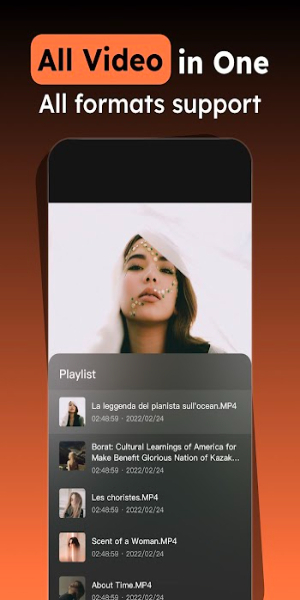
iPlayer excels in supporting a broad range of video formats. Whether your videos are in MKV, MP4, WEBM, AVI, FLV, MPG, or WMV formats, iPlayer ensures smooth and uninterrupted playback. This eliminates the need for multiple video players and simplifies your viewing experience.
Playback Speed Adjustment:
The app provides the flexibility to adjust the playback speed, which can be useful for various purposes such as slowing down for detailed analysis or speeding up for quick reviews.
User-Friendly Interface:
iPlayer’s interface is designed with user experience in mind. Its controls are straightforward and intuitive, allowing users to easily browse through their video library and manage playback settings.
High-Definition Support
Enjoy videos in stunning detail with iPlayer’s support for 4K and UltraHD video files. This high-definition capability ensures that you experience video content in the best possible quality.
Simple Controls
The app offers a user-friendly control scheme that simplifies navigation and playback management. You can easily play, pause, rewind, fast forward, and adjust settings with simple gestures, making for a seamless user experience.
Adjustable Brightness & Volume
iPlayer allows for direct adjustments to video brightness and volume using swipe gestures. This feature enhances user control over the viewing environment, making it adaptable to different settings and preferences.
4K Video Playback
The app supports 4K/UltraHD video playback, offering crystal-clear visuals that enhance the viewing experience. This is ideal for users who want to enjoy high-resolution content on their phone.
Software Functions
- Comprehensive Format Support: iPlayer is designed to handle a wide range of video formats. This includes popular formats like MKV and MP4 as well as high-definition and 4K videos, ensuring that users don’t face compatibility issues.
- High-Definition Playback: With support for 4K ultra high-definition videos, iPlayer delivers superior video quality, allowing users to enjoy their media with the utmost clarity and detail.
- Ease of Use: The app’s interface and controls are designed to be intuitive, allowing users to easily manage video playback, adjust settings, and navigate through their video library with minimal effort.
- Intelligent Brightness Adjustment: iPlayer features an intelligent brightness adjustment function that automatically calibrates screen brightness based on the video’s content. This ensures optimal viewing conditions in various lighting environments.
Subscription Details
- Premium Features: The premium version of iPlayer removes advertisements, providing a smooth and uninterrupted viewing experience.
- Subscription Options: Users can choose from weekly, annual, or lifetime (non-subscription) plans. The annual subscription is priced around $6.99 USD, offering a cost-effective way to access premium features.
- Payment: Payments for the subscription are processed through your Google Play account, ensuring a secure and reliable transaction process.
- Auto-Renewal: Subscriptions automatically renew unless canceled at least 24 hours before the end of the current period. Renewal fees are charged within 24 hours before the end of the subscription period.
- Management: Users can manage their subscriptions and disable auto-renewal through the account settings. Upon cancellation, the subscription remains valid until the end of the current period, but no further charges will be incurred.
- Unused Trial Period: If applicable, any unused portion of a free trial period will be forfeited upon subscription purchase.
Get iPlayer APK Now on Your Android
Ready to elevate your video viewing experience? With iPlayer, you can enjoy seamless playback of your favorite videos in stunning 4K and UltraHD quality. Say goodbye to format limitations and hello to a user-friendly interface that makes navigating and adjusting your video settings a breeze. Whether you're catching up on the latest movies or revisiting cherished classics, iPlayer offers unparalleled clarity and control. Download iPlayer today!
What's New in the Latest Version
- Bug Fixes: The latest update addresses various bugs to improve the overall performance and stability of the app.