Introducing a sleek and user-friendly calculator app that has everything you need for quick and efficient calculations. With the ability to perform percentage calculations, constant calculations, exponentials, and compound interest calculations, this app is a versatile tool for any mathematical task. It even has a memory function and the option to display and save formulas, ensuring that you never lose track of your calculations. Whether you're calculating sales tax or working on complex financial equations, this app has got you covered. With its customizable themes, fonts, and layouts, you can personalize your calculator to suit your style. Plus, it's available as a floating widget for easy access on your home screen. Don't miss out on this essential tool for all your mathematical needs. Try it out today!
Features of Calculator - Floating Widget:
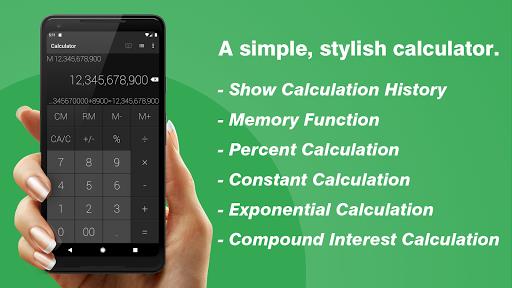
- Supports various calculations: This app supports percent calculation, constant calculation, repeat and exponential, and interest calculation. It provides a wide range of options for users to perform different types of calculations efficiently.
- Memory functionality: The app includes a memory feature that allows users to store and recall previous calculations. This makes it easy to access past results and formulas without having to re-enter the data.
- Display and save formulas: Users can easily view and save formulas within the app. This feature is helpful for those who want to keep track of their calculations or refer back to them later.
- Automatic save: The app automatically saves any inputted data, even when it is closed or quit. This ensures that users don't lose their progress and can quickly resume where they left off.
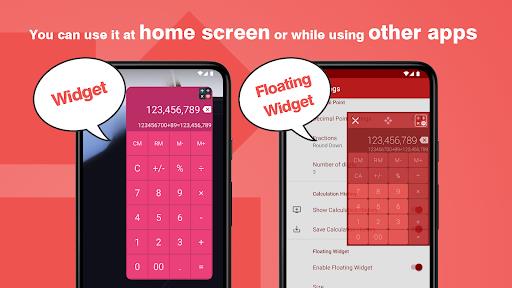
- Widget functionality: The app includes a floating widget that can be used on the home screen. This allows users to perform calculations without having to open the app, providing convenience and quick access to its functions.
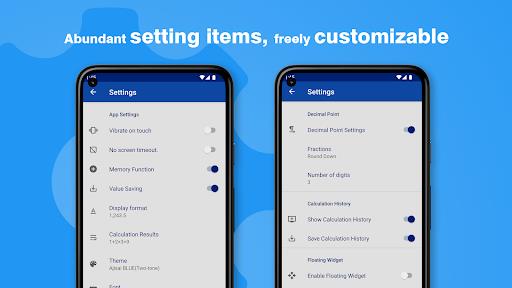
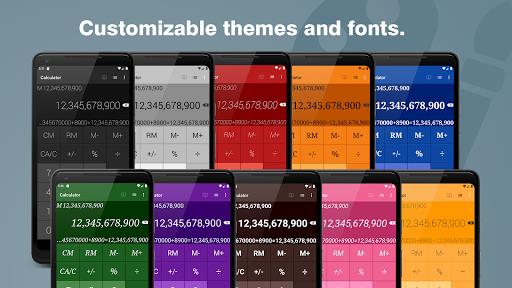
- User customization: The app offers various customization options such as themes, fonts, layouts, and display settings. Users can personalize the app according to their preferences and make it visually appealing.
Conclusion:
This calculator app is a simple yet stylish tool that offers a range of features to make calculations easy and efficient. With support for various types of calculations, memory functionality, automatic save, and a convenient widget, it provides a seamless user experience. Additionally, the app allows for customization, allowing users to tailor it to their liking. Download now to simplify your calculations and enhance your productivity.