Home News Fix R.E.P.O. Loading Screen Bug: Quick Solutions

Fix R.E.P.O. Loading Screen Bug: Quick Solutions

Author : Chloe Apr 09,2025

The gaming world is filled with chilling experiences, from *Resident Evil* to *Silent Hill*, but *R.E.P.O.* stands out with its unique co-op horror gameplay. However, some players have encountered a frustrating issue where the game gets stuck on the loading screen. Here's how you can address the *R.E.P.O.* stuck on loading screen bug and dive back into the horror.
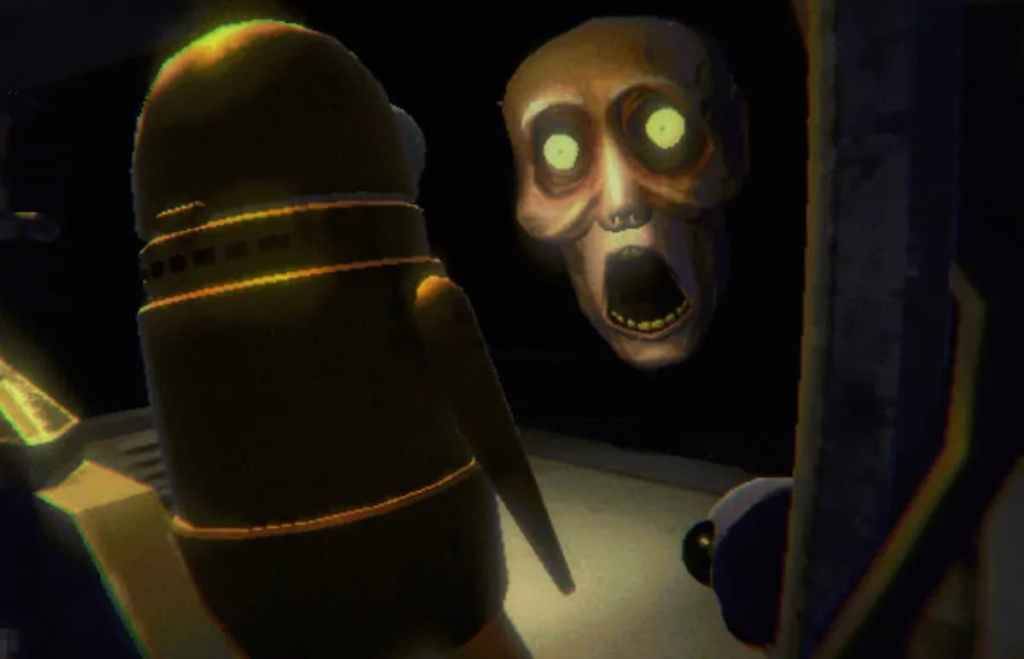
Monsters in R.E.P.O. as part of an article about how to fix loading screen bug.

Image Source: semiwork
Players launching *R.E.P.O.* on PC may find themselves stuck at the loading screen, unable to progress into the game. While the developer, semiwork, has yet to officially address this issue, there are several effective methods players can try to resolve it.

Close and Reopen the Game

The simplest yet often effective solution is to close *R.E.P.O.* and relaunch it. This allows the game to reset and potentially fix any minor glitches causing the loading screen issue. It's a quick fix that works more often than you might think, so it should be your first step.

Reboot the PC

If relaunching the game doesn't work, consider rebooting your PC. A fresh start can clear out any temporary system issues that might be interfering with *R.E.P.O.*. Plus, it gives you a brief respite from the tension, which is never a bad thing in a horror game.

Run R.E.P.O. as Administrator

Granting *R.E.P.O.* full system access by running it as an administrator can sometimes resolve loading issues. While not guaranteed to fix the problem, it's a worthwhile step to try. Here's how to do it:

  • Right-click on the *R.E.P.O.* shortcut.
  • Select Properties and go to the Compatibility tab.
  • Check the box that says "Run this program as an administrator."

Verify Game Files

Another effective method to tackle the loading screen bug is to verify the integrity of *R.E.P.O.*'s game files through Steam. This ensures all files are present and correctly installed. Follow these steps:

  • Restart your PC and open Steam.
  • Right-click on *R.E.P.O.* in your Steam Library or click the gear icon on its page.
  • Select Properties, then navigate to the Installed Files tab.
  • Click "Verify integrity of game files."

Remember, it's normal if not all files verify. Steam will inform you, and you can safely ignore these notifications as you work through the loading screen issue.

By following these steps, you should be able to overcome the *R.E.P.O.* stuck on loading screen bug and return to the thrilling world of horror gaming. For more insights, explore our guide on all the monsters in *R.E.P.O.* and strategies to escape them.

*R.E.P.O.* is now available on PC.

Latest Articles More
  • PlayStation Days of Play: Amazon Cuts PS5 DualSense Edge Price

    If you've been considering the DualSense Edge for your PS5, the PlayStation Days of Play sale offers a rare opportunity to get one at a discount. Amazon has discounted this premium controller by $30 for both color options. Unlike the standard DualSen

    Dec 14,2025
  • Ragnarok X: Complete Class Guide

    Selecting your job class in Ragnarok X: Next Generation is a pivotal choice that defines your character's growth and adventure. Every class boasts distinctive traits, abilities, stat allocations, and combat roles—forming the foundation of your gamepl

    Dec 13,2025
  • Tales of the Shire Launch Schedule

    Is Tales of the Shire on Xbox Game Pass?It remains uncertain whether the game will launch on Xbox Game Pass.

    Dec 12,2025
  • Play Office Cat: Idle Tycoon on PC via BlueStacks

    Office Cat: Idle Tycoon Games is an engaging business simulation where adorable felines take charge. You’ll oversee a team of purring employees and strategically grow a corporate empire rooted in charming, laid-back visuals and relaxing mechanics. Al

    Dec 12,2025
  • "Silent Hill f: Perfect Start for Beginners"

    Silent Hill f offers a fresh entry point into the franchise, designed specifically for new players. Discover how this standalone title connects to the series and its special showcase at Anime Expo 2025.Silent Hill f Exists Outside the Main Series Tim

    Dec 12,2025
  • MLBB March 2025 Leaks: New Skins & Events

    Mobile Legends: Bang Bang (MLBB) rolls out thrilling new content this March 2025, featuring game-changing updates for players worldwide. Discover an all-new hero, exquisite skins, and limited-time events designed to elevate your battlefield experienc

    Dec 12,2025