ApowerMirror: Seamless Wireless Screen Mirroring for Android
ApowerMirror offers a seamless way to mirror your Android screen to your PC, Mac, or Smart TV, with audio support. It provides full control between your Android device and your computer, allowing you to use your mouse and keyboard to navigate your phone. ApowerMirror also simplifies streaming to applications like OBS Studio or Zoom.
Highlighted Features:
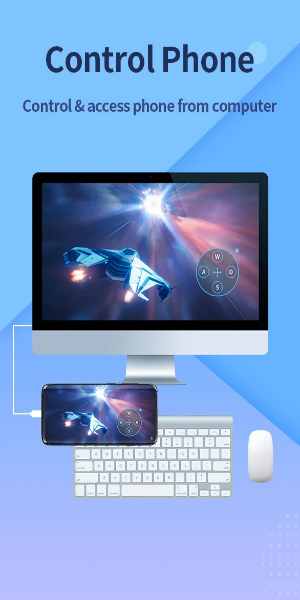
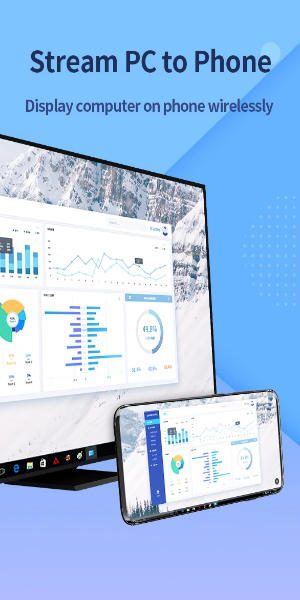
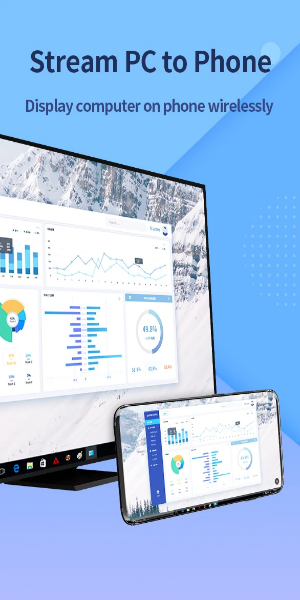
- Android and PC Screen Mirroring: ApowerMirror enables seamless mirroring of Android screens to PCs and vice versa. It provides audio synchronization, eliminating the need for auxiliary cables. Users can effortlessly stream videos, display apps, share meeting content, or play Android games in full-screen mode on their PC or Mac. Additionally, the app allows users to mirror their PC screen on their phone and control it remotely, providing convenient access to computer files and programs.
- Phone-to-Phone Screen Mirroring and Control: ApowerMirror is a versatile screen mirroring app that facilitates phone-to-phone or tablet screen sharing. Users can easily share their screens with others to watch videos, movies, or share files with friends and colleagues.
- Accessibility API Integration: To enable the reverse control feature, ApowerMirror requires "Accessibility" permission. This feature allows users to help troubleshoot phones for family and friends or efficiently demonstrate phone usage during corporate meetings. Denying accessibility permission will disable reverse control-related functions while still allowing other features to be used.
- Phone-to-TV Casting: ApowerMirror excels in screen mirroring Android devices to TVs. With just a few taps, users can stream movies, watch videos, share photos, or play games on the big screen. The app supports a wide range of TVs running on Android OS, including Sony TV, LG TV, Philips TV, Sharp TV, Hisense TV, Xiaomi MI TV, and more.
AirCast - Cross-Network Screen Mirroring:
This advanced feature enables screen mirroring between devices connected to different networks. Users can share screens even when located in different places with separate network connections. It can be used to mirror phone screens, cast phones to PC, and stream PC screens to phones.
Android Control from PC/Mac:
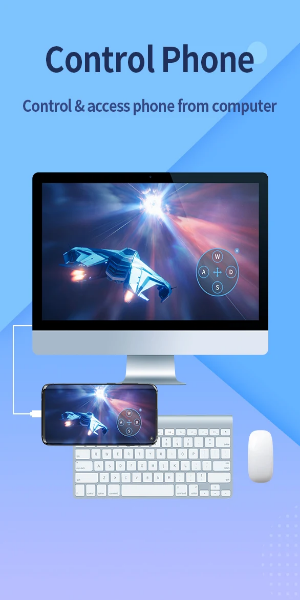
When mirroring Android screens to PC/Mac, users gain complete control over their devices using the mouse and keyboard. This allows for easy sharing of presentations, enjoying movies on a larger screen, and playing mobile games such as Mobile Legends, PUBG Mobile, Fortnite, Minecraft, and more on a computer.
Multi-Screen Mirroring on One Computer:
ApowerMirror supports simultaneous mirroring of up to four devices without any delay, significantly enhancing daily productivity. Users can enjoy multiple screens simultaneously, eliminating the need to switch between different applications.
Ideal for Different Screen Mirroring Scenarios:
- Individual use
- Corporate conferences
- Virtual learning/Online education
- Live streaming of mobile games
- Mirroring movies/sports videos
- Delivering presentations
- Remote work
Compatible Devices:
- Windows and macOS computers
- Android and iOS smartphones
- Smart TVs: including Sony, Sharp, Philips, Hisense, Skyworth, Xiaomi, LG, and more
- Devices featuring DLNA or AirPlay support, such as certain projectors and in-car screens
What's Included in the Latest Version 1.8.12:
- Addressed minor glitches and made enhancements for a smoother experience. Install or upgrade to the most recent version to explore the updates!