If you're diving into the epic battles of Dynasty Warriors: Origins, you'll quickly notice that the game, while not open-world, features a sprawling world map. Initially, the explorable area is compact and easy to navigate, but as you advance through the main storyline and unlock more provinces, traversing the map can become quite the challenge. The constant unlocking of new skirmishes and requests often means backtracking over large swathes of the map, which can be time-consuming.
Fortunately, mastering the art of fast travel in Dynasty Warriors: Origins can significantly streamline your journey, especially if you're aiming to tackle all the side content the game has to offer.
How to Fast Travel in Dynasty Warriors: Origins
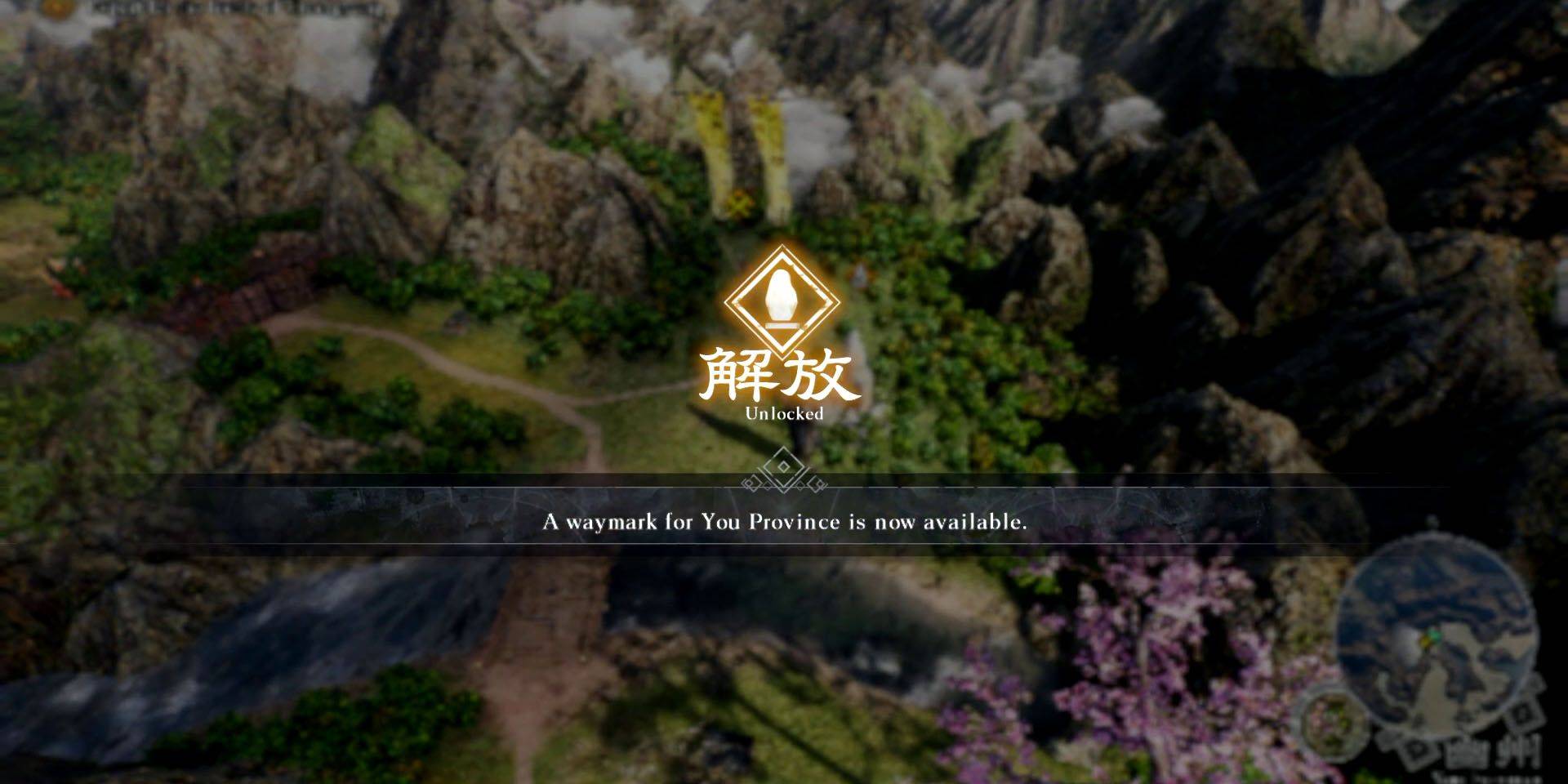
Dynasty Warriors: Origins provides players with the ability to fast travel to different Waymarks via the Map screen. Before you can zip to a Waymark, you must first unlock it. To do so, simply approach the Waymark on the world map and hold down the X button on PlayStation or the A button on Xbox. Once unlocked, the Waymark will appear on your map screen, ready for you to fast travel to at your convenience.
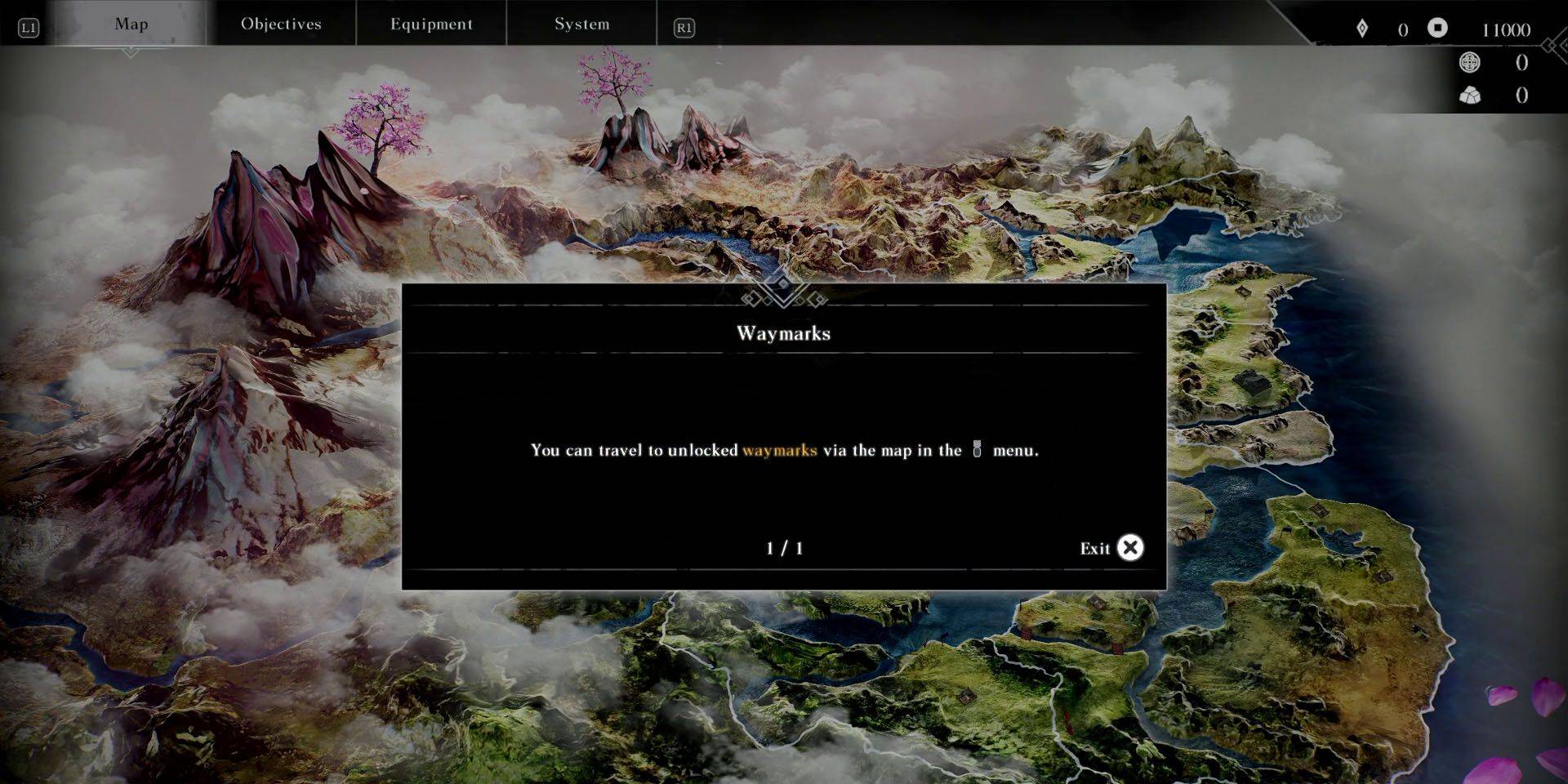
When you're not in the thick of battle, accessing the map is straightforward. You can open it by interacting with an unlocked Waymark on the world map or by pausing the game and cycling to the Map menu using the shoulder buttons. PlayStation users have an extra trick up their sleeve; simply press the Dual Sense touchpad while on the world map to quickly bring up the map, saving precious seconds.
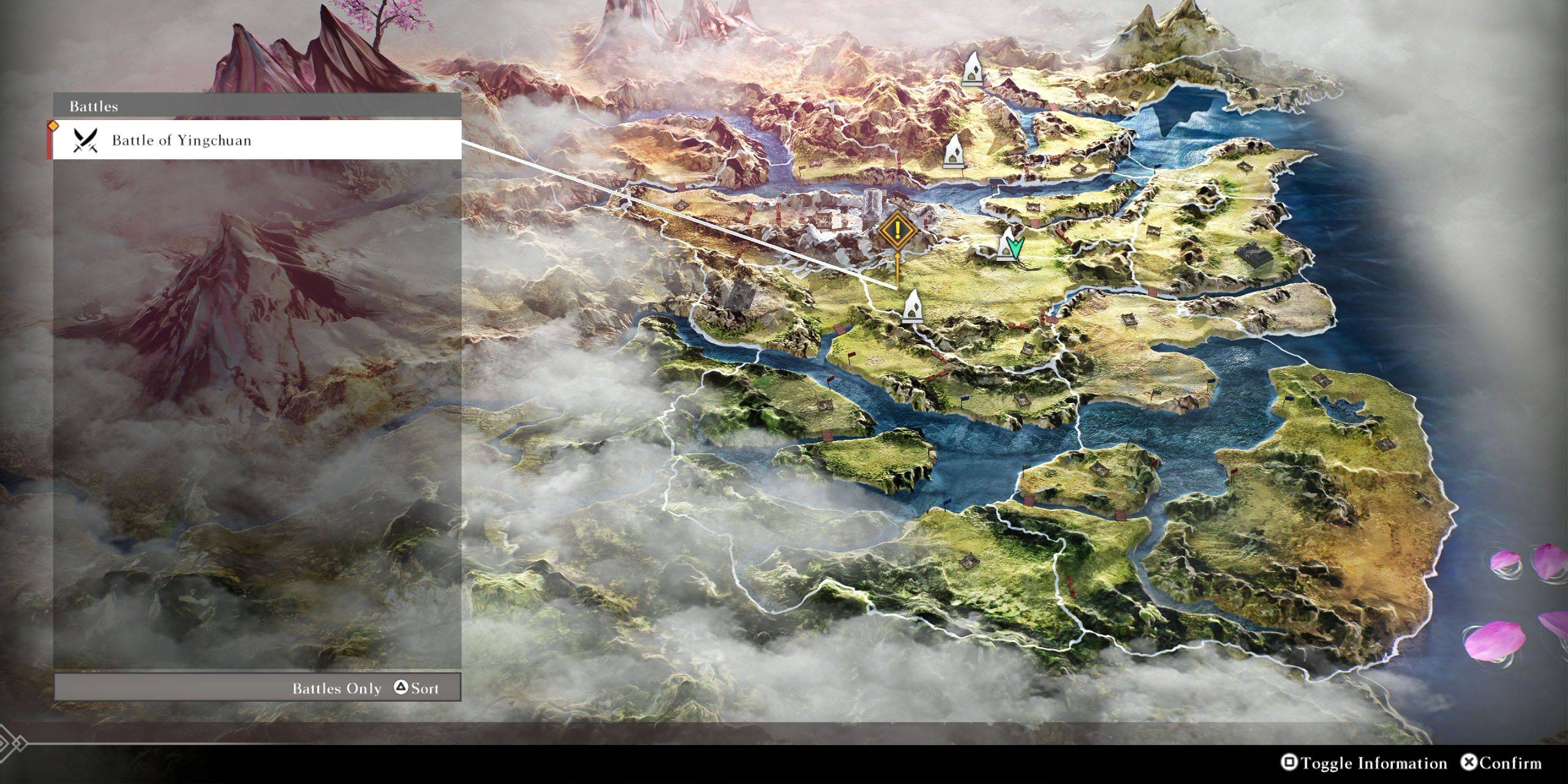
Once you're on the map screen, hovering over an unlocked Waymark will reveal nearby key locations or battles. If you're on the hunt for a specific spot or skirmish, press the Square button on PlayStation or the X button on Xbox to toggle additional information. From there, you can cycle through available battles and locations using the Triangle button on PlayStation or the Y button on Xbox, and select the one you're interested in to move the cursor to the nearest Waymark.