WhatsApp Business is WhatsApp's official business-oriented instant messaging client. The app is completely independent from the standard version of WhatsApp, so if you have two phone numbers with two SIM cards in the same device, you can have both apps installed simultaneously, one to use with your personal number and the other with your professional phone number.
Customize your business profile
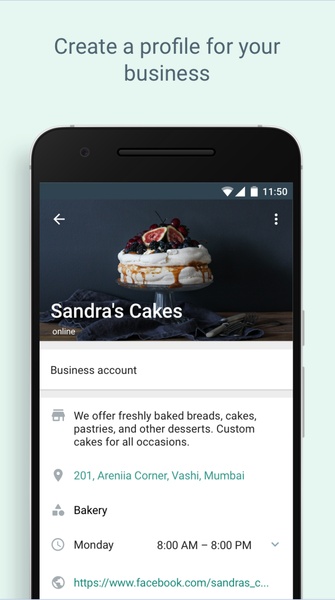
To create your WhatsApp Business profile, you must first enter your company's business phone number. It is important to remember that this number cannot be currently associated with a WhatsApp account. If it is, you will first need to unlink it. Once you have entered the number, you can add your company name and logo. When adding your logo, you should consider the circular design of WhatsApp profile photos to make sure everything looks good. A poorly positioned logo can affect your business' branding.
Add all your business information
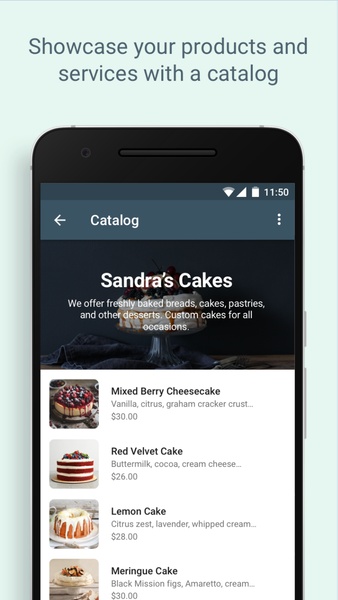
The more information you provide about your business, the easier it will be for your customers to communicate with you. It is important to indicate the customer service operating hours, the web address, the physical address of your business (if any), and a whole host of extra information that you think may be useful. The more data you give preemptively, the fewer conversations you will have to provide the same answers repeatedly. As with Google My Business, you can even add a list of all your products for customers to see.
Automate messages to improve your service
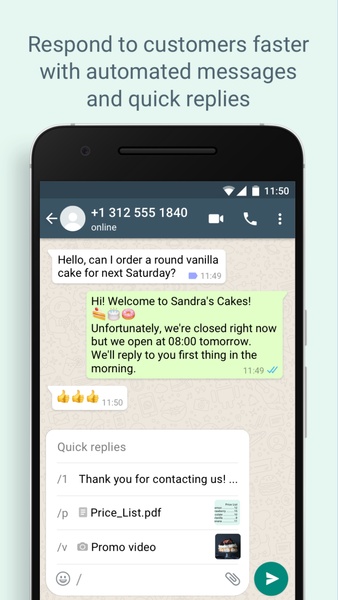
One of the most interesting aspects of WhatsApp Business is the ability to automate messages. Most businesses create an automatic welcome message so that when customers start a conversation, they instantly receive a welcome response. You can also create automated messages for when someone writes to your business after hours, informing them that they may not get a rapid reply. You decide how you want to use message automation.
Enjoy all the features of WhatsApp and more
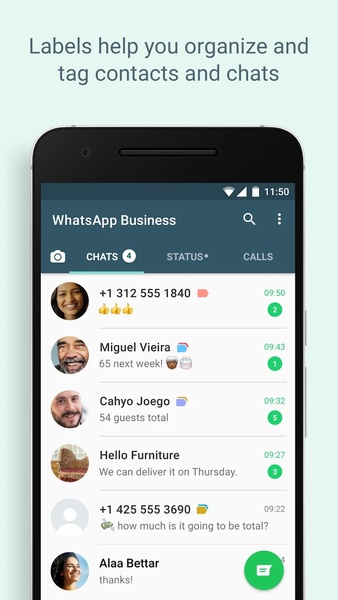
WhatsApp Business has been developed using the same structure as the standard WhatsApp client, which means that you can use all the others apart from the already-mentioned features. In other words, from your professional account, you can also send photos, videos, audio messages, stickers, etc. You can even change your status, block phone numbers, create messaging groups, or make video calls. Everything you can do with WhatsApp, you can do with WhatsApp Business.
Get the best messaging client for professionals
Download WhatsApp Business if you have a business, especially a small or medium-sized business, and you want to manage it properly from anywhere. Thanks to its comfort and efficiency, this app helps you quickly respond to all your customers' doubts and questions. What's more, just like with the traditional WhatsApp client, you can use the browser version to manage all chats more comfortably from any PC or Mac.
Requirements (Latest version)
Android 5.0 or higher required
Frequent questions
- Is WhatsApp Business free?
Yes, WhatsApp Business is free. WhatsApp Business includes additional services that improve communication between your company and your customers. - What's the difference between WhatsApp and WhatsApp Business?
The difference between WhatsApp and WhatsApp Business is what information is shown to the people you're communicating with. In WhatsApp Business, you can display catalogs and basic business information to streamline communicate with your customers. - What can't I do with WhatsApp Business?
You can't mix your personal WhatsApp with your company account on WhatsApp Business. For this reason, WhatsApp recommends using another SIM card to set up your business account. - How much does WhatsApp Business cost?
WhatsApp Business doesn't cost anything. It's a completely free service for anyone who wants to use this tool to communicate with their customers. - How do I set up WhatsApp Business?
To set up WhatsApp Business for your company, enter the Settings section, select the "WhatsApp Business Conditions" button, and tap "Accept." After that, you can start filling in your company details and customizing your profile. - How do I use the WhatsApp Business API?
You can use the WhatsApp Business API once you sign up for a plan according to the partner you choose. This is the cost of service when you integrate WhatsApp Business, similar to other complementary tools like a CRM or a Live Chat. - What is the file size of the WhatsApp Business APK?
The WhatsApp Business APK is an average of 40 MB, so you don't need a lot of storage space on your Android to install it.