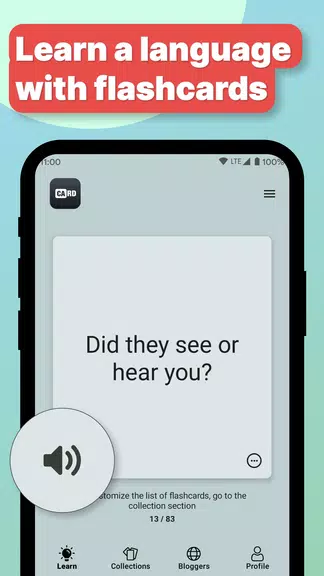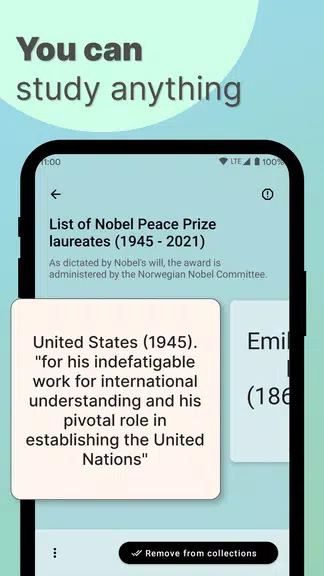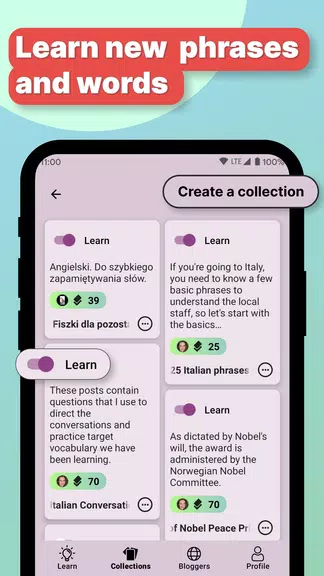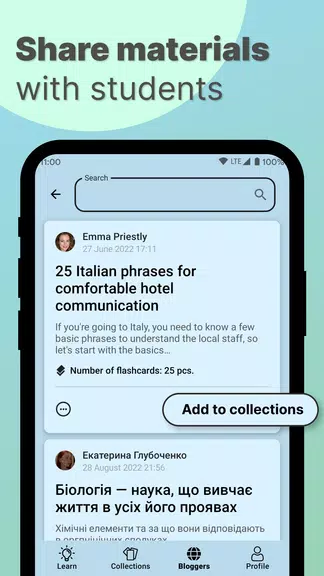
Ready to expand your vocabulary or dive into a new language? The Flashcards: Learn Terminology app is your go-to solution! Featuring an innovative card sorting algorithm, this app makes memorizing new words, phrases, and foreign languages a breeze. You can create customized flashcard collections, share them with friends, import and export content, listen to pronunciation via the built-in speech synthesizer, track your progress with detailed statistics, and even study offline by downloading your collections. Whether you're a student, a teacher, or just someone passionate about enhancing your language skills, this app is designed to meet your needs. Say goodbye to the struggles of language learning and embrace a fun, effective way to learn!
Features of Flashcards: Learn Terminology:
Customizable Flashcard Collections: With Flashcards: Learn Terminology, you have the power to craft flashcard collections that are perfectly tailored to your learning objectives. Whether you're prepping for an exam, diving into a new language, or simply looking to broaden your vocabulary, you can organize and categorize your flashcards to suit your learning style.
Social Sharing Features: This app lets you share your flashcard collections with friends, classmates, or students, fostering collaboration and group study sessions. Sharing your knowledge not only helps others succeed but also reinforces your own understanding of the material.
Speech Synthesizer for Pronunciation: A highlight of Flashcards: Learn Terminology is its built-in speech synthesizer, which allows you to hear the correct pronunciation of words and phrases. This feature is a game-changer for language learners aiming to enhance their speaking and listening abilities, as well as for students preparing for language exams.
Progress Tracking and Statistics: As you study and review your flashcards, the app tracks your progress and provides detailed learning statistics. This functionality helps you see your growth over time and pinpoint areas where you can improve, keeping you motivated and focused on your learning goals.
Tips for Users:
Create a Study Schedule: Maximize your use of Flashcards: Learn Terminology by setting aside specific times each day to review your collections. A regular study routine will reinforce your learning and boost your retention of new words and phrases.
Mix Up Your Study Methods: Keep your learning engaging by varying your study techniques. Try recalling translations before flipping the card or use the app's social features to quiz yourself with a friend. Mixing things up can make learning more enjoyable and effective.
Set Learning Goals: Stay motivated and on track by setting clear learning goals within the app. Whether it's memorizing a set number of words each week or aiming for a high score on a practice test, having specific objectives can drive your progress forward.
Conclusion:
Flashcards: Learn Terminology is a versatile, user-friendly app that offers a suite of powerful features for students, teachers, and language enthusiasts. By customizing your flashcard collections, sharing materials, leveraging the speech synthesizer, monitoring your progress, and applying effective study tips, you can significantly enhance your learning experience. Whether you're studying for academic success or personal growth, this app is an invaluable tool for anyone looking to improve their language proficiency and expand their knowledge.