Discover the Airbuds Widget: A Unique Music Sharing Experience
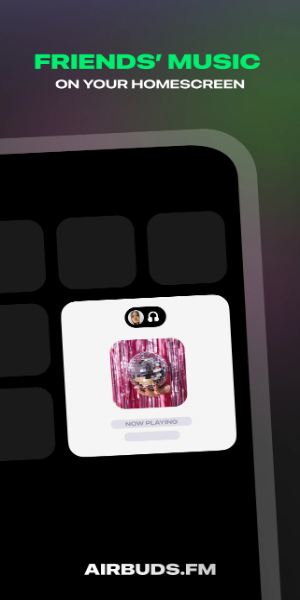
The Airbuds Widget revolutionizes the way you connect with friends through music. This innovative tool allows you and your friends to share your current listening activities directly on your device's home screen. By providing real-time updates of the songs your friends are enjoying, Airbuds Widget fosters a closer bond through shared musical experiences.
Engage with Music Together
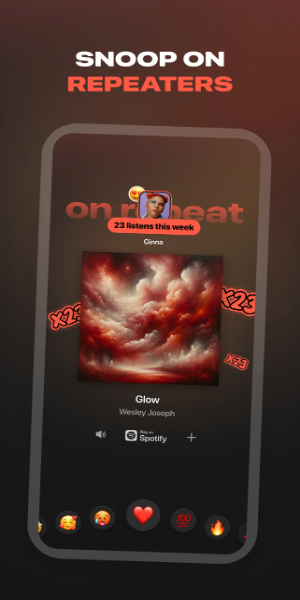
With Airbuds Widget, interacting with your friends' music choices is seamless and engaging. You can react to the songs they're listening to, play the same tracks on your preferred music apps, and initiate conversations based on shared musical interests. This not only enhances your social interactions but also enriches your music discovery journey by exposing you to new genres and artists recommended by your friends.
How Does Airbuds Widget Work?
Airbuds Widget operates effortlessly to facilitate a shared music experience among friends. Here’s how you can use it in simple steps:
1. Spotify Integration: Connect Your Account
To begin, integrate Airbuds Widget with your Spotify account. This connection allows the widget to access your listening data and share it with your friends. You'll need to authorize the widget to link with Spotify, ensuring it can display real-time updates of your music choices accurately.
2. View Friends' Listening Activities
Once connected, Airbuds Widget displays what your friends are currently listening to directly on your device's home screen. This real-time feature provides instant visibility into their music preferences and current playlists. Each song title or album cover appears as your friends play them, making it easy to discover new music and keep up with their latest favorites.
3. Engage and Share Music Interests
Airbuds Widget allows you to interact with your friends' music activities in various ways:
React to Songs: Express your reactions to the tracks your friends are playing by liking or emoting directly from the widget.
Play Music on Preferred Apps: With a simple tap, you can play the same songs or playlists on your preferred music apps. Whether it’s Spotify, Apple Music, or any other compatible platform, Airbuds Widget ensures seamless playback synchronization.
Initiate Conversations: Use music as a conversation starter. Discuss favorite artists, albums, or genres with friends based on what they are currently listening to. This feature enhances social interaction and deepens your connection through shared musical interests.
Airbuds Widget transforms individual music listening into a social and collaborative activity. By bridging geographical distances and bringing friends closer through shared music experiences, the widget enhances your overall listening enjoyment. Whether you’re discovering new music together or simply staying connected with friends through their musical tastes, Airbuds Widget makes music a central part of your social interactions.
Enhancing Social Connectivity
Airbuds Widget isn't just about sharing music—it's about fostering connections and bridging distances through shared experiences. By integrating seamlessly with your Spotify account and displaying real-time updates of your friends' listening activities, Airbuds Widget transforms solitary listening into a social affair. Whether you're discovering new music together or simply enjoying each other's favorite tracks, Airbuds Widget enriches your friendships by making music an integral part of your shared moments.