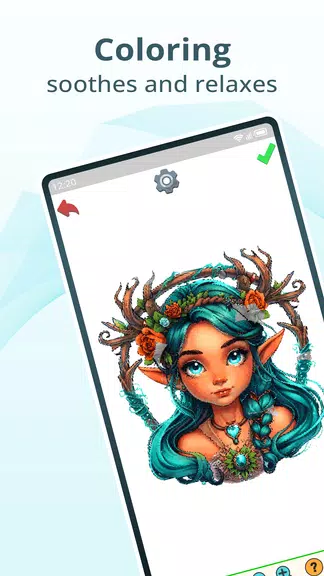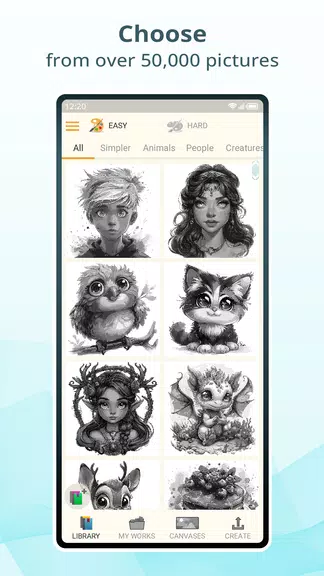
Features of Pixel Dye: Color by Number:
⭐ Personalization: Transform your cherished photos or images from your gallery into breathtaking color-by-number artworks.
⭐ Variety: Delve into Pixel Dye's beautifully crafted pixel art images that span a diverse range of styles.
⭐ Daily Challenges: Keep the excitement alive with daily challenges that offer new pictures and rewards to keep you engaged.
⭐ Sharing: Effortlessly save your masterpieces in the cloud or locally, and share them with your friends and family.
⭐ User-Friendly Interface: Tailor the app's interface to enhance your overall experience and make it uniquely yours.
⭐ Animated Coloring Process: Experience the magic as your artwork comes to life with captivating animations.
Tips for Users:
⭐ Square Finder Tool: Use this tool to swiftly pinpoint specific squares for coloring, making your process more efficient.
⭐ Fill Tool: Employ the Fill Tool to automatically color adjacent squares of the same color, saving you time and effort.
⭐ Bomb Tool: The Bomb Tool is perfect for quickly filling large areas with color, speeding up your artwork completion.
⭐ Automatic Color Switching: Leverage this feature for a seamless coloring experience, as it automatically switches colors for you.
⭐ Real-Time Progress Tracking: Monitor your progress in real-time to stay motivated and see how close you are to finishing your masterpiece.
Conclusion:
Immerse yourself in the creative realm of Pixel Dye: Color by Numbers and discover endless ways to express your imagination. With its advanced tools, frequent updates, and intuitive interface, this app delivers a soothing and delightful coloring experience for artists at any skill level. Download Pixel Dye today and let your creativity illuminate the world!