Smart Quick Settings is an app designed to streamline the Android settings experience for users across various devices and versions, offering an intuitive and efficient UI/UX tailored to customer needs. This app allows direct adjustment of numerous device settings, and when necessary, it seamlessly connects users to their device's native settings page. The app also features a straightforward way to check the status of each setting, ensuring users are always informed.
For over a decade, Smart Quick Settings has evolved with continuous customer feedback, emphasizing a user-centric approach.
Main Functions of the Smart Quick Settings App:
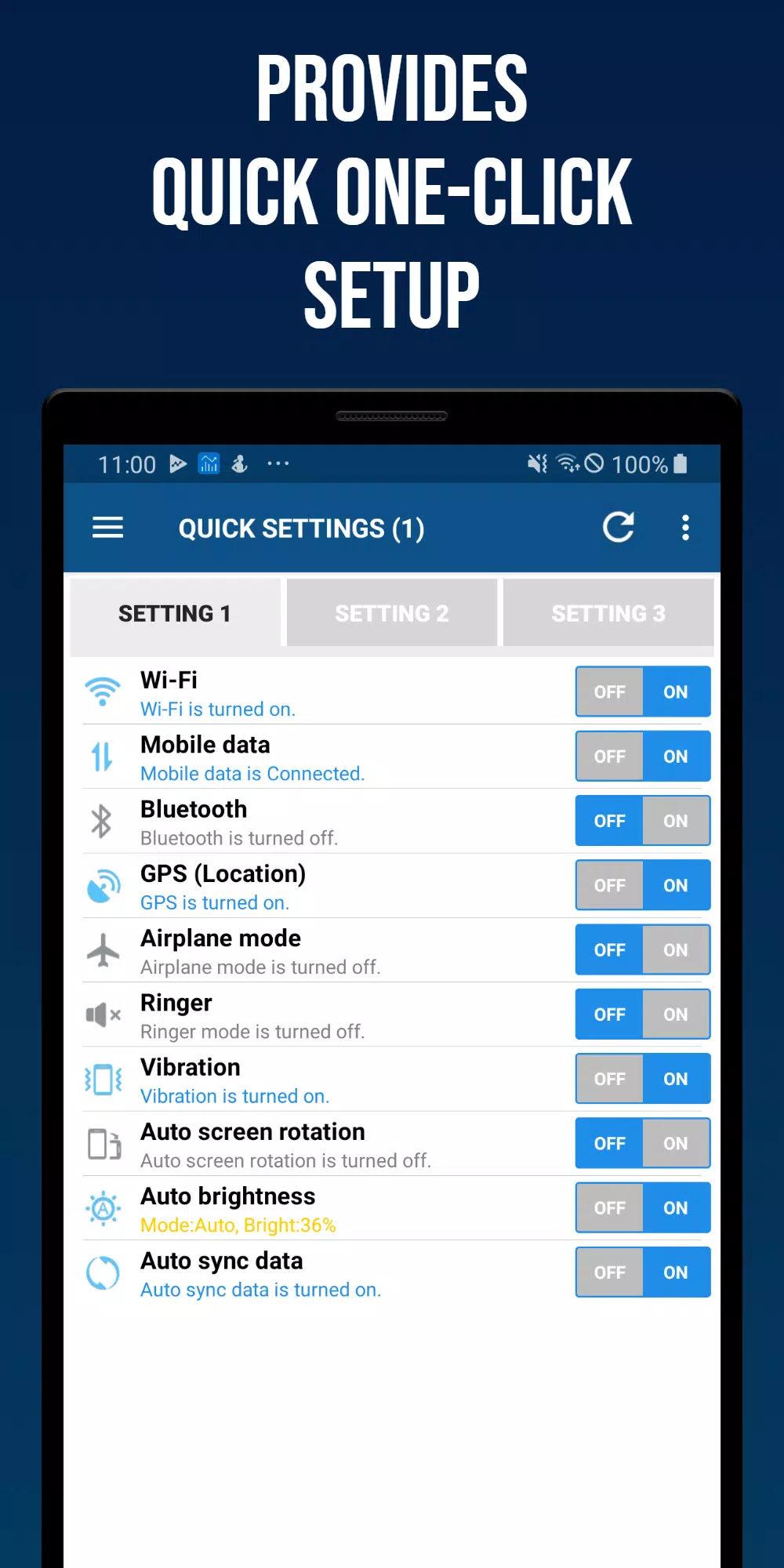
Wi-Fi: Monitor Wi-Fi status and access quick settings.
Mobile Data: Check the status of mobile data (3G, LTE) and access quick settings.
GPS: View GPS reception status and access quick settings.
Flight Mode: Check flight mode status and access quick settings.
Ringtone Settings: Toggle ringtone on/off with options for detailed sound settings.
Vibration Settings: Switch between vibration and sound, with options for detailed vibration settings.
Bluetooth: Turn Bluetooth on/off and access quick settings.
Screen Auto Rotation: Choose between auto-rotation and fixed screen orientation.
Screen Auto Brightness: Opt for automatic brightness or set it manually.
Auto Sync: Enable or disable auto-sync.
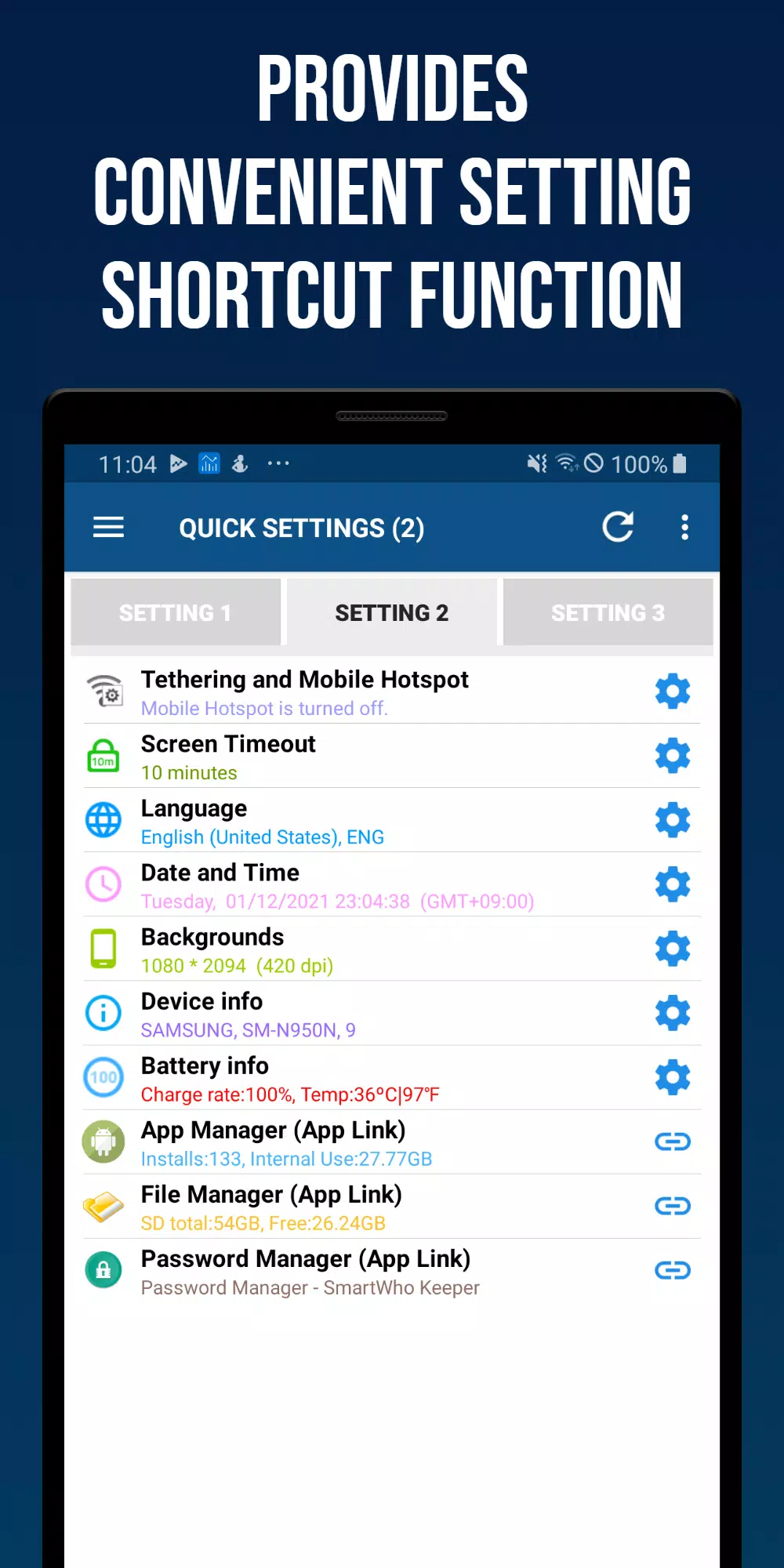
Tethering and Mobile Hotspot: Quick access to settings for tethering and mobile hotspot.
Screen Auto-Off Time: Check and adjust screen auto-off time.
Language: View current device language and access quick settings.
Date and Time: Manage automatic time server sync, standard time, and date/time format with quick settings.
Wallpaper (lock or background): Change wallpaper for the background or standby screen.
Battery Information: Check battery charge level and temperature with quick settings access.
Device Information: View details like manufacturer, device name, model number, and Android version.
App Manager: See installed apps count and internal memory usage, launching Smartwho's Smart App Manager on click.
Password Manager: Launch SmartWho's Password Manager app.
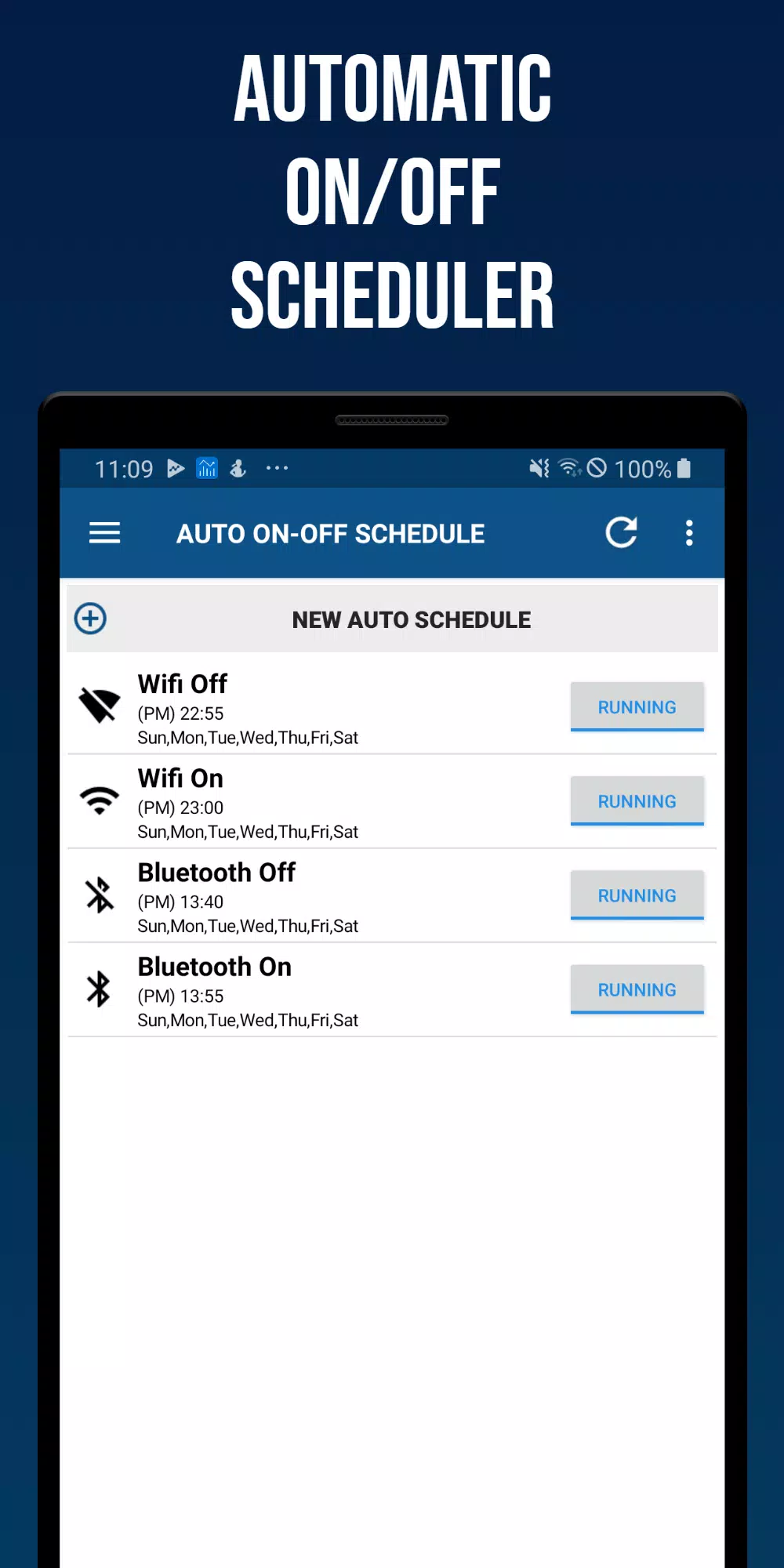
Auto On-Off Schedule:
This feature allows automatic control of Wi-Fi, Bluetooth, vibration, sound, screen brightness, auto-sync, and auto-screen rotation based on scheduled days and times.
Settings:
Options include status bar settings and the ability to reset settings.
Home Screen Widgets:
- (4X1) Smart Quick Settings Widget 1
- (4X1) Smart Quick Settings Widget 2
- (4X2) Smart Quick Settings Widget 3
Smart Quick Settings is easy and quick to set up, supporting Wi-Fi, Mobile, Bluetooth, GPS, Ringtone, Vibrate, and Brightness adjustments to enhance your Android experience.