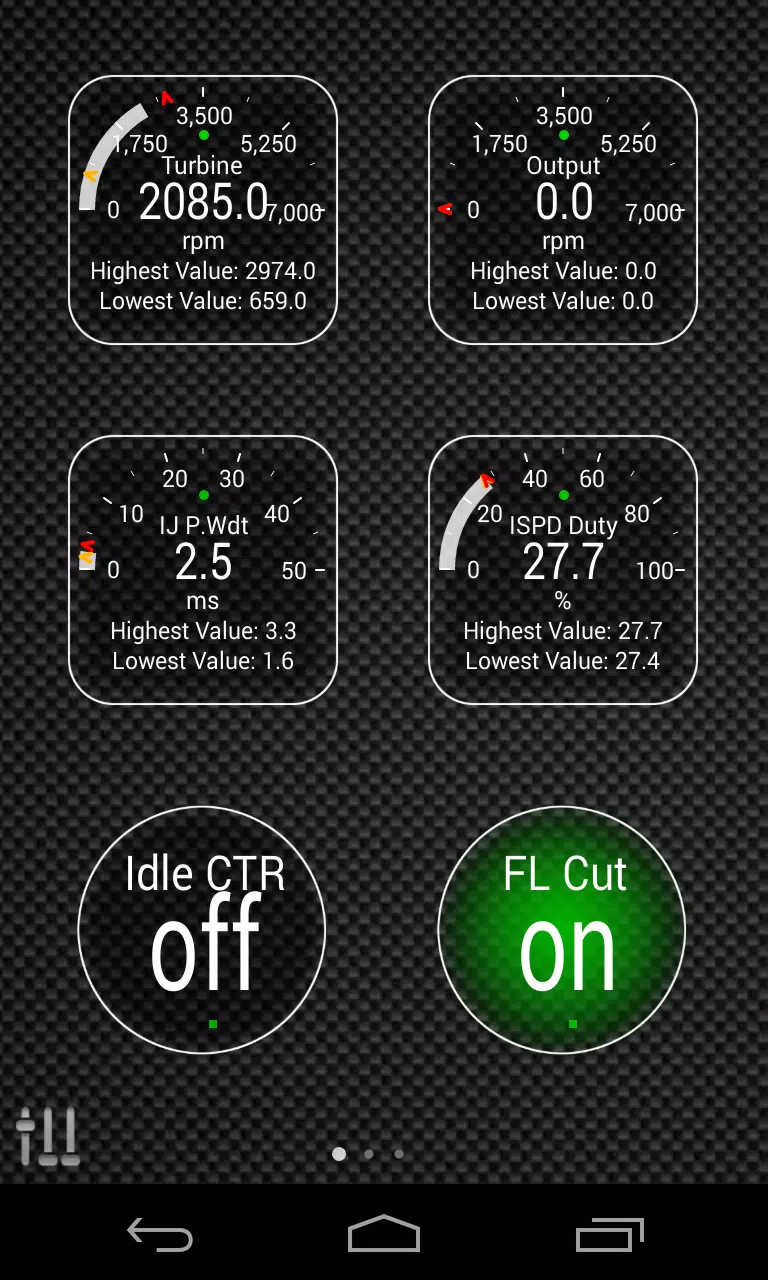
Enhance your vehicle diagnostics by integrating the Advanced LT plugin into Torque Pro, enabling you to monitor specific KIA parameters in real-time. This powerful plugin extends the capabilities of Torque Pro by adding advanced sensor data for KIA engines and automatic transmissions, providing you with detailed insights into your vehicle's performance.
Advanced LT offers a trial version, allowing you to experiment with a limited set of sensors before making a purchase. Please note, this version does not include calculated sensors such as Injector Duty Cycle (%) or HIVEC mode, focusing instead on direct sensor readings.
Although the plugin is designed to support a wide range of KIA models and engines, it has been thoroughly tested on the following:
- Carnival/Sedona 3.8 V6
- Carnival/Sedona 2.7 V6
- Carnival/Sedona 2.2 CRDI
- Cee'd 1.4/1.6 MPI
- Cee'd 2.0 MPI
- Cee'd 1.4/1.6 CRDI
- Cee'd 2.0 CRDI
- Cee'd 1.6 GDI
- Cerato/Forte 1.6 MPI
- Cerato/Forte 1.8 MPI/GDI
- Cerato/Forte 2.0 MPI/GDI
- Optima/K5 2.0 Turbo
- Optima/K5 2.0/2.4 GDI
- Mohave/Borrego 3.8 V6
- Mohave/Borrego 3.0 CRDI
- Rio 1.4/1.6 MPI
- Rio 1.2 MPI
- Soul 1.6 MPI
- Soul 2.0 MPI
- Sorento 2.4 GDI
- Sorento 3.5 V6
- Sorento 2.0/2.2 CRDI
- Spectra/Cerato 1.6 MPI
- Spectra/Cerato 2.0 MPI
- Sportage 2.0 MPI
- Sportage 2.7 V6
- Sportage 2.0 CRDI
- Sportage 1.6 MPI
- Sportage 2.0/2.4 MPI/GDI
- Venga 1.4/1.6 MPI
- Venga 1.4/1.6 CRDI
The plugin also features an ECU Scanner, which is invaluable for identifying sensors on KIA engines not yet supported by the plugin. To utilize this feature, you need to record at least 1000 samples and send the logs to the developer for further analysis and potential inclusion in future updates.
To ensure optimal functionality, Advanced LT requires the latest version of Torque Pro. It is not a standalone application and will not operate without Torque Pro installed on your device.
Plugin Installation
Follow these steps to install the Advanced LT plugin:
- After downloading the plugin from Google Play, verify that it appears in your Android device's installed applications list.
- Launch Torque Pro and click on the "Advanced LT" icon.
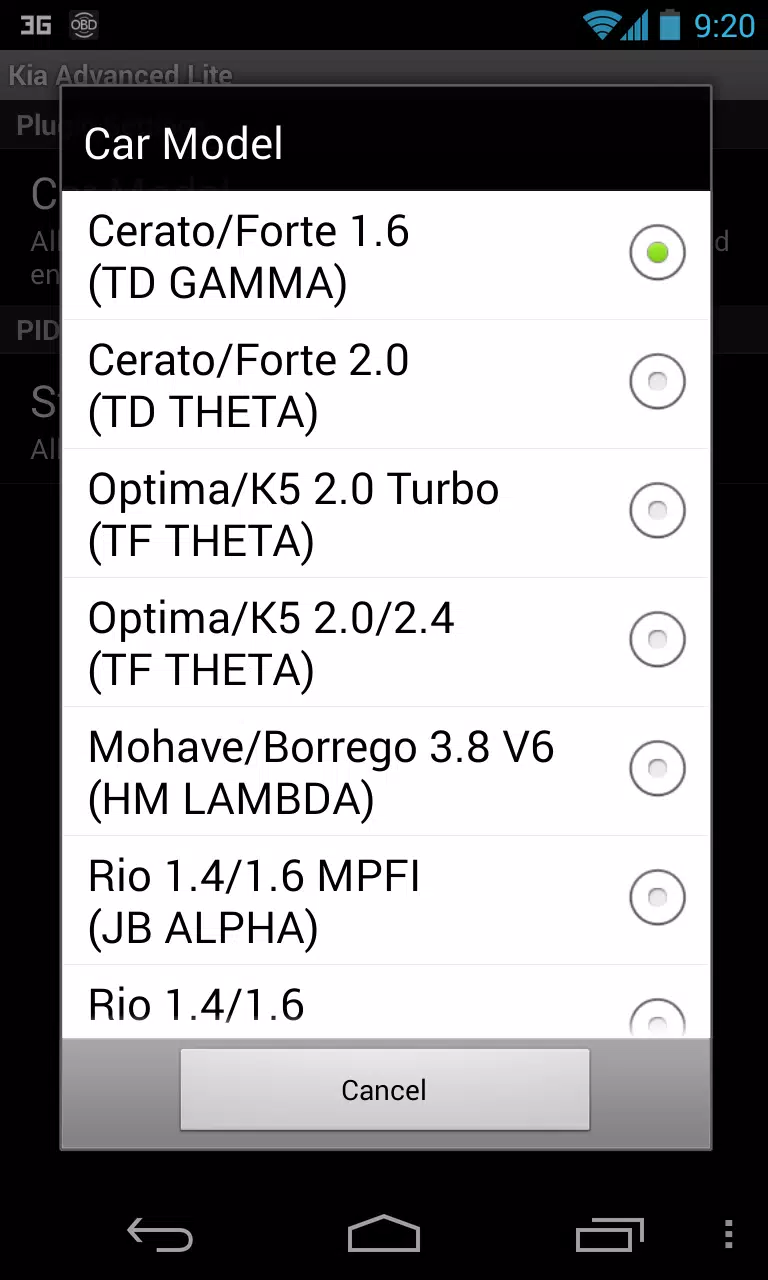
- Select the appropriate engine type and return to the Torque Pro main screen.
- Navigate to Torque Pro's "Settings".
- Confirm that the plugin is listed under "Settings" > "Plugins" > "Installed Plugins".
- Scroll down to "Manage extra PIDs/Sensors".
- This screen typically shows no entries unless you have previously added pre-defined or custom PIDs.
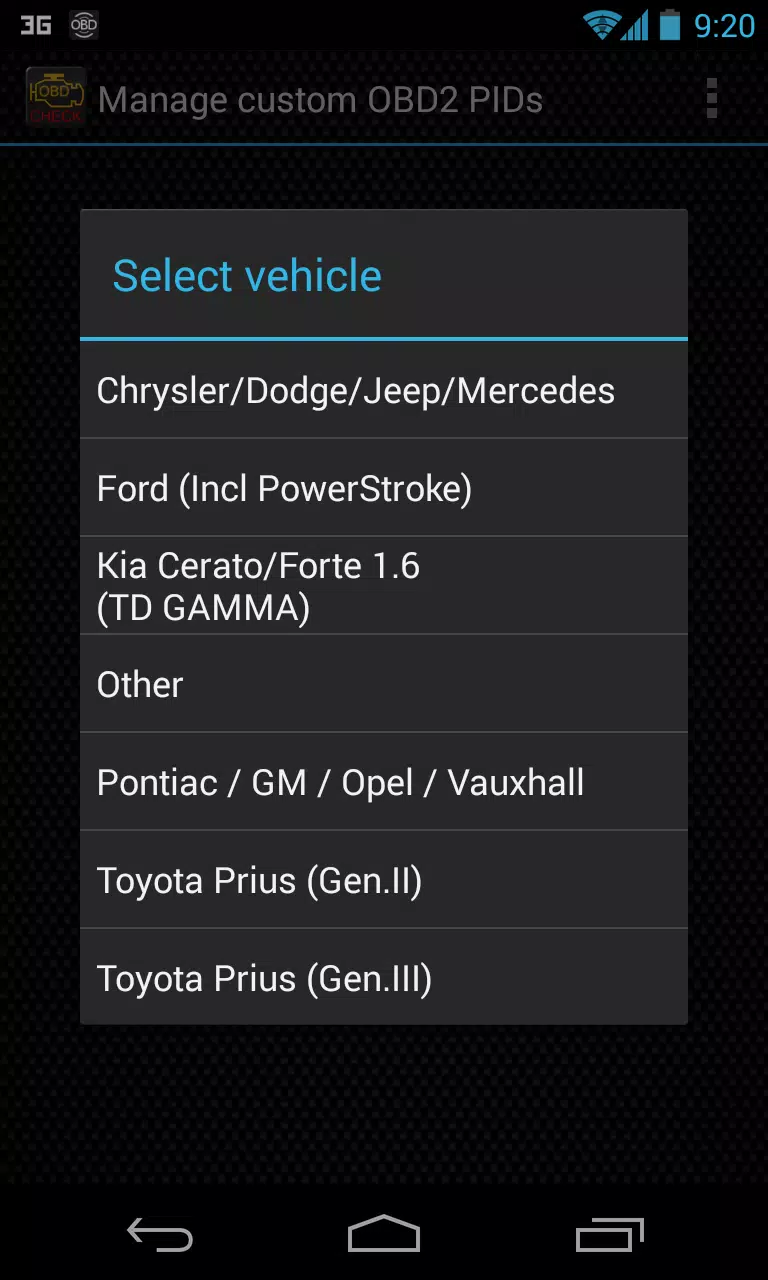
- From the menu, select "Add predefined set".
- Ensure you choose the correct set for your KIA engine type.
- After selecting the appropriate set, additional entries should appear in the Extra PIDs/Sensors list.
Adding Displays
Once you have added the additional sensors, you can customize your dashboard:
- Go to the Realtime Information/Dashboard in Torque Pro.
- Press the menu key and then click on "Add Display".
- Choose the appropriate display type (Dial, Bar, Graph, Digital Display, etc.).
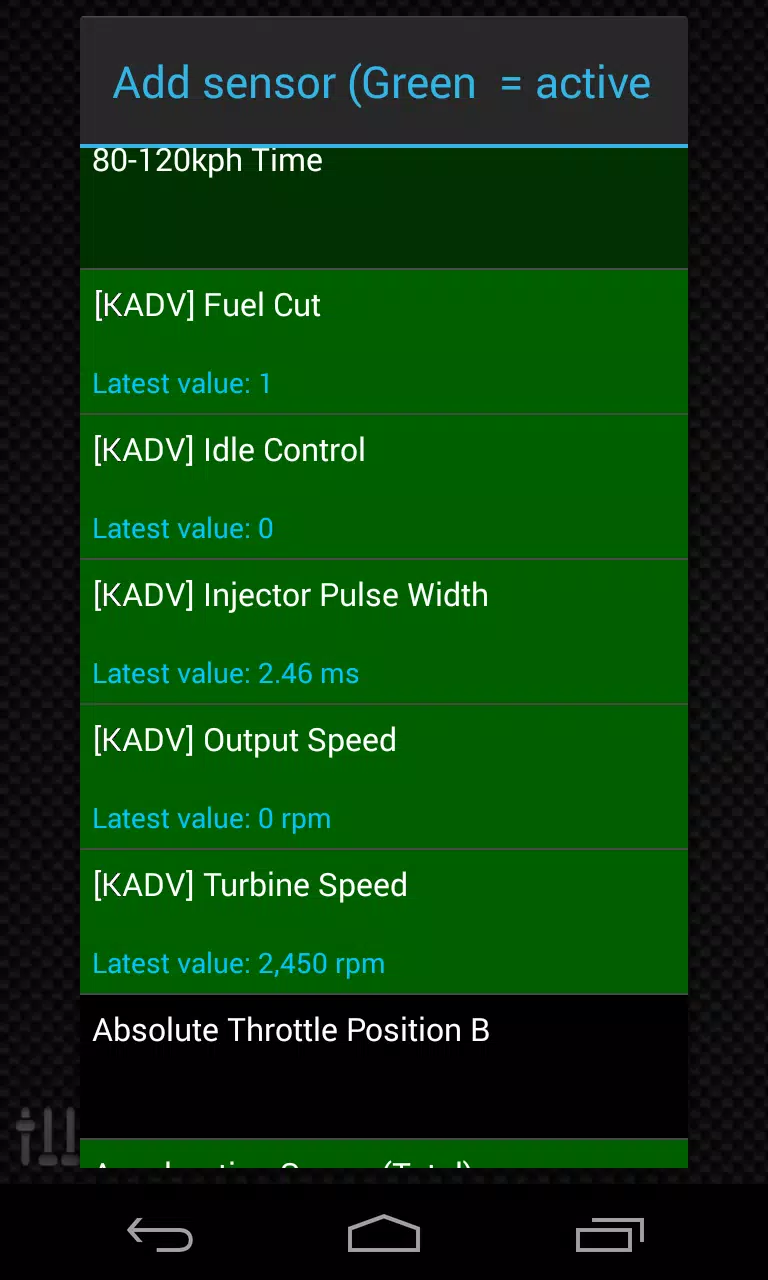
- Select the sensor you wish to monitor. Sensors provided by Advanced LT are prefixed with "[KADV]" and are listed near the top, following the time sensors.
Future updates will include more features and parameters. Your feedback and suggestions are highly valued, so please share your thoughts to help improve the plugin.