Norton Family is your go-to tool for managing the time your kids spend online, helping them develop safe, smart, and healthy internet habits. With Norton Family, you gain insights that assist in striking the right balance between online and offline activities for your children, ensuring they focus on what matters most, whether at home, in school, or on the move.
• Monitor the sites and content your child views
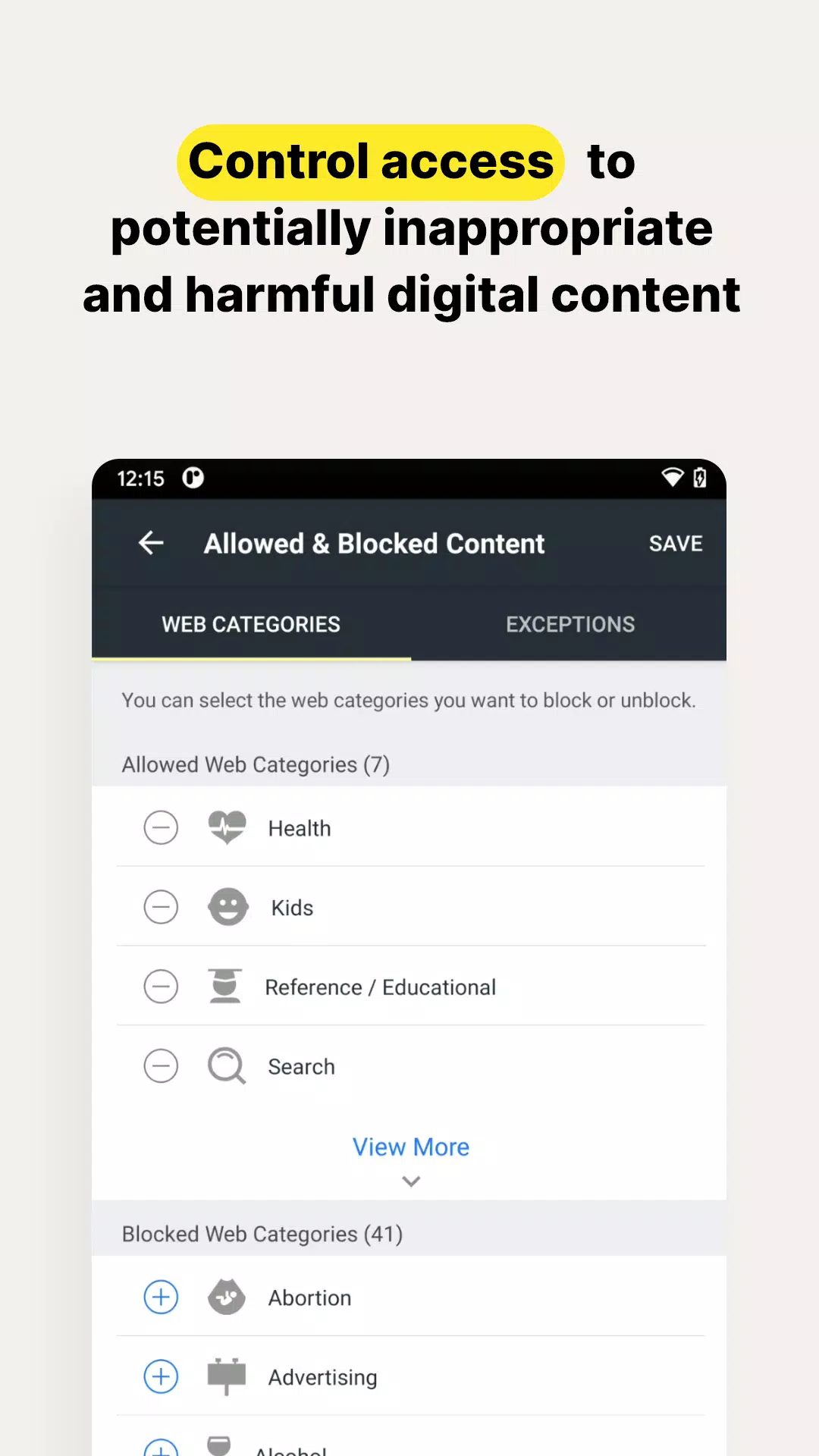
Make the internet a safer place for your kids to explore by staying informed about the sites they visit. Norton Family allows you to block potentially harmful or inappropriate content, giving you peace of mind as your children navigate the digital world.‡
• Set limits on your child’s internet access
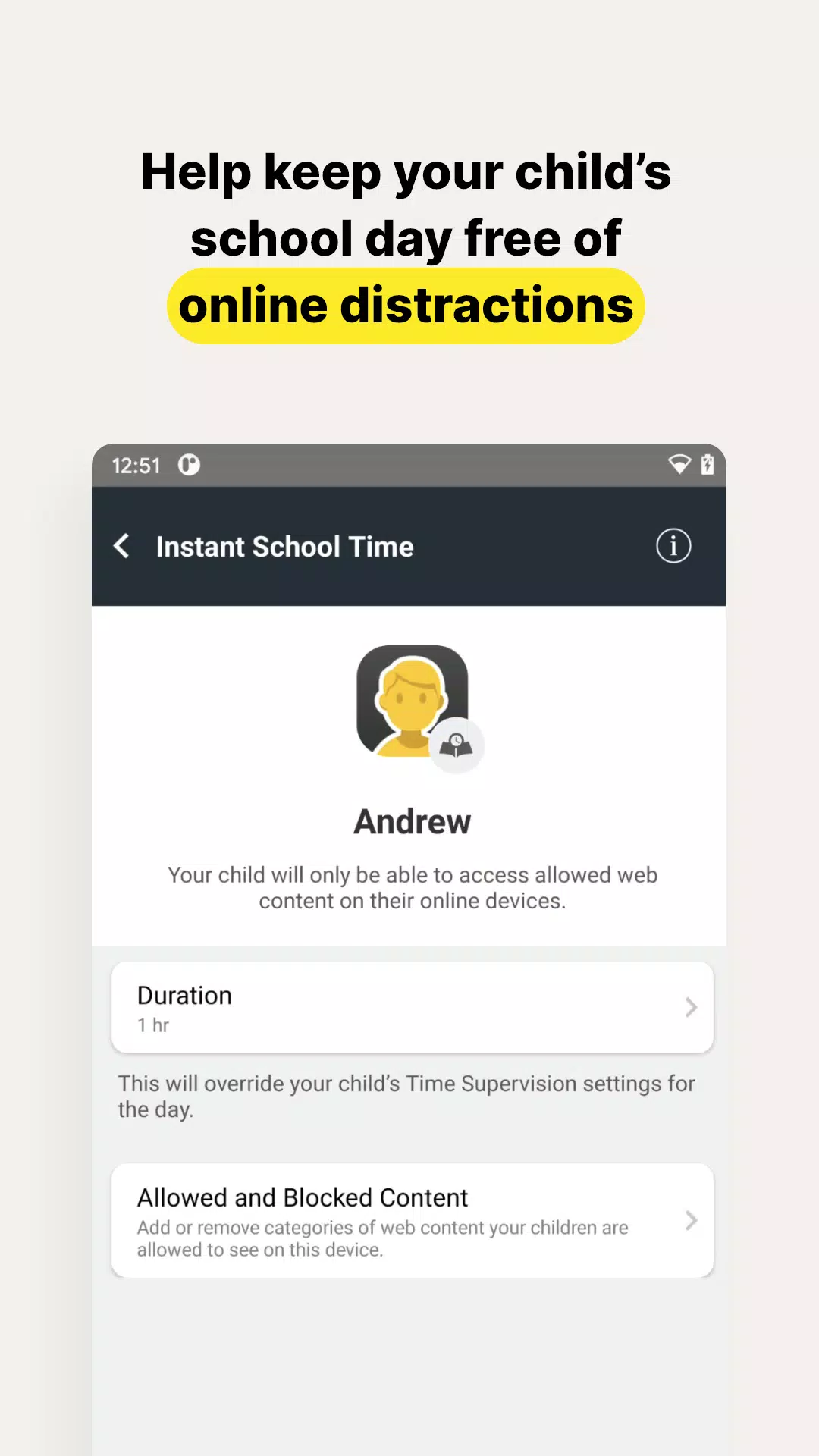
Help your kids find the right balance in their online time by scheduling screen time limits for their devices.‡ This feature can help them focus on schoolwork and minimize distractions during remote learning or at bedtime.‡
• Stay informed about your child’s physical location
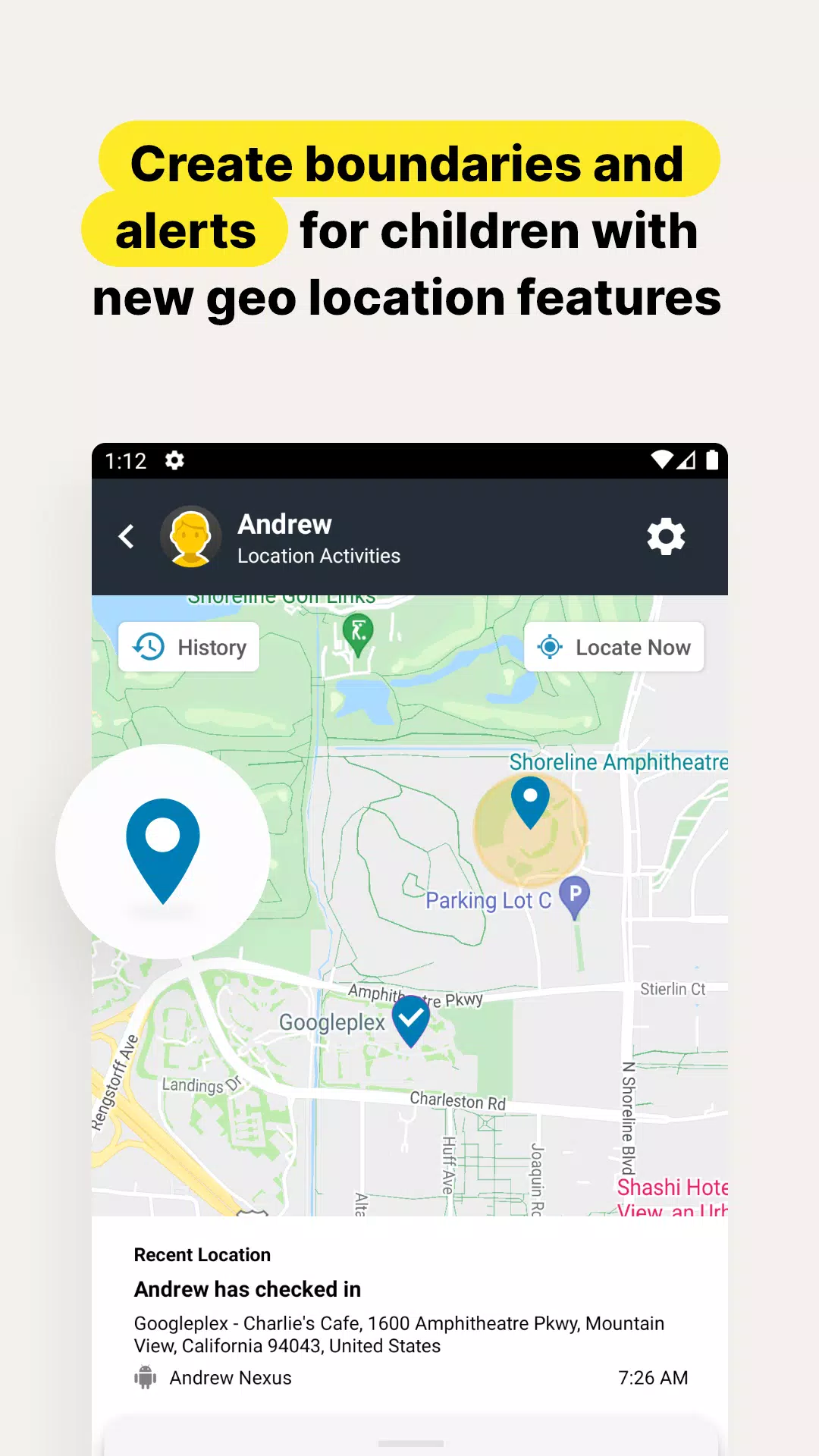
Utilize the geo-location features in the app to keep tabs on your child's whereabouts. Receive alerts when they enter or leave designated areas of interest you've set up. (4)
Here's a look at some of Norton Family's features that help protect your child’s online activities:
• Instant Lock
Encourage your kids to take breaks by locking their device, helping them refocus or join family time, like dinner. Communication remains open; you can still reach your children, and they can contact each other even when the device is locked.
• Web Supervision
Let your kids explore the web with confidence. Norton Family's tools help block unsuitable websites and keep you informed about the sites they visit. (6)
• Video Supervision
Keep an eye on the YouTube videos your kids watch on their PCs or mobile devices. You'll see a list of videos and even view snippets, helping you decide when to have a conversation about their viewing choices. (3)
• Mobile App Supervision
Gain visibility into the apps your kids download on their Android devices and choose which ones they're allowed to use. (5)
Time Features:
• School Time
During remote learning, where internet access is necessary, manage content access to keep your child focused on educational materials and relevant websites while school is in session.
Location Features:
• Alert Me
Stay automatically informed about your child’s location. Set specific times and dates to receive alerts about the location of your child’s device. (2)
‡ Norton Family and Norton Parental Control can only be installed and used on a child’s Windows PC, iOS, and Android devices, though not all features are available on all platforms. Parents can monitor and manage their child’s activities from any device – Windows PC (excluding Windows 10 in S mode), iOS, and Android – via our mobile apps, or by signing into their account at my.Norton.com and selecting Parental Control via any browser.
‡‡ Requires your device to have an Internet/data plan and be turned on.
1. Parents can sign in to my.Norton.com or family.Norton.com and select Parental Control to view their child’s activity and manage settings from any supported browser on any device.
2. Location Supervision features are NOT available in all countries. Visit Norton.com for details. To work, the child’s device must have Norton Family installed and be turned on.
3. Video Supervision monitors videos that your kids view on YouTube.com. It does not monitor or track YouTube videos that have been embedded in other websites or blogs.
4. Location Supervision requires activation before use.
5. Mobile app must be downloaded separately.
6. Norton Family uses AccessibilityService API to collect data about websites viewed through browsers on your child's device. It is also used to prevent the child from removing permissions without a parent’s authentication.
Privacy Statement
NortonLifeLock respects your privacy and is dedicated to safeguarding your personal data. See http://www.nortonlifelock.com/privacy for more information.
No one can prevent all cybercrime or identity theft.