Introducing HTC Service—Video Player, the ultimate app for your video needs.
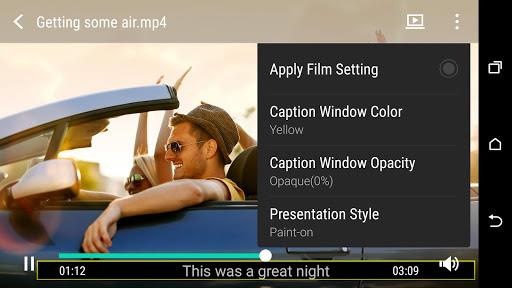
HTC Service—Video Player is your one-stop shop for all things video. With its powerful decoding capabilities, you can enjoy smooth playback for both online streaming content and videos saved on your phone. But that's not all! This app is packed with unique gesture controls that make your video watching experience even more enjoyable. Simply swipe side-to-side with two fingers to fast forward or rewind, or swipe up with three fingers to share media with your friends.
HTC Service—Video Player offers a range of features to enhance your video experience:
- Smooth playback for streaming content and videos saved on your phone: Enjoy seamless and uninterrupted viewing, whether you're watching videos online or playing back videos from your phone's gallery.
- Unique gesture controls for easy navigation: Navigate through your videos with ease using intuitive gestures. Swipe side-to-side with two fingers to fast forward or rewind, and swipe up with three fingers to quickly share the media with your friends.
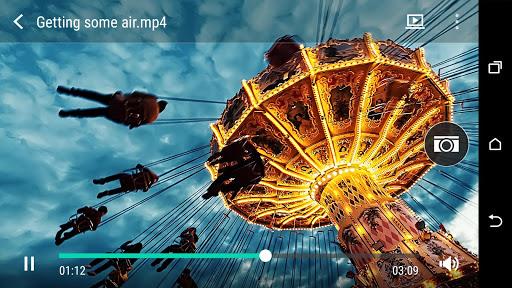
- Capture still images from a video: Preserve those memorable moments by capturing still images from your videos. Simply pause the video, tap on the capture button, and you'll have a high-quality image to keep or share.
- Trim video clips quickly and without quality loss: Edit your videos on the go with precision and without any loss in quality. Remove unwanted parts or create shorter clips with ease.
- Adjust speed of slow motion videos (not available on all phones): If your phone supports slow motion video recording, you can adjust the speed of these videos to enhance or slow down the action.
- Support for many popular video formats: HTC Service—Video Player supports a wide range of video formats, ensuring compatibility with almost any video file you have on your phone.
Tips for Users:
- Utilize the gesture controls for a seamless viewing experience: Experiment with the gesture controls to enhance your viewing experience. Quickly navigate through the video by swiping side-to-side with two fingers, and instantly share the media with friends by swiping up with three fingers.
- Capture those special moments with still images: Take advantage of the capture still image feature to preserve those memorable moments in your videos. Simply pause the video and tap on the capture button to save a high-quality image.
- Edit and personalize your videos on the go: HTC Service—Video Player allows you to trim video clips quickly and easily, providing a user-friendly interface for editing your videos on the go. Don't sacrifice quality when customizing your videos.
Conclusion:
HTC Service—Video Player is a feature-rich app that offers smooth playback for streaming content and videos saved on your phone. Its unique gesture controls make navigation effortless, and features like still image capture and video trimming allow you to personalize your videos on the go. With support for popular video formats and additional features like adjusting Slow Motion video speed, it is a versatile app that eliminates the need for third-party video players. Enjoy a seamless viewing experience and unleash your creativity with HTC Service—Video Player.